Usps form 3575 pdf-2026

Get Form
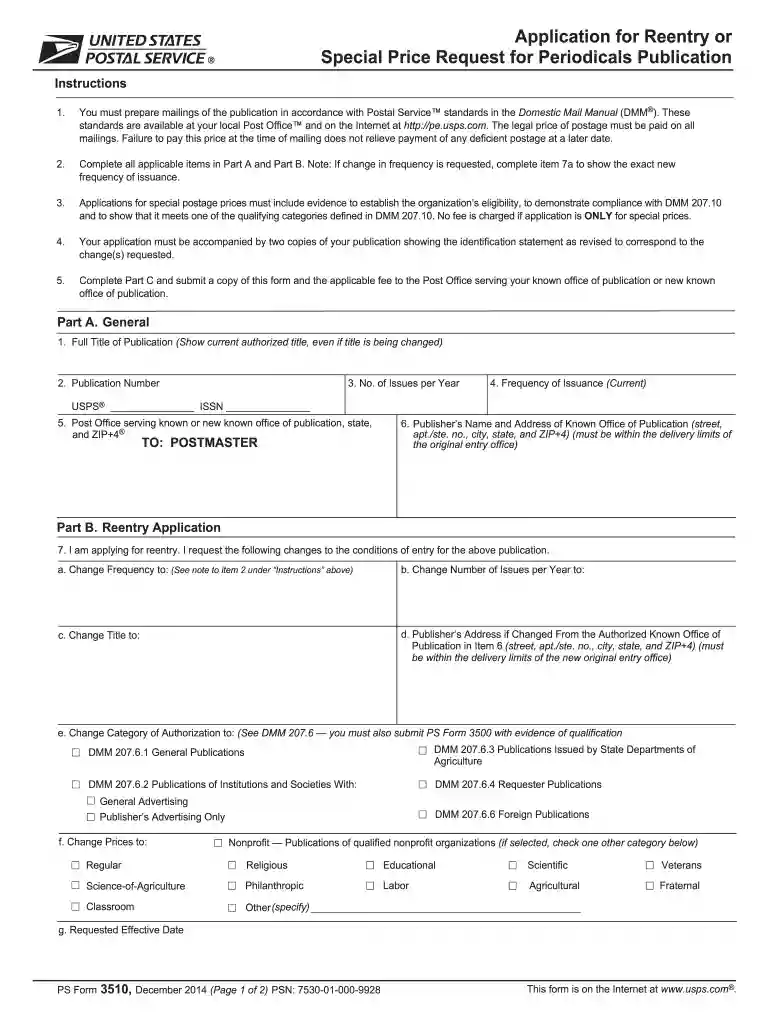
3510 Preview on Page 1

Here's how it works

01. Edit your 3510 online
Type text, add images, blackout confidential details, add comments, highlights and more.

02. Sign it in a few clicks
Draw your signature, type it, upload its image, or use your mobile device as a signature pad.

03. Share your form with others
Send usps form 3510 via email, link, or fax. You can also download it, export it or print it out.

How to use or fill out usps form 3575 pdf with our platform

Form edit decoration
9.5
Ease of Setup
DocHub User Ratings on G2
9.0
Ease of Use
DocHub User Ratings on G2
  1. Click ‘Get Form’ to open the USPS Form 3575 PDF in the editor.
  2. Begin with Part A. Fill in the Full Title of Publication, Publication Number, and the Number of Issues per Year. Ensure you accurately state the current Frequency of Issuance.
  3. In Part B, if applying for reentry, indicate any changes needed such as frequency or title. Be sure to provide a new Publisher’s Address if it has changed.
  4. Complete Part C by entering your name, title, date, signature, email, and telephone number. This information is crucial for processing your application.
  5. Review all sections for accuracy before submitting. If applicable, ensure you include any required fees and documentation as specified in the instructions.

Start using our platform today to fill out your USPS Form 3575 easily and for free!

See more usps form 3575 pdf versions

We've got more versions of the usps form 3575 pdf form. Select the right usps form 3575 pdf version from the list and start editing it straight away!
Versions Form popularity Fillable & printable
2014 4.9 Satisfied (486 Votes)
2013 4.4 Satisfied (437 Votes)
be ready to get more

Complete this form in 5 minutes or less

Get form

Got questions?

We have answers to the most popular questions from our customers. If you can't find an answer to your question, please contact us.
Contact us
You will be required to pay a $1.10 identity verification fee and the billing address on the credit card must match either your old or new address. If your online identity verification succeeds, the USPS will email you a confirmation code. Keep this code and be careful not to lose it.
Go to USPS.com/move to change your address online. There is a $1.05 charge to change your address online. You will need a credit or debit card and a valid email address. The $1.05 charge to your card is an identity verification fee to prevent fraud and make sure youre the one making the change.
Visit your local Post Office location with acceptable photo ID and any other required documents. Request a free Movers Guide packet. Fill out the PS Form 3575 found inside the packet, and give it to the retail associate.
Let the post office know you are going to change your address and want your mail forwarded to your new location. You can: Go to USPS.com/move to change your address online. You do not need to pay a separate company to change your address.
You can: Go to USPS.com/move to change your address online. You do not need to pay a separate company to change your address. Scammers may charge $40 or more to do what you can do for $1.10 using the Who is moving? section of the official USPS.com website.

Security and compliance

At DocHub, your data security is our priority. We follow HIPAA, SOC2, GDPR, and other standards, so you can work on your documents with confidence.

Learn more
ccpa2
pci-dss
gdpr-compliance
hipaa
soc-compliance

People also ask

This is free. You can fill out the form using the following methods: Fill out the form via the web () and print before submitting payment. Pick up Form 3575 at your local Post Office.

form 3510