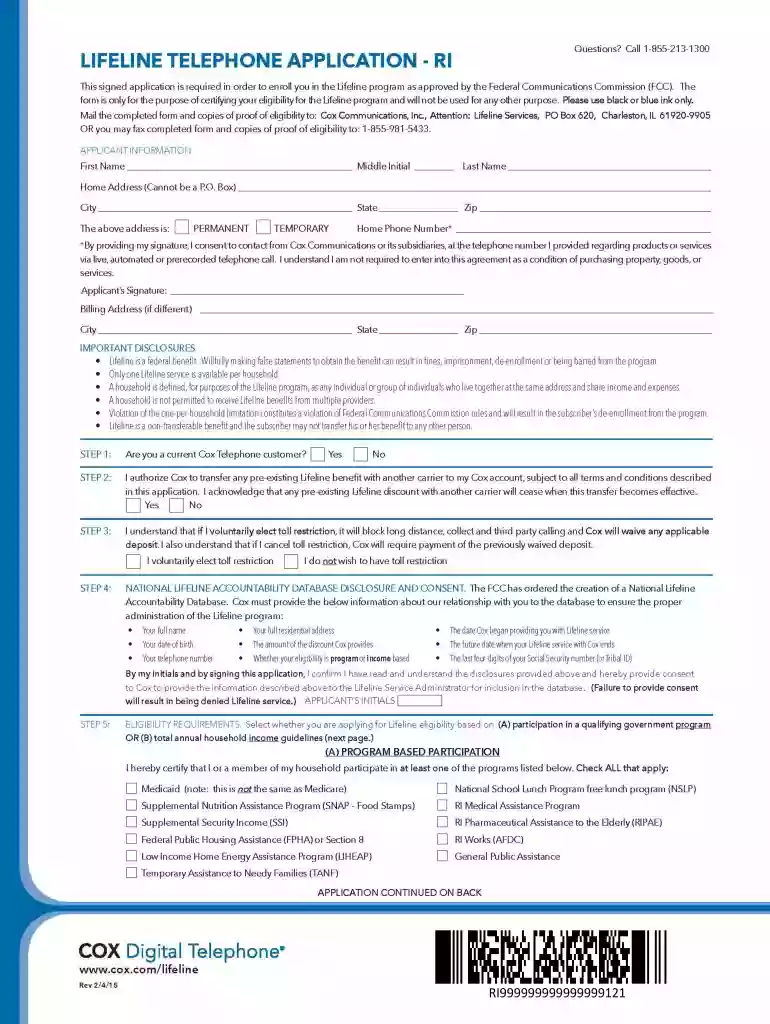
Cox lifeline application 2026

Get Form
cox lifeline application Preview on Page 1

Here's how it works

01. Edit your cox lifeline application online
Type text, add images, blackout confidential details, add comments, highlights and more.

02. Sign it in a few clicks
Draw your signature, type it, upload its image, or use your mobile device as a signature pad.

03. Share your form with others
Send cox lifeline application online via email, link, or fax. You can also download it, export it or print it out.

How to use or fill out cox lifeline application with our platform

Form edit decoration
9.5
Ease of Setup
DocHub User Ratings on G2
9.0
Ease of Use
DocHub User Ratings on G2
  1. Click ‘Get Form’ to open the cox lifeline application in the editor.
  2. Begin by entering your personal information in the designated fields. This typically includes your name, address, and contact details. Ensure all entries are accurate for a smooth processing experience.
  3. Next, navigate to the eligibility section. Here, you may need to provide specific details regarding your situation that qualify you for the Cox Lifeline program. Take your time to read each question carefully.
  4. Proceed to the signature field at the end of the application. Use our platform’s signature tool to sign electronically, ensuring that your application is valid and complete.
  5. Finally, review all entered information for accuracy before submitting. Utilize our platform's editing features to make any necessary adjustments easily.

Start filling out your cox lifeline application today for free using our platform!

See more cox lifeline application versions

We've got more versions of the cox lifeline application form. Select the right cox lifeline application version from the list and start editing it straight away!
Versions Form popularity Fillable & printable
2015 4.8 Satisfied (123 Votes)
2012 4.9 Satisfied (58 Votes)
be ready to get more

Complete this form in 5 minutes or less

Get form

Got questions?

We have answers to the most popular questions from our customers. If you can't find an answer to your question, please contact us.
Contact us
$9.95/month includes Connect2Compete Internet service (up to 100 Mbps download speeds) on a single outlet. One Wifi modem rental is included with the monthly charge (may include refurbished wireless gateway). Equipment must be returned on service cancellation. Additional equipment is extra.
Your eligibility is based on location and if your household income is at or below 135% of the Federal Poverty Guidelines. The 2024 guidelines can be found in the chart below. California offers the Lifeline benefit to households at or below 150% of the Federal Poverty Guidelines.
Guide to cutting Cox costs: Get a Cox bundle. Lower your internet speed. Get rid of unlimited data. Buy your own equipment. Negotiate your monthly cost. Switch to a different internet provider. Why this guide is legit.
Comcasts Internet Essentials is a high-speed, low-cost internet service for eligible low-income households at a cost of $9.95 per month. Wireless Wi-Fi is included. The program is open to anyone eligible for public help, from food stamps and Pell Grants to Medicaid.
The Lifeline discount for eligible subscribers is up to $9.25 per month for qualifying monthly broadband or bundled services that meet the broadband minimum service standards.

People also ask

Cox offers three low-cost internet plans: ConnectAssist at $30/mo for those on government assistance, Connect2Compete at $9.95/mo for families with a K-12 student also on government assistance, and StraightUp Internet at $50/mo (prepaid) for those in service areas with no credit check required.
You are eligible for the service if you participate in one of the following government subsidy programs: SNAP, TANF, Head Start, WIC, Low Income Home Energy Assistance Program (LIHEAP), certain Public Housing, Pell Grant, Veterans Pension, certain Tribal Programs, Supplemental Security Income (SSI), and certain state

cox lifeline