Fl470 2026

Get Form
fl 470 Preview on Page 1

Here's how it works

01. Edit your fl 470 online
Type text, add images, blackout confidential details, add comments, highlights and more.
02. Sign it in a few clicks
Draw your signature, type it, upload its image, or use your mobile device as a signature pad.
03. Share your form with others
Send it via email, link, or fax. You can also download it, export it or print it out.

How to use or fill out FL-470 with our platform

Form edit decoration
9.5
Ease of Setup
DocHub User Ratings on G2
9.0
Ease of Use
DocHub User Ratings on G2
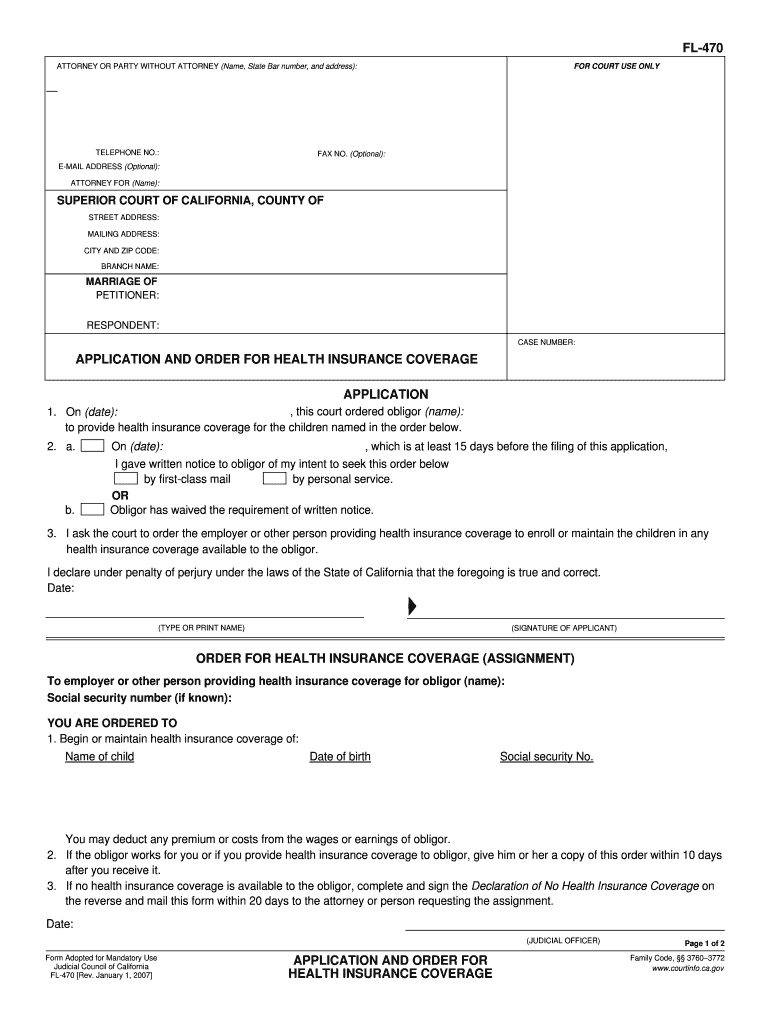
  1. Click ‘Get Form’ to open the FL-470 in the editor.
  2. Begin by filling in your name, State Bar number, and address in the 'ATTORNEY OR PARTY WITHOUT ATTORNEY' section. This identifies you as the applicant.
  3. Provide your contact information, including telephone number and optional email address, ensuring that all details are accurate for court communication.
  4. In the 'MARRIAGE OF' section, enter the names of both parties involved in the case along with the case number for proper identification.
  5. Complete the 'APPLICATION' section by detailing the obligor's name and dates relevant to health insurance coverage. Make sure to indicate how notice was given regarding this application.
  6. Fill out the 'ORDER FOR HEALTH INSURANCE COVERAGE' section by providing necessary child details such as names and dates of birth. Ensure accuracy to avoid delays.
  7. Finally, review all entries for correctness before signing and dating at the bottom of the form. This confirms your declaration under penalty of perjury.

Start using our platform today to easily complete your FL-470 form online for free!

See more fl470 versions

We've got more versions of the fl470 form. Select the right fl470 version from the list and start editing it straight away!
Versions Form popularity Fillable & printable
2007 4.8 Satisfied (265 Votes)
be ready to get more

Complete this form in 5 minutes or less

Get form

Got questions?

We have answers to the most popular questions from our customers. If you can't find an answer to your question, please contact us.
Contact us
A flight level (FL) is a standardized altitude reference used in aviation, measured in hundreds of pressure feet based on atmospheric pressure at a given height. Simply put, flight levels are barometric pressure surfaces that help maintain vertical separation between aircraft during flight.
Pilots then describe the altitude by the first three digits. For example, 18,000 feet is FL180, 29,000 feet is FL290, 41,000 feet is FL410 and so on.
FL400 is forty thousand feet. FL stands for flight level and it starts at FL180 (18,000ft)
Flight level 470, FL470 indicates the aircrafts altitude is at 47,000 ft. Normally jet aircrafts cruise between 37,000 to 43,000ft so with us, we aim for a bit higher but not yet to the maximum level we can fly, meaning we still have areas to expend.
At FL 410 and above, 4,000 ft intervals are resumed to separate same-direction aircraft and only odd Flight Levels are assigned, depending on the direction of flight: Track 000 to 179 odd flight levels (FL 410, 450, 490, etc.)

Security and compliance

At DocHub, your data security is our priority. We follow HIPAA, SOC2, GDPR, and other standards, so you can work on your documents with confidence.

Learn more
ccpa2
pci-dss
gdpr-compliance
hipaa
soc-compliance