Type text, add images, blackout confidential details, add comments, highlights and more.

02. Sign it in a few clicks
Draw your signature, type it, upload its image, or use your mobile device as a signature pad.

03. Share your form with others
Send sr 1 form pdf via email, link, or fax. You can also download it, export it or print it out.

How to use or fill out form sr 1 with our platform
Ease of Setup
DocHub User Ratings on G2
Ease of Use
DocHub User Ratings on G2
Click ‘Get Form’ to open the SR 1 document in the editor.
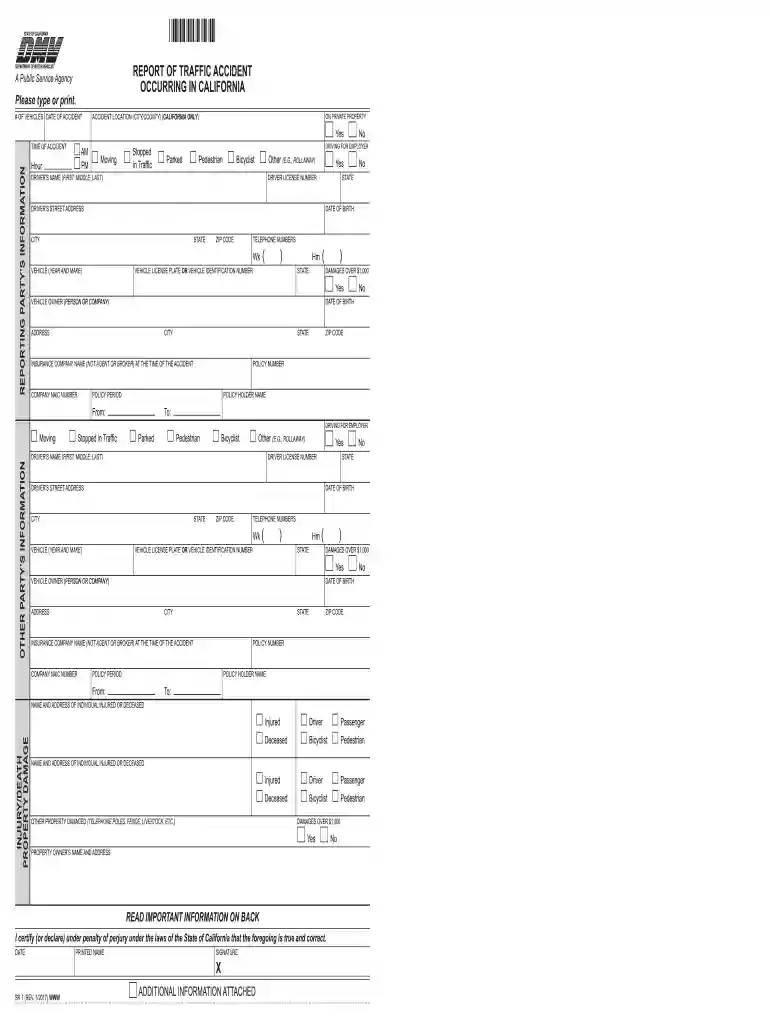
Begin by entering the date of the accident and the location (city/county) where it occurred. Specify if it was on private property.
Fill in the reporting party’s information, including their name, driver’s license number, address, and contact numbers. Ensure all fields are completed accurately.
Provide details about the vehicles involved, including license plate numbers and vehicle identification numbers. Indicate if damages exceed $1,000.
Complete sections for both your vehicle and any other parties involved. Include insurance information and policy details as required.
If there were injuries or property damage, document these in the appropriate sections. Be thorough to ensure compliance with reporting requirements.
Once all fields are filled out correctly, review your entries for accuracy before submitting the form through our platform.
Start using our platform today to complete your SR 1 form easily and efficiently!
Printable form sr 1Form sr 1 pdfWhen is SR-1 form requiredSR-1 form DMVNJ Self Reporting Crash form SR 1Form sr 1 onlineSR-1 form NJHow to fill out SR-1 form
Security and compliance
At DocHub, your data security is our priority. We follow HIPAA, SOC2, GDPR, and other standards, so you can work on your documents with confidence.
Report of Traffic Accident Occurring in California (SR-1)
You or your insurance agent, broker, or legal representative must complete an SR-1 report and send it to DMV within 10 days if someone is injured (no matter howRead more
Cookie consent notice
This site uses cookies to enhance site navigation and personalize your experience.
By using this site you agree to our use of cookies as described in our Privacy Notice.
You can modify your selections by visiting our Cookie and Advertising Notice.