




Here's how it works



How to use or fill out Fillable Online Healthy TipsHouston Spine & Sports

- Click ‘Get Form’ to open it in the editor.
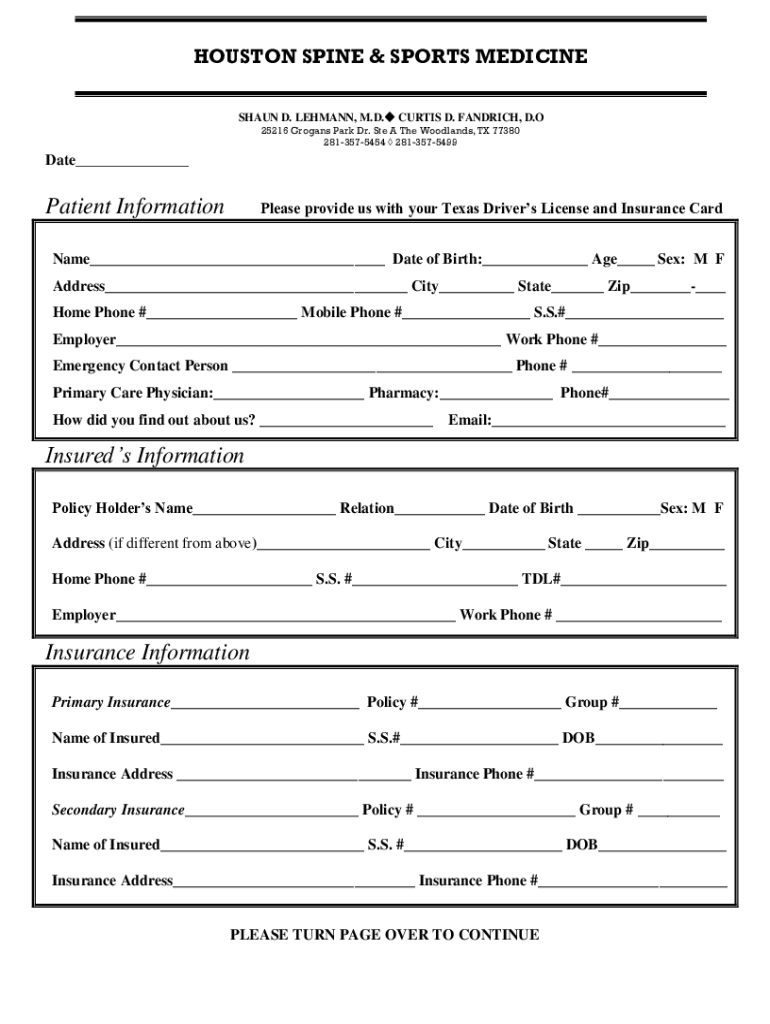
- Begin by entering your personal information in the 'Patient Information' section. Fill in your name, date of birth, age, and sex. Ensure that you provide a valid Texas Driver’s License and Insurance Card.
- Complete your address details including city, state, and zip code. Don’t forget to include your home and mobile phone numbers.
- Provide your employer's information along with the work phone number. Also, list an emergency contact person and their phone number.
- In the 'Insured’s Information' section, fill out the policy holder’s name, relation to you, date of birth, and sex. If their address differs from yours, include that as well.
- Next, enter your primary insurance details including policy number and group number. Repeat this for secondary insurance if applicable.
- Review the 'Assignment of Insurance Benefits' and 'Authorization to Release Information' sections carefully before signing at the bottom of the form.
Start filling out your form today for free using our platform!
It's free
See more Fillable Online Healthy TipsHouston Spine & Sports versions
Got questions?
How can I send my Fillable Online Healthy TipsHouston Spine & Sports for eSignature?
Upload your Fillable Online Healthy TipsHouston Spine & Sports to DocHub (once you’ve set up an account for this). If you need to complete fields in it, use proper tools from the top pane. For instance, add Signature Fields, assign each to a particular person, and click on Sign → Request signatures from others. Personalize your message for your recipients and click Send Request. You can also send your form by fax or as a Signing link instead of using email (you’ll find these options by navigating to the Menu → Send)
How do you edit Fillable Online Healthy TipsHouston Spine & Sports online?
With DocHub, you have several convenient methods to edit your Fillable Online Healthy TipsHouston Spine & Sports online. You can drag and drop the form and edit it straight at the DocHub website or use our browser extension to fill out your form right away. On top of that, you can edit your PDF on your smartphone, as DocHub works with all the available mobile platforms.
Security and compliance
At DocHub, your data security is our priority. We follow HIPAA, SOC2, GDPR, and other standards, so you can work on your documents with confidence.
Learn more




