




Here's how it works



How to use or fill out 2005 Kansas Petition Worthless with Our Platform

- Click ‘Get Form’ to open the 2005 Kansas Petition Worthless in the editor.
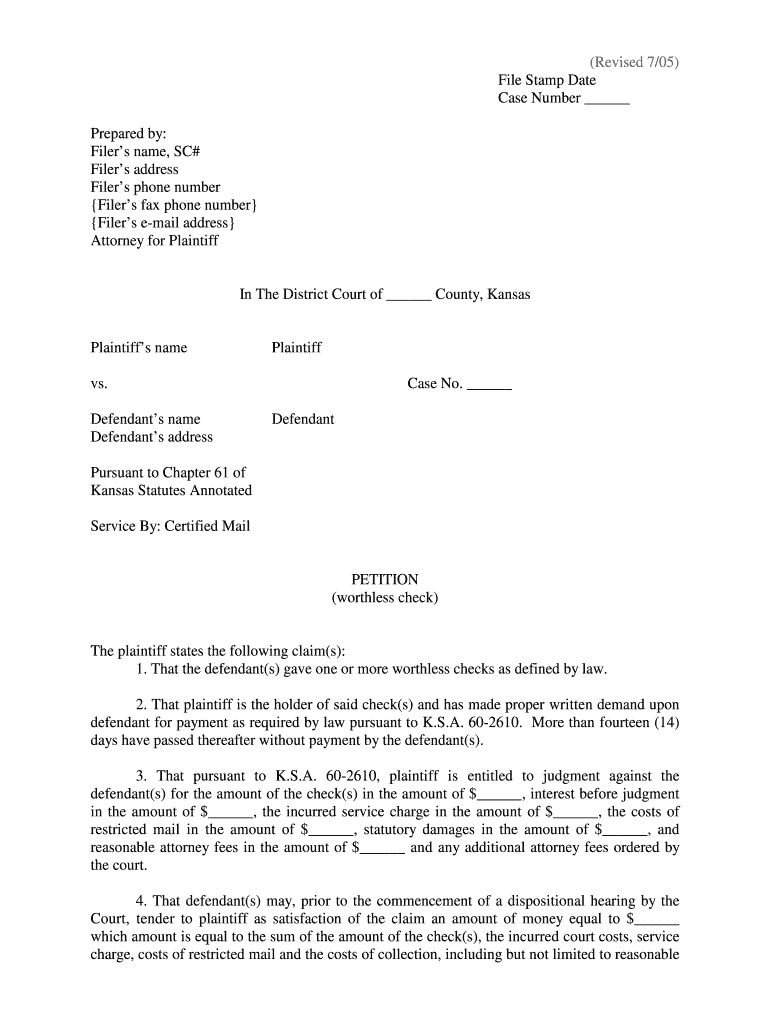
- Begin by entering the case number at the top of the form. This is essential for tracking your petition within the court system.
- Fill in your name, address, phone number, and email in the 'Prepared by' section. Ensure all contact information is accurate for any correspondence.
- In the 'Plaintiff' section, enter your name as well as the defendant's name and address. This identifies both parties involved in the case.
- Detail your claims regarding worthless checks in Section 1 through Section 4. Clearly state the amount owed and any additional fees or damages you are claiming.
- Finally, sign and date the form at the bottom. If applicable, include any necessary disclaimers regarding debt collection.
Start using our platform today to fill out your forms online for free!
It's free
See more 2005 kansas petition worthless versions
| Versions | Form popularity | Fillable & printable |
|---|---|---|
| 2005 | 4.8 Satisfied (167 Votes) |
Got questions?
How do I sign my 2005 kansas petition worthless free of charge?
Most eSignature services require users to have a paid subscription. With DocHub, there are two ways for you to create an electronic signature to your 2005 kansas petition worthless at no cost:
- You can do it during a 7-day trial period;
- You can subscribe to a free plan.
The second option, however, has restrictions on the number of signatures, sign requests, emails, and forms for adjusting available per month. You can check for full details here.
How do you edit 2005 kansas petition worthless in Chrome?
If you are using Chrome, there are two easy ways to modify your 2005 kansas petition worthless online. First, go to the DocHub site, add your file, and modify it utilizing our toolbar. You may also install our Chrome extension and modify any document by dragging and dropping it in your browser tab.
Security and compliance
At DocHub, your data security is our priority. We follow HIPAA, SOC2, GDPR, and other standards, so you can work on your documents with confidence.
Learn more




