




Here's how it works

01. Edit your adlro online
Type text, add images, blackout confidential details, add comments, highlights and more.

02. Sign it in a few clicks
Draw your signature, type it, upload its image, or use your mobile device as a signature pad.

03. Share your form with others
Send adlro forms via email, link, or fax. You can also download it, export it or print it out.
How to use or fill out the s adlro form with our platform

- Click ‘Get Form’ to open the s adlro form in the editor.
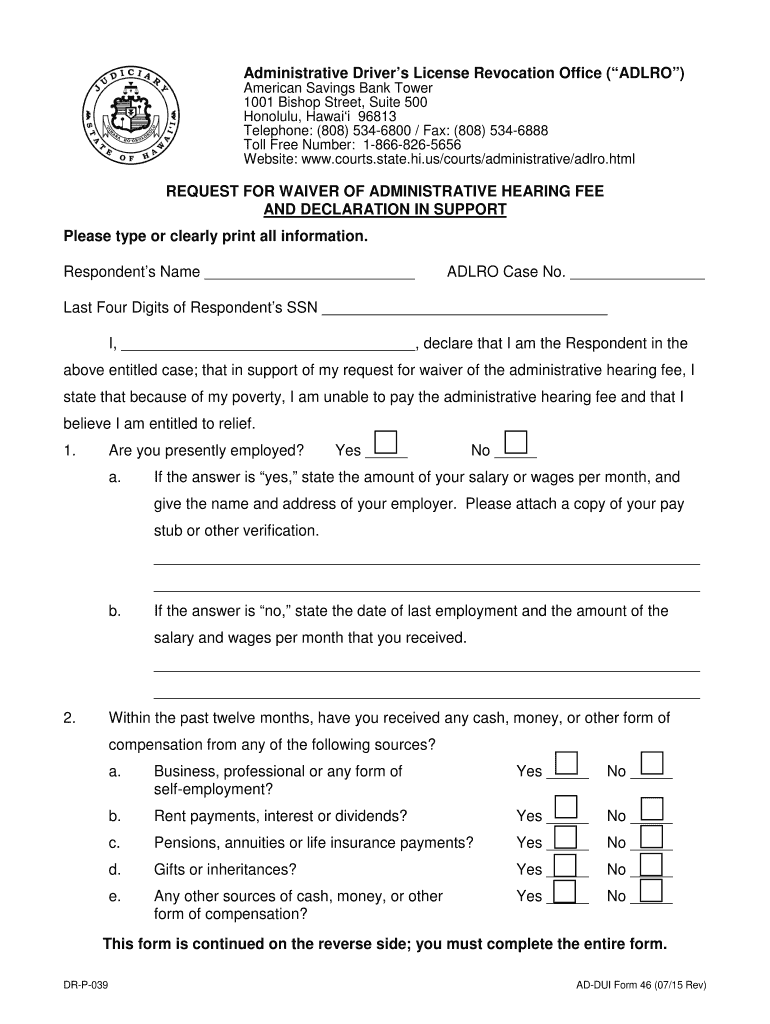
- Begin by entering your name and ADLRO case number at the top of the form. Ensure that all information is typed clearly for easy readability.
- In the employment section, indicate whether you are currently employed by selecting 'Yes' or 'No.' If employed, provide your monthly salary and employer details. Attach any necessary verification documents.
- Answer questions regarding any cash or compensation received in the past twelve months. For each source listed, mark 'Yes' or 'No' as applicable.
- Indicate if you have any cash or savings accounts and provide their total value if applicable.
- Detail any valuable property you own, excluding household items, and state its approximate value.
- List dependents who rely on you for support, along with your contribution towards their needs.
- Attach copies of your most recent State and Federal tax returns as required.
- Finally, sign and date the form to certify that all information provided is accurate before submitting it through our platform.
Start filling out your s adlro form online for free today!
Fill out the s adlro form online
It's free
It's free
See more the s adlro form versions
We've got more versions of the the s adlro form form. Select the right the s adlro form version from the list and start editing it straight away!
| Versions | Form popularity | Fillable & printable |
|---|---|---|
| 2015 | 4.8 Satisfied (207 Votes) |
Security and compliance
At DocHub, your data security is our priority. We follow HIPAA, SOC2, GDPR, and other standards, so you can work on your documents with confidence.
Learn more




