




Here's how it works



How to use or fill out jv visitacion menores spanish with our platform

- Click ‘Get Form’ to open the jv visitacion menores spanish document in the editor.
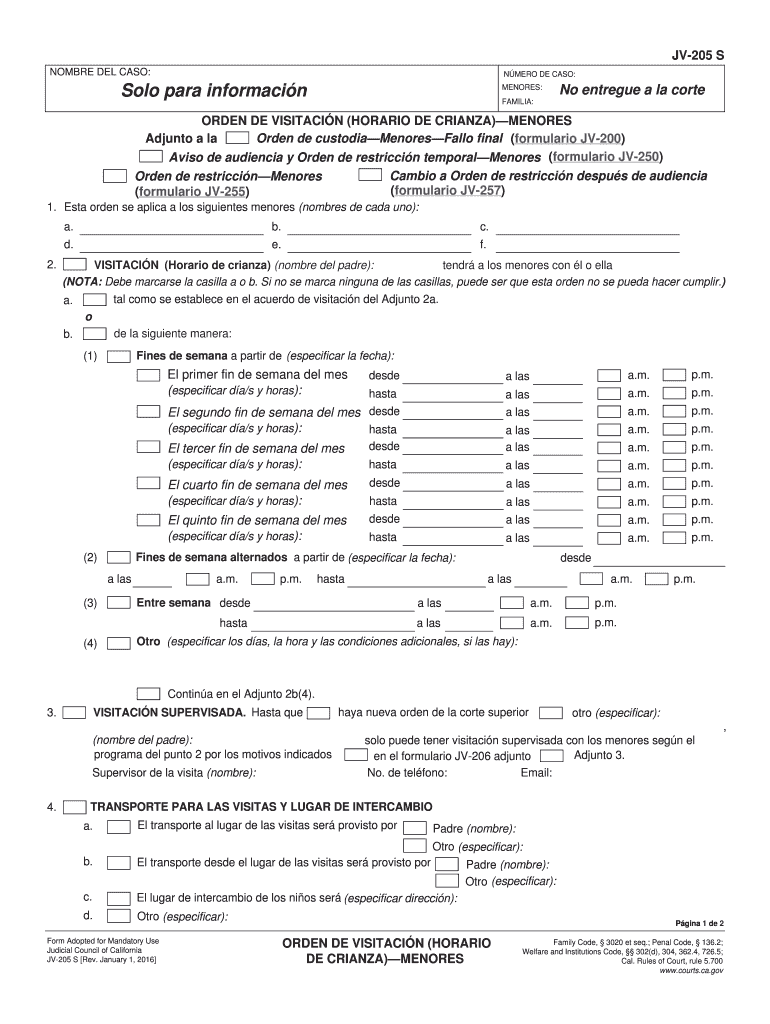
- Begin by entering the 'NOMBRE DEL CASO' and 'NÚMERO DE CASO' at the top of the form. This information is crucial for identifying your case.
- In section 1, list the names of each minor involved in the visitation order. Ensure accuracy as this will be referenced throughout the document.
- For section 2, specify whether visitation will occur as per an existing agreement or outline new arrangements. Mark either option a or b clearly.
- Detail the visitation schedule under 'Fines de semana' by specifying dates and times for each weekend. Be thorough to avoid confusion later.
- If supervised visitation is required, complete section 3 with details about supervision and contact information for the supervisor.
- In section 5, provide any necessary travel permissions required for transporting minors, ensuring compliance with legal requirements.
Start filling out your jv visitacion menores spanish form today on our platform for free!
It's free
See more jv visitacion menores spanish versions
Got questions?
What is the simplest way to electronically sign my jv visitacion menores spanish?
Many software solutions are available on the market for document editing and signing. DocHub is one of the most in-demand online solutions that comply with all data protection and compliance standards and ensures your eSigned documentation is legally enforceable. All you need to give it a try is to sign up for an account, add your jv visitacion menores spanish, provide the necessary information, and click Sign. Generate your electronic signature by typing, drawing it, uploading its picture to your document, or scanning a unique QR code.
Can I print my 2016 jv menores form and finish it on my own?
If you choose analog ways of completing your 2016 jv menores form, you can easily download your file for printing. Search DocHub’s Forms & Templates catalog to find the exact document template you need and open it for editing or download it on your device in the format of your liking. It is possible to complete your form electronically and place your handwritten signature on it right after printing or eSign your document with DocHub.
Security and compliance
At DocHub, your data security is our priority. We follow HIPAA, SOC2, GDPR, and other standards, so you can work on your documents with confidence.
Learn more




