Ca nontraffic form 2026

Get Form
tr 135 Preview on Page 1

Here's how it works

01. Edit your tr 135 online
Type text, add images, blackout confidential details, add comments, highlights and more.
02. Sign it in a few clicks
Draw your signature, type it, upload its image, or use your mobile device as a signature pad.
03. Share your form with others
Send it via email, link, or fax. You can also download it, export it or print it out.

How to use or fill out ca nontraffic form with our platform

Form edit decoration
9.5
Ease of Setup
DocHub User Ratings on G2
9.0
Ease of Use
DocHub User Ratings on G2
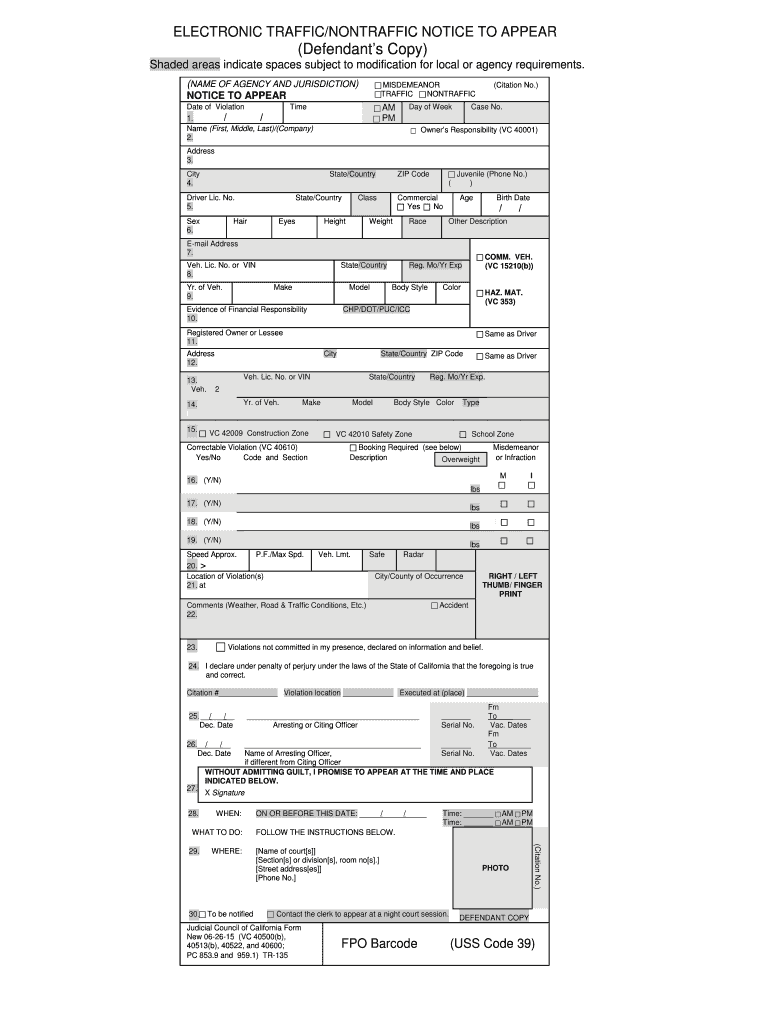
  1. Click ‘Get Form’ to open the ca nontraffic form in the editor.
  2. Begin by entering the date and time of the violation in the designated fields. Ensure accuracy as this information is crucial for your case.
  3. Fill in your name (First, Middle, Last) or company name. This identifies you as the defendant.
  4. Provide your address, including city, state/country, and ZIP code. This ensures that all correspondence reaches you.
  5. Complete the vehicle information section by entering details such as Vehicle License Number or VIN, make, model, and year of the vehicle involved.
  6. Indicate whether there were any correctable violations by checking 'Yes' or 'No' in the appropriate box.
  7. Finally, review all entered information for accuracy before signing at the bottom of the form to confirm your promise to appear in court.

Start filling out your ca nontraffic form online for free today!

See more ca nontraffic form versions

We've got more versions of the ca nontraffic form form. Select the right ca nontraffic form version from the list and start editing it straight away!
Versions Form popularity Fillable & printable
2015 4.8 Satisfied (271 Votes)
be ready to get more

Complete this form in 5 minutes or less

Get form

Got questions?

We have answers to the most popular questions from our customers. If you can't find an answer to your question, please contact us.
Contact us
An infraction is a non-criminal charge. Your options once you receive a civil traffic ticket consist of the following: Pay the fine indicated on the ticket or imposed by the court. Ask the court for an informal hearing where you can explain to the judge or magistrate what occurred.
You can: Pay the ticket (including traffic school) Fix any issues in a fix-it ticket. Ask the court for a trial if you dont agree with the ticket.
Excessive speeding involves driving at speeds of 100 mph or more is treated as a major offense, especially if its not your first violation. These charges may escalate even further when combined with other offenses like DUI or causing an accident, which could result in felony charges.
Failing to stop at a stop sign or railroad crossing is an infraction, which is not considered a crime. The penalties include the following: A $238 standard fine; You will also get one point on your driving record.
California state law penalizes drivers who fail to stop at stop signs with a $238 fine and other fees. Failure to pay the ticket or to appear in court could result in additional fines and a possible suspension of your license.

Security and compliance

At DocHub, your data security is our priority. We follow HIPAA, SOC2, GDPR, and other standards, so you can work on your documents with confidence.

Learn more
ccpa2
pci-dss
gdpr-compliance
hipaa
soc-compliance

People also ask

PAY THE TICKET (CALLED A BAIL FORFEITURE): No court appearance is required and your case will be closed.
FL-180, Californias Judgment for Dissolution of Marriage, is the last step in a clients divorce journey. Once this important family law document is complete and signed by a judge, your client will have legally ended their marriage or domestic partnership.

Related links