




Here's how it works



How to use or fill out Fillable Online srlsys Bookmark Contest bFORMbpdf - Satilla

- Click ‘Get Form’ to open it in the editor.
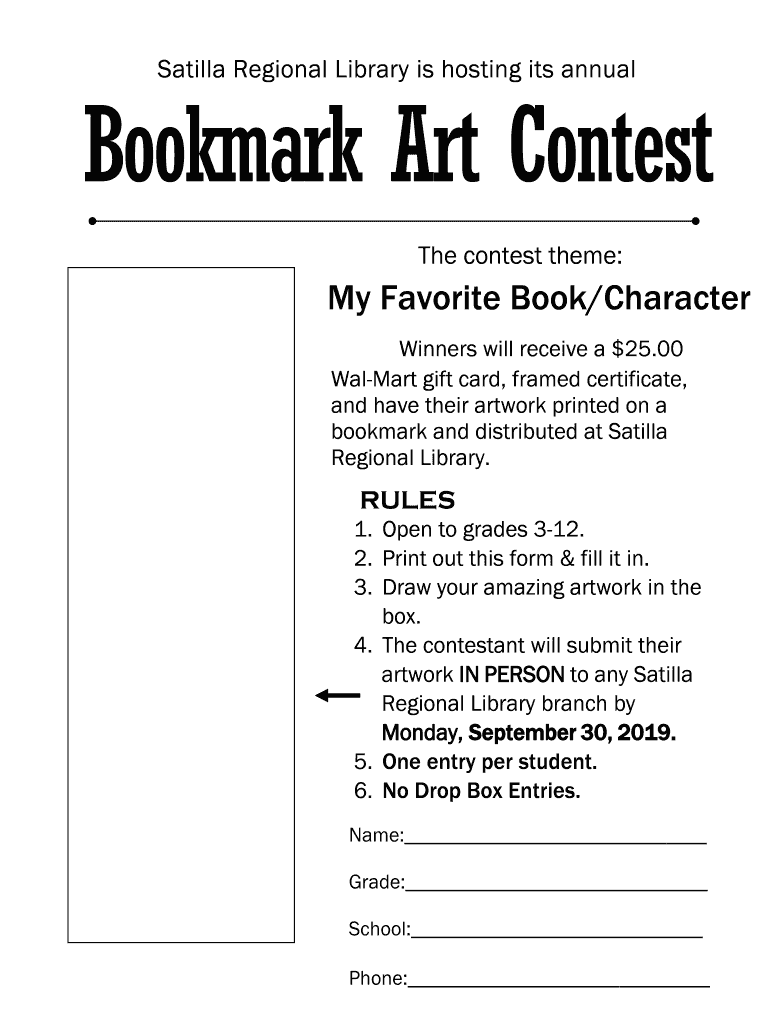
- Begin by entering your name in the designated field. This is essential for identifying your submission.
- Next, fill in your grade. Ensure that you select the correct grade level as per the contest rules.
- Provide the name of your school in the appropriate section. This helps us verify your eligibility.
- Enter a contact phone number where you can be reached. This is important for notifying winners.
- In the provided box, draw your artwork inspired by 'My Favorite Book/Character'. Make sure it fits well within the space.
- Once completed, print out the form and submit it in person at any Satilla Regional Library branch by the deadline.
Start using our platform today to easily complete and submit your contest entry for free!
It's free
See more Fillable Online srlsys Bookmark Contest bFORMbpdf - Satilla versions
Got questions?
How can I sign my Fillable Online srlsys Bookmark Contest bFORMbpdf - Satilla without printing?
eSignatures are a perfect replacement for traditional signing, as they save time, effort, and costs people spend on printing, scanning, and paper delivery. You can eSign your Fillable Online srlsys Bookmark Contest bFORMbpdf - Satilla using a reliable and robust online document processing services like DocHub. It complies with major eSignature policies (ESIGN and UETA), so all documents approved there are legally binding and have the same validity as manually signed ones.
Can I print my Fillable Online srlsys Bookmark Contest bFORMbpdf - Satilla and finish it by myself?
When you go for analog ways of completing your Fillable Online srlsys Bookmark Contest bFORMbpdf - Satilla, you can easily download your file for printing. Search DocHub’s Forms & Templates catalog to find the exact document template you need and open it for editing or download it on your device in the format of your liking. It is easy to complete your form electronically and place your handwritten signature on it right after printing or eSign your document with DocHub.
Security and compliance
At DocHub, your data security is our priority. We follow HIPAA, SOC2, GDPR, and other standards, so you can work on your documents with confidence.
Learn more




