Type text, add images, blackout confidential details, add comments, highlights and more.
02. Sign it in a few clicks
Draw your signature, type it, upload its image, or use your mobile device as a signature pad.
03. Share your form with others
Send it via email, link, or fax. You can also download it, export it or print it out.
How to use or fill out circuit court with our platform
Ease of Setup
DocHub User Ratings on G2
Ease of Use
DocHub User Ratings on G2
Click ‘Get Form’ to open the circuit court document in the editor.
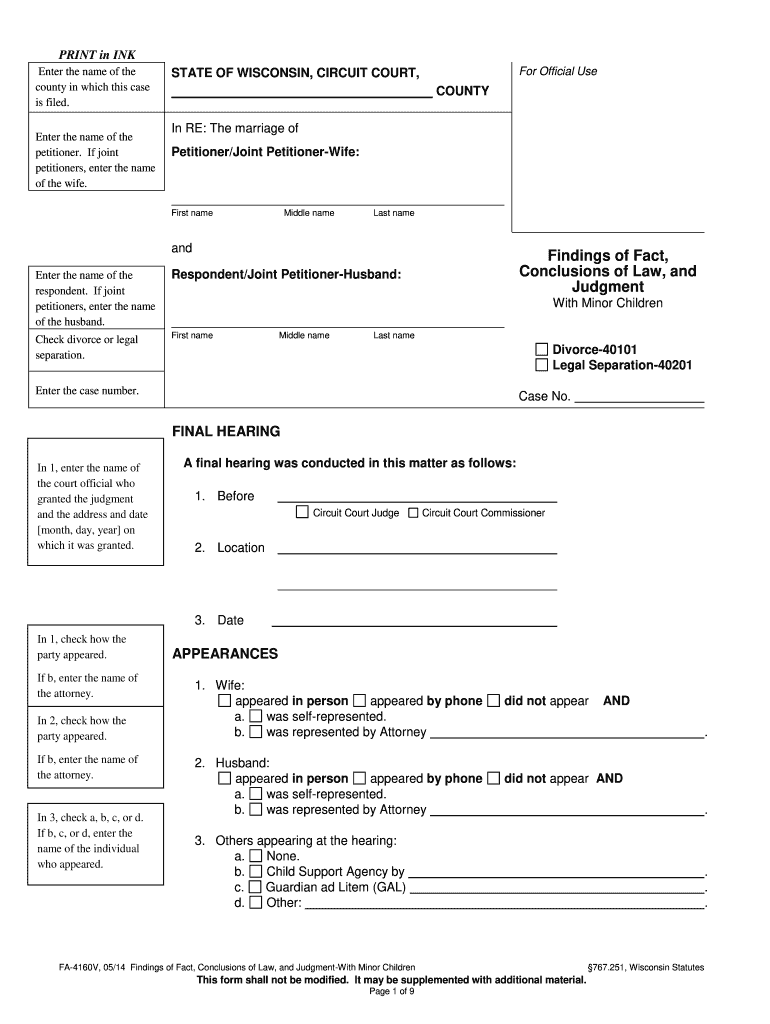
Begin by entering the name of the county where the case is filed at the top of the form.
Fill in the names of both petitioners. If there are joint petitioners, include both names, starting with the wife.
Indicate whether you are filing for divorce or legal separation by checking the appropriate box.
Provide details about any minor children involved, including their names and dates of birth. If there are no minor children, check 'None'.
Complete sections regarding jurisdiction and findings of fact, ensuring all necessary parties have been served and that jurisdictional requirements are met.
Review all entries for accuracy before finalizing your document. Use our platform's features to save and share your completed form easily.
Start using our platform today to streamline your circuit court form completion for free!
Aug 23, 2010 Upon conclusion of the trial, the only claim deemed worthy and sent to the jury for consideration was the bDocHub of fiduciary duty claim. In hisRead more
Cookie consent notice
This site uses cookies to enhance site navigation and personalize your experience.
By using this site you agree to our use of cookies as described in our Privacy Notice.
You can modify your selections by visiting our Cookie and Advertising Notice.