Alaska cn340 case search 2026

Get Form
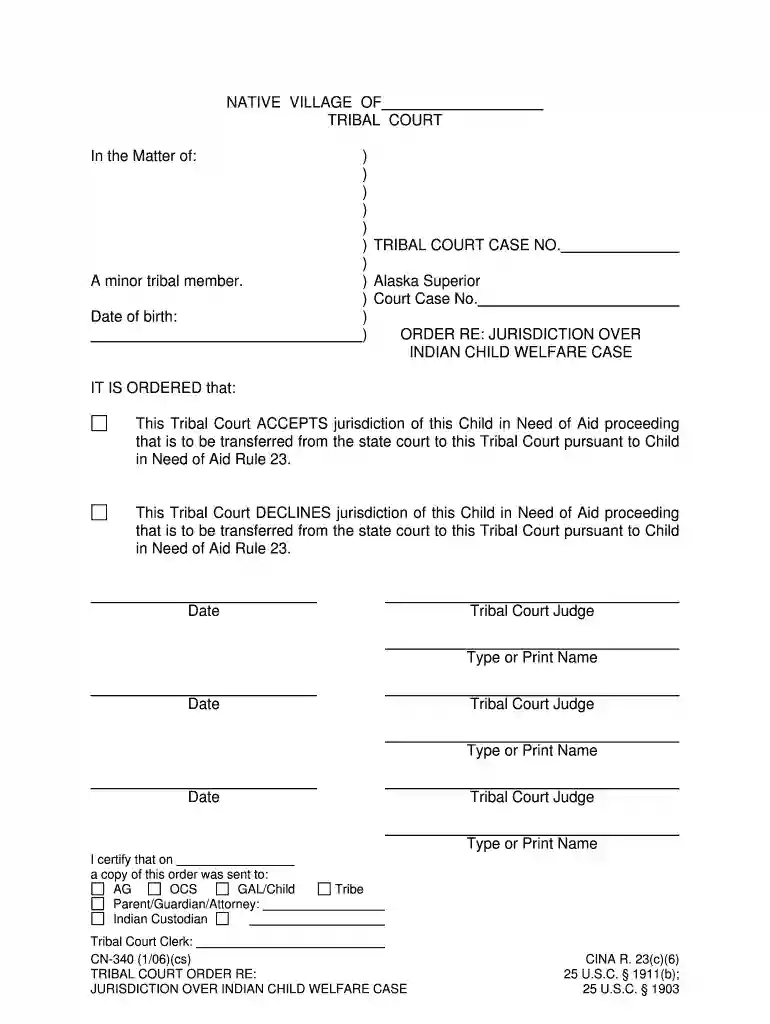
alaska cn340 case search Preview on Page 1

Here's how it works

01. Edit your alaska cn340 case search online
Type text, add images, blackout confidential details, add comments, highlights and more.

02. Sign it in a few clicks
Draw your signature, type it, upload its image, or use your mobile device as a signature pad.

03. Share your form with others
Send it via email, link, or fax. You can also download it, export it or print it out.

How to use or fill out alaska cn340 case search with our platform

Form edit decoration
9.5
Ease of Setup
DocHub User Ratings on G2
9.0
Ease of Use
DocHub User Ratings on G2
  1. Click ‘Get Form’ to open the alaska cn340 case search in the editor.
  2. Begin by entering the minor tribal member's name and date of birth in the designated fields. Ensure accuracy as this information is crucial for identification.
  3. In the section labeled 'TRIBAL COURT CASE NO.', input the relevant case number assigned by the Tribal Court.
  4. Next, indicate whether the Tribal Court accepts or declines jurisdiction over the Child in Need of Aid proceeding by selecting the appropriate option.
  5. Fill in the names and dates for each Tribal Court Judge involved in this order, ensuring that all judges' names are typed or printed clearly.
  6. Finally, certify that a copy of this order was sent to all relevant parties by filling out their names in the certification section at the bottom of the form.

Start using our platform today for free to streamline your document editing and form completion!

See more alaska cn340 case search versions

We've got more versions of the alaska cn340 case search form. Select the right alaska cn340 case search version from the list and start editing it straight away!
Versions Form popularity Fillable & printable
2006 4.8 Satisfied (257 Votes)
be ready to get more

Complete this form in 5 minutes or less

Get form

Got questions?

We have answers to the most popular questions from our customers. If you can't find an answer to your question, please contact us.
Contact us
The U.S. Constitution and court tradition give citizens right of access to court proceedings. Citizens gain confidence in the courts by seeing judicial work in action, and learn first-hand how the judicial system works.
CourtView is a powerful case management system that provides a 360-degree view of your caseload. The complete suite of modules includes accounting, case processing, calendaring, identity handling, document management, and reporting.
The Alaska Inmate Search Process Access the Alaska Department of Corrections website: Start by visiting the ADOC official website at . The ADOC website serves as the primary source for conducting an inmate search in the state.
DEPARTMENT OF PUBLIC SAFETY? Alaska law requires state and local agencies to make public records available for inspection by the public in the format in which the agency maintains or disseminates them; public information requests are subject to certain exceptions and reasonable fees.
Locate a federal court case by using the Public Access to Court Electronic Records (PACER) or by visiting the Clerks Office of the courthouse where the case was filed.

Security and compliance

At DocHub, your data security is our priority. We follow HIPAA, SOC2, GDPR, and other standards, so you can work on your documents with confidence.

Learn more
ccpa2
pci-dss
gdpr-compliance
hipaa
soc-compliance
be ready to get more

Complete this form in 5 minutes or less

Get form