Affidavit without appearance 2026

Get Form
affidavit without appearance Preview on Page 1

Here's how it works

01. Edit your affidavit without appearance online
Type text, add images, blackout confidential details, add comments, highlights and more.

02. Sign it in a few clicks
Draw your signature, type it, upload its image, or use your mobile device as a signature pad.

03. Share your form with others
Send affidavit decree without via email, link, or fax. You can also download it, export it or print it out.

How to use or fill out affidavit without appearance with our platform

Form edit decoration
9.5
Ease of Setup
DocHub User Ratings on G2
9.0
Ease of Use
DocHub User Ratings on G2
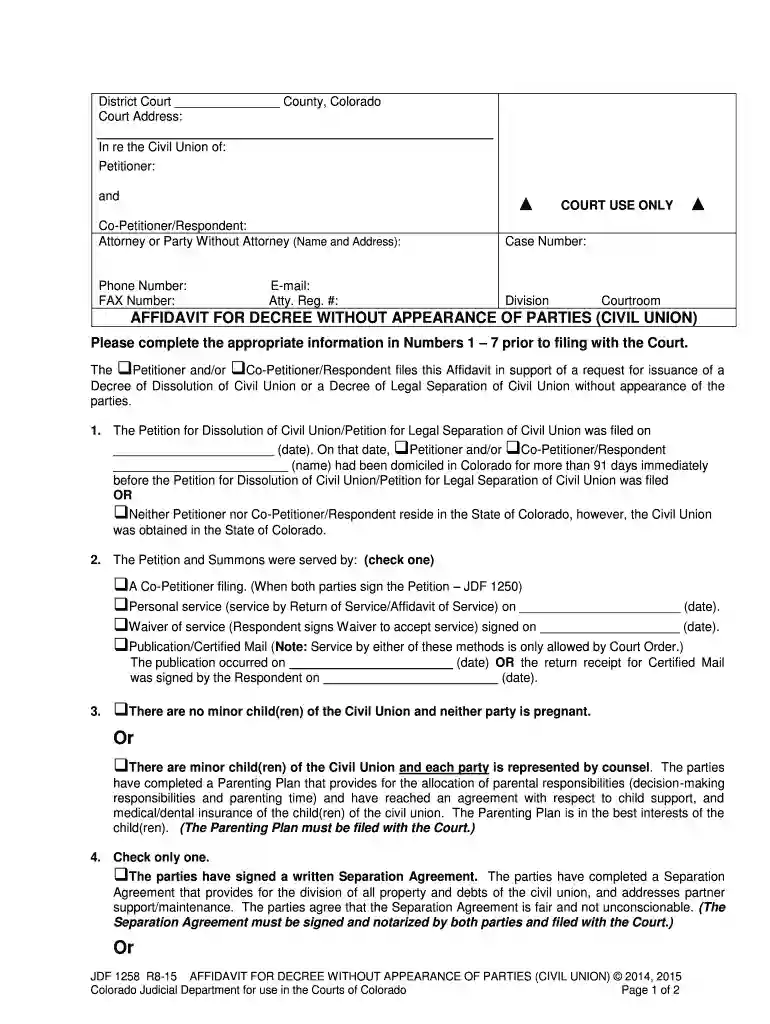
  1. Click ‘Get Form’ to open the Affidavit for Decree Without Appearance of Parties in the editor.
  2. Begin by filling in the court address and case number at the top of the form. Ensure all details are accurate.
  3. In section 1, indicate whether you are the Petitioner or Co-Petitioner/Respondent and provide the date when the Petition was filed.
  4. For section 2, check the appropriate box regarding how the Petition and Summons were served, providing necessary dates as required.
  5. In section 3, specify if there are minor children involved and confirm that a Parenting Plan has been completed if applicable.
  6. Section 4 requires you to check whether a Separation Agreement exists or if there is no property or debt to divide.
  7. Complete sections 5 through 8 by providing any additional information required, including signatures and notary details where necessary.

Start using our platform today to easily complete your affidavit online for free!

See more affidavit without appearance versions

We've got more versions of the affidavit without appearance form. Select the right affidavit without appearance version from the list and start editing it straight away!
Versions Form popularity Fillable & printable
2015 4.8 Satisfied (309 Votes)
be ready to get more

Complete this form in 5 minutes or less

Get form

Got questions?

We have answers to the most popular questions from our customers. If you can't find an answer to your question, please contact us.
Contact us
Blank Affidavit Template. Updated April 21, 2025. An affidavit is used for a person (affiant) to make a sworn statement about true and correct facts. The sworn statement is recommended to be docHubd. If any of the facts are found to be untruthful, the affiant could be liable for perjury.
Defect in Form: An affidavit is defective in form when there is non-compliance with the required structure of an affidavit e.g an improper title or heading of the affidavit, erasure or alteration, none indication of full name, profession, residence etc, failure to append signature or illiterate jurat, etc.
Affidavits shall be confined to, and shall state separately, such facts as the deponent is able to prove from his own knowledge and such facts as he has reasonable ground to believe to be true, and in the latter case, the deponent shall clearly state the grounds of such belief.
The affiant must take the oath highlighted in the affidavit voluntarily. If the court discovers evidence that the affiant signed unwillingly, under pressure, or coercion, they may consider the oath invalid and the affidavit inadmissible in court proceedings.
A legal affidavit must be signed by the person making the statement to be considered legally binding. In many cases, the affiant must also sign the document in front of a witness. That witness is often the notary public, but they could be anyone willing to swear the signature is authentic.

Security and compliance

At DocHub, your data security is our priority. We follow HIPAA, SOC2, GDPR, and other standards, so you can work on your documents with confidence.

Learn more
ccpa2
pci-dss
gdpr-compliance
hipaa
soc-compliance

People also ask

No, affidavits cant be anonymous.

affidavit decree without form