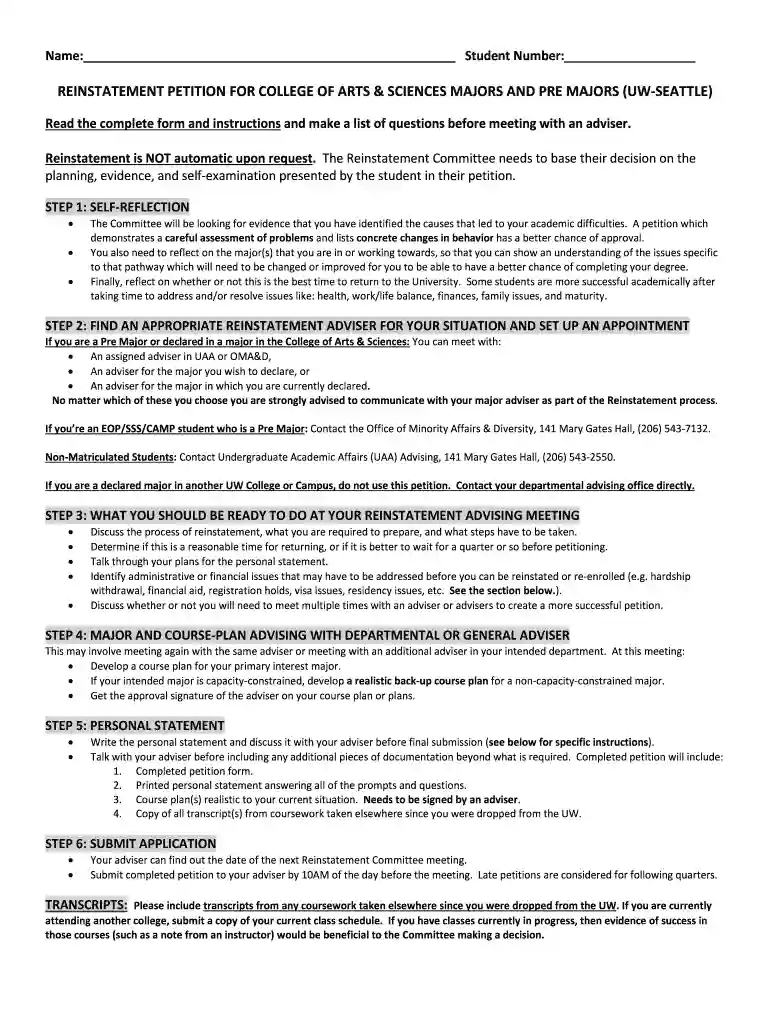
reinstatement petition form Preview on Page 1

Reinstatement petition form 2026

Here's how it works

  • 01. Edit your reinstatement petition form online

    Type text, add images, blackout confidential details, add comments, highlights and more.

  • 02. Sign it in a few clicks

    Draw your signature, type it, upload its image, or use your mobile device as a signature pad.

  • 03. Share your form with others

    Send it via email, link, or fax. You can also download it, export it or print it out.

How to use or fill out reinstatement petition form with our platform

Form edit decoration
9.5
Ease of Setup
DocHub User Ratings on G2
9.0
Ease of Use
DocHub User Ratings on G2
  1. Click ‘Get Form’ to open the reinstatement petition form in the editor.
  2. Begin by entering your name and student number at the top of the form. This information is crucial for identification purposes.
  3. In the 'Reinstatement Petition' section, clearly state the quarter and year you are petitioning for. This helps streamline your request.
  4. Reflect on your academic challenges in the self-reflection section. Use bullet points to outline specific barriers and changes you plan to implement.
  5. Prepare your personal statement by addressing all required questions. Discuss this with your adviser before final submission to ensure clarity and completeness.
  6. Once completed, submit your application through our platform by ensuring it reaches your adviser by 10 AM on the day before the Reinstatement Committee meeting.

Start using our platform today to easily fill out and submit your reinstatement petition form for free!

See more reinstatement petition form versions

We've got more versions of the reinstatement petition form form. Select the right reinstatement petition form version from the list and start editing it straight away!

VersionsForm popularityFillable & printable
20184.8 Satisfied (85 Votes)

be ready to get more

Complete this form in 5 minutes or less

Security and compliance

At DocHub, your data security is our priority. We follow HIPAA, SOC2, GDPR, and other standards, so you can work on your documents with confidence.

Related links

FAA Form 8710-1, Airman Certificate and/or Rating

Your signature on this form (FAA Form 8710-1) acknowledges that you received the Pilots. Bill of Rights Written Notification of Investigation at the time ofRead more

Learn more
AS Petition for Reinstatement

This form and all of your documentation must be submitted by the deadlines stated above. It is your responsibility to call or email to verify that yourRead more

Learn more
If you believe that this page should be taken down, please follow our DMCA take down process here