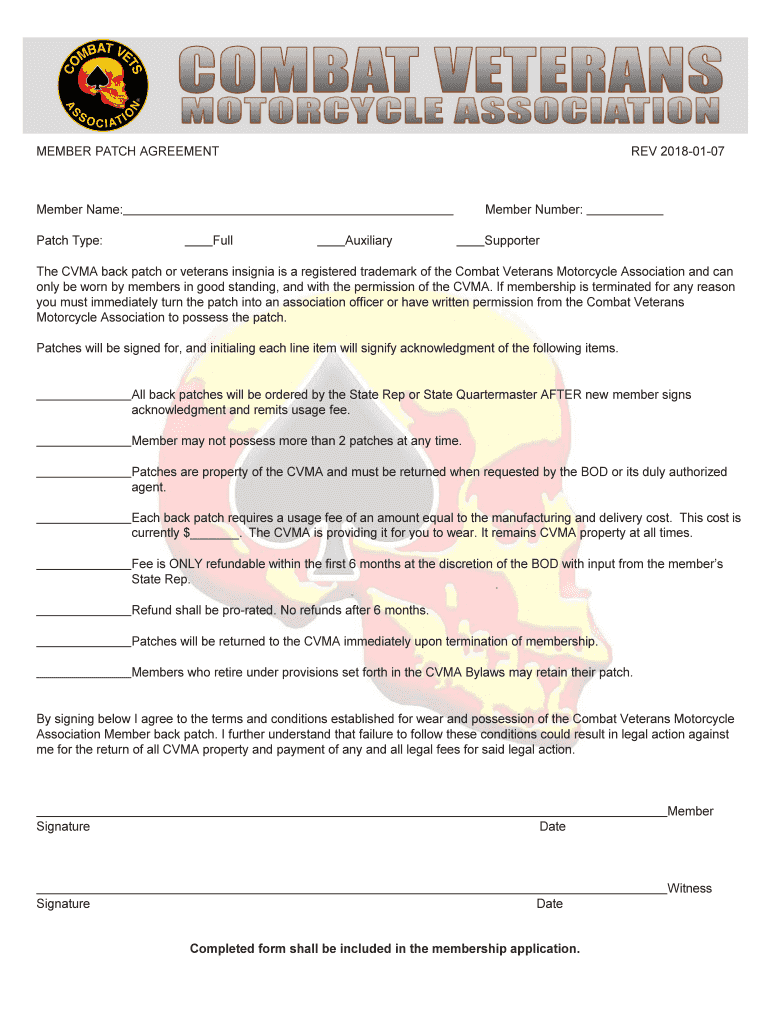
MEMBER PATCH AGREEMENT REV 2018-01-07 Member-2026

Get Form
cvma form Preview on Page 1

Here's how it works

01. Edit your cvma form online
Type text, add images, blackout confidential details, add comments, highlights and more.
02. Sign it in a few clicks
Draw your signature, type it, upload its image, or use your mobile device as a signature pad.
03. Share your form with others
Send it via email, link, or fax. You can also download it, export it or print it out.

How to use or fill out MEMBER PATCH AGREEMENT REV 2018-01-07 Member with Our Platform

Form edit decoration
9.5
Ease of Setup
DocHub User Ratings on G2
9.0
Ease of Use
DocHub User Ratings on G2
  1. Click ‘Get Form’ to open the MEMBER PATCH AGREEMENT in the editor.
  2. Begin by entering your Member Name and selecting your Patch Type (Full, Auxiliary, or Supporter). This ensures that your application is tailored to your membership status.
  3. Fill in your Member Number. If you are a new member, leave this blank for now as it will be assigned later.
  4. Acknowledge the terms regarding the CVMA back patch by initialing each line item. This signifies your understanding of the rules surrounding patch possession and usage fees.
  5. Complete the fee section by entering the amount for the usage fee. Ensure you understand that this fee is refundable only under specific conditions.
  6. Sign and date the form at the bottom to confirm your agreement with all terms outlined in the document.
  7. Finally, ensure that all required documents are attached before submitting your completed form as part of your membership application.

Start using our platform today to fill out your MEMBER PATCH AGREEMENT effortlessly and for free!

See more MEMBER PATCH AGREEMENT REV 2018-01-07 Member versions

We've got more versions of the MEMBER PATCH AGREEMENT REV 2018-01-07 Member form. Select the right MEMBER PATCH AGREEMENT REV 2018-01-07 Member version from the list and start editing it straight away!
Versions Form popularity Fillable & printable
2018 4.8 Satisfied (130 Votes)
be ready to get more

Complete this form in 5 minutes or less

Get form

Got questions?

We have answers to the most popular questions from our customers. If you can't find an answer to your question, please contact us.
Contact us

Sure, it is possible with DocHub. This secure and compliant online solution has a phone-based signing option. After you log in to your DocHub account and add your MEMBER PATCH AGREEMENT REV 2018-01-07 Member to our editor, fill out all empty fields and utilize the Sign feature on the top barf. Click on Create your signature and choose Phone from the available choices. Here, you scan a QR code with your smartphone and draw your signature on your phone screen, as you usually do when approving physical papers. If you access DocHub right from your mobile device, you can eSign your template by drawing your electronic signature, uploading its photo, or simply with a typed name.

If you use Chrome, there are two straightforward ways to modify your MEMBER PATCH AGREEMENT REV 2018-01-07 Member online. First, go to the DocHub website, add your file, and modify it using our toolbar. You can also install our Chrome extension and modify any document by dragging and dropping it in your web browser tab.

Security and compliance

At DocHub, your data security is our priority. We follow HIPAA, SOC2, GDPR, and other standards, so you can work on your documents with confidence.

Learn more
ccpa2
pci-dss
gdpr-compliance
hipaa
soc-compliance
be ready to get more

Complete this form in 5 minutes or less

Get form