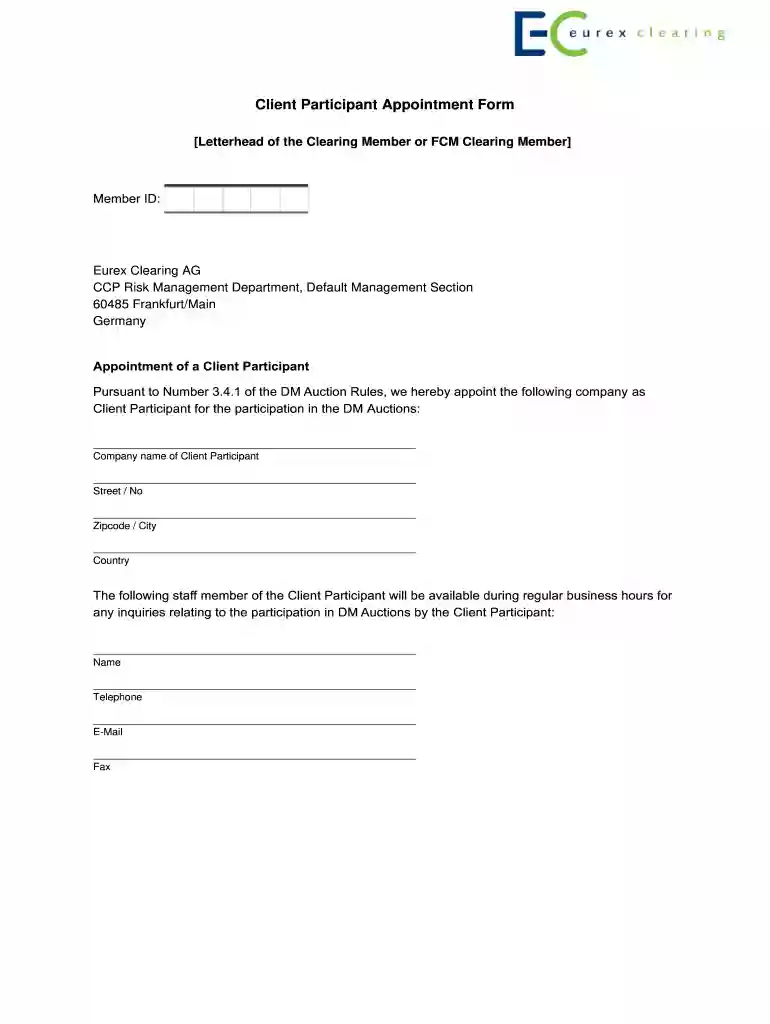
Selected Auction Participant Appointment Form 2026

Get Form
Selected Auction Participant Appointment Form Preview on Page 1

Here's how it works

01. Edit your form online
Type text, add images, blackout confidential details, add comments, highlights and more.

02. Sign it in a few clicks
Draw your signature, type it, upload its image, or use your mobile device as a signature pad.

03. Share your form with others
Send it via email, link, or fax. You can also download it, export it or print it out.

How to use or fill out Selected Auction Participant Appointment Form with our platform

Form edit decoration
9.5
Ease of Setup
DocHub User Ratings on G2
9.0
Ease of Use
DocHub User Ratings on G2
  1. Click ‘Get Form’ to open the Selected Auction Participant Appointment Form in the editor.
  2. Begin by entering the Member ID at the top of the form, ensuring it is accurate for identification purposes.
  3. In the 'Appointment of a Client Participant' section, fill in the company name of the Client Participant, followed by their street address, zipcode, city, and country.
  4. Next, provide details for a staff member available during business hours. Include their name, telephone number, email address, and fax number.
  5. Review the authorization statement carefully. By submitting this form, you authorize the Client Participant to submit bids on your behalf.
  6. Finally, complete the signature section by adding dates and places along with signatures from authorized signatories. Ensure names are printed in capital letters if no company stamp is available.

Start using our platform today to streamline your document editing and signing process for free!

be ready to get more

Complete this form in 5 minutes or less

Get form

Got questions?

We have answers to the most popular questions from our customers. If you can't find an answer to your question, please contact us.
Contact us
Three Minute Rule This increases the length of an auction by three minutes if someone places a bid in the last three minutes of an auction. This is designed to allow every bidder a fair chance to increase their bid, should they wish to do so, removing the chance of them missing out at the last second.
The Five-Minute Rule If a bid is placed in the final five minutes of an auction, the auction clock will reset to five minutes and begin counting down again. There is no limit to the number of times the auction clock can be reset, so we recommend that you check back often as an auction nears closing time.
The 3 Minute Rule is an important auction mechanism designed to maintain fairness in auction bidding. When a bid is placed within the final three minutes of an auction, the closing time automatically extends by an additional three minutes.
Live auctions are exciting, and there are a lot of moving parts. The best part is that theres a place in an auction for anyone who wants to participate. You can always go to an auction to watch without participating, too, just to get a feel for how it all works.
eBay bidding tips You stand a greater chance of getting the item by placing your highest bid in the closing seconds. If an auction listing has a reserve price, bid up to that amount as early as possible, so other bidders arent attracted by the low starting price. Try bidding an uneven amount.

Security and compliance

At DocHub, your data security is our priority. We follow HIPAA, SOC2, GDPR, and other standards, so you can work on your documents with confidence.

Learn more
ccpa2
pci-dss
gdpr-compliance
hipaa
soc-compliance