




01. Edit your lic 605a online
Type text, add images, blackout confidential details, add comments, highlights and more.

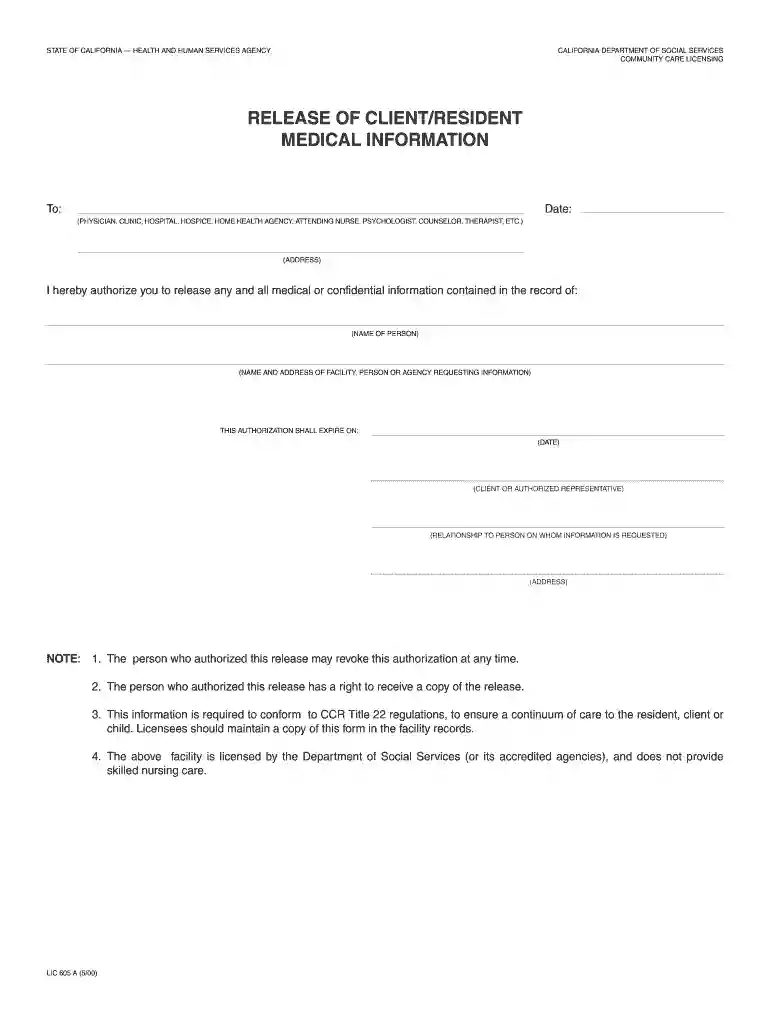
Type text, add images, blackout confidential details, add comments, highlights and more.

Draw your signature, type it, upload its image, or use your mobile device as a signature pad.

Send lic 605 via email, link, or fax. You can also download it, export it or print it out.

Start using our platform today to easily complete your lic 605a form online for free!
We've got more versions of the lic 605a form. Select the right lic 605a version from the list and start editing it straight away!
| Versions | Form popularity | Fillable & printable |
|---|---|---|
| 2000 | 4.9 Satisfied (455 Votes) |
Many software applications are available on the market for document modifying and signing. DocHub is one of the most popular online solutions that comply with all data protection and compliance requirements and ensures your eSigned paperwork is legally enforceable. All you need to try it out is to register an account, upload your lic 605a, fill out the requested information, and click Sign. Generate your eSignature by typing, drawing it, uploading its image to your template, or scanning a unique QR code.
With DocHub, there are several convenient methods to edit your lic 605a online. You can drag and drop the form and edit it straight at the DocHub website or use our browser extension to fill out your form right away. Additionally, you can edit your PDF on your smartphone, as DocHub is compatible with all the accessible mobile platforms.
At DocHub, your data security is our priority. We follow HIPAA, SOC2, GDPR, and other standards, so you can work on your documents with confidence.
The above facility is licensed by the Department of Social Services (or its accredited agencies), and does not provide skilled nursing care. LIC 605 A (5/00)Read more
Jan 17, 1997 The bottom product from T-604 is fed to the allyl tower, T-605, where 99.9% by mole pure allyl chloride is removed as overhead product at 55CRead more


