




01. Edit your form online
Type text, add images, blackout confidential details, add comments, highlights and more.

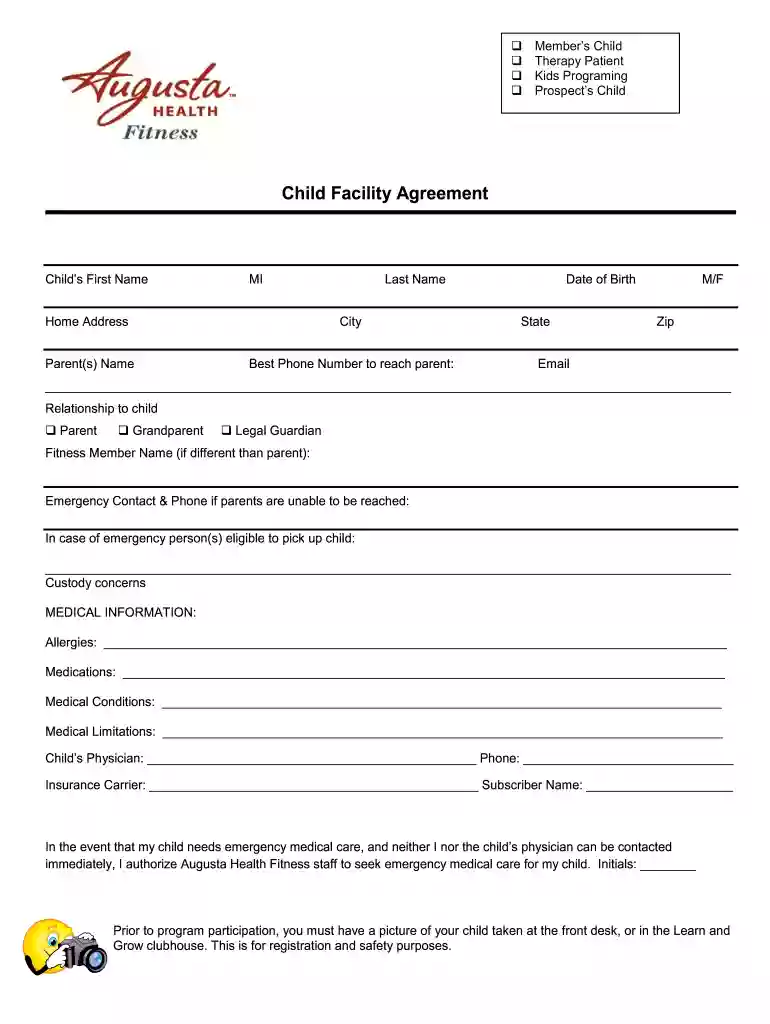
Type text, add images, blackout confidential details, add comments, highlights and more.

Draw your signature, type it, upload its image, or use your mobile device as a signature pad.

Send it via email, link, or fax. You can also download it, export it or print it out.

Start filling out your Augusta Health Fitness - Child Facility Agreement today for free using our platform!
We've got more versions of the Augusta Health Fitness - Child Facility Agreement form. Select the right Augusta Health Fitness - Child Facility Agreement version from the list and start editing it straight away!
| Versions | Form popularity | Fillable & printable |
|---|---|---|
| 2019 | 4.8 Satisfied (203 Votes) |
Managing your documentation with DocHub this way is extremely easy after you have downloaded its extension for Google Chrome. Go to the Chrome Web Store and install DocHub - Sign PDF from Gmail to obtain it. Give our tool access to your Google account, and then open an email with the Augusta Health Fitness - Child Facility Agreement attached and point to the file with your cursor - the DocHub extension button will automatically show up there. Click on it to open your document in our editor. Make any required edits, fill out the blanks, and click Sign to create your legally-binding electronic signature.
If you want to edit your Augusta Health Fitness - Child Facility Agreement online swiftly, it does not matter what browser you use. DocHub’s straightforward editing instruments are accessible using any internet browser. Simply open the appropriate tab in the editor, add your file, and fill it out without stress.
At DocHub, your data security is our priority. We follow HIPAA, SOC2, GDPR, and other standards, so you can work on your documents with confidence.
Jan 18, 2011 , and/or children under 21, to join The Gym at $79.00 per month for 12 months (or $47.00 per month in addition to the general employee
AU Health System (AUHS) provides comprehensive and cost-efficient benefits to eligible medical center employees and their dependents based on employment status,Read more


