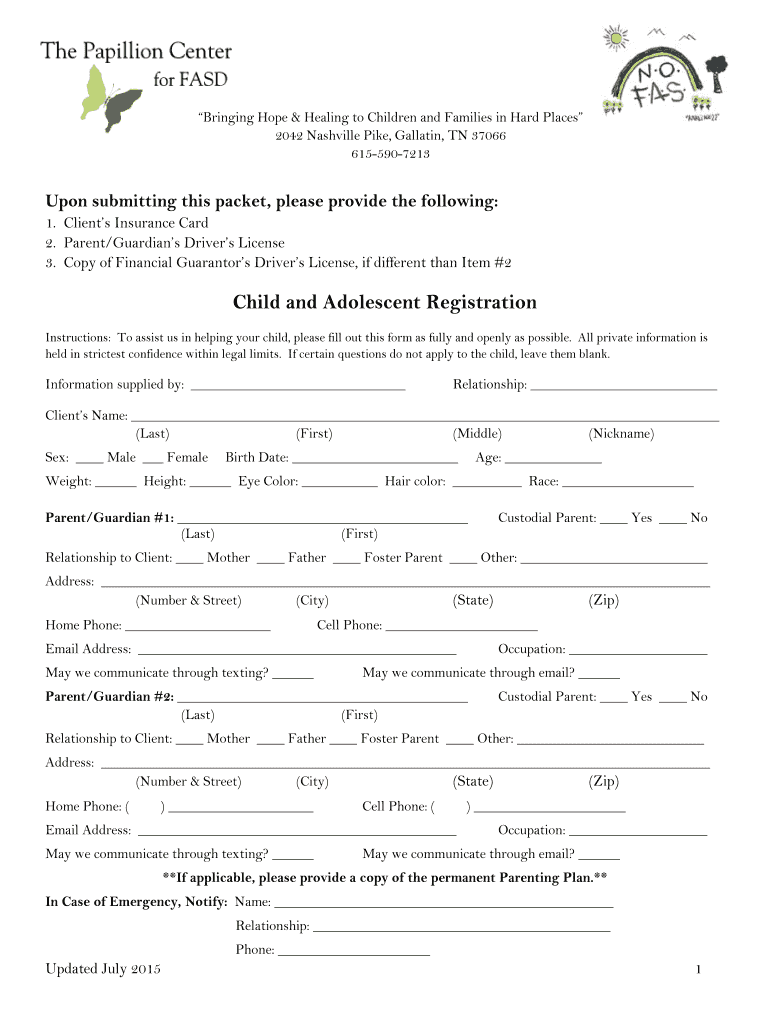
Child and Adolescent Registration - The Papillion Center 2025

Get Form
Child and Adolescent Registration - The Papillion Center Preview on Page 1

Here's how it works

01. Edit your form online
Type text, add images, blackout confidential details, add comments, highlights and more.
02. Sign it in a few clicks
Draw your signature, type it, upload its image, or use your mobile device as a signature pad.
03. Share your form with others
Send it via email, link, or fax. You can also download it, export it or print it out.

How to use or fill out Child and Adolescent Registration - The Papillion Center with Our Platform

Form edit decoration
9.5
Ease of Setup
DocHub User Ratings on G2
9.0
Ease of Use
DocHub User Ratings on G2
  1. Click ‘Get Form’ to open the Child and Adolescent Registration in the editor.
  2. Begin by entering the client's name, including last, first, middle, and nickname. Specify the sex, birth date, age, weight, height, eye color, hair color, and race.
  3. Fill in the details for Parent/Guardian #1. Include their name, relationship to the client, address, phone numbers, email address, and occupation. Indicate if they are the custodial parent.
  4. Repeat step 3 for Parent/Guardian #2. Ensure all information is accurate and complete.
  5. Provide emergency contact information including name, relationship to the child, and phone number.
  6. Complete the insurance information section with details about the primary policyholder and their relationship to the child.
  7. If applicable, fill out financial guarantor information. Ensure that all signatures are provided where required.
  8. Review all entries for accuracy before submitting your form through our platform.

Start filling out your Child and Adolescent Registration form today for free using our platform!

See more Child and Adolescent Registration - The Papillion Center versions

We've got more versions of the Child and Adolescent Registration - The Papillion Center form. Select the right Child and Adolescent Registration - The Papillion Center version from the list and start editing it straight away!
Versions Form popularity Fillable & printable
2015 4.9 Satisfied (23 Votes)
be ready to get more

Complete this form in 5 minutes or less

Get form

Got questions?

We have answers to the most popular questions from our customers. If you can't find an answer to your question, please contact us.
Contact us

With DocHub, you can easily approve your Child and Adolescent Registration - The Papillion Center or any other document on iOS, even without setting up additional programs. You can access your DocHub account from any internet-connected browser and fill out and sign your document in any way you like with just a couple of clicks.

If you edit your Child and Adolescent Registration - The Papillion Center with DocHub, you simply will not need to look for other applications or services to eSign it. An electronic signature is a component of DocHub’s extensive editing toolset, which allows you to implement changes in your form without switching between websites. Simply complete your form, double-check the correctness of your data and put your electronic signature at the end to make it submission-ready quickly.