DA Form 4187 Personnel Action Examples - ArmyWriter-2026

Get Form
da form 4187 dec 2022 Preview on Page 1

Here's how it works

01. Edit your da form 4187 dec 2022 online
Type text, add images, blackout confidential details, add comments, highlights and more.

02. Sign it in a few clicks
Draw your signature, type it, upload its image, or use your mobile device as a signature pad.

03. Share your form with others
Send da form 4187 dec 2022 pdf via email, link, or fax. You can also download it, export it or print it out.

How to use or fill out DA Form 4187 Personnel Action Examples - ArmyWriter with DocHub

Form edit decoration
9.5
Ease of Setup
DocHub User Ratings on G2
9.0
Ease of Use
DocHub User Ratings on G2
  1. Click ‘Get Form’ to open it in the editor.
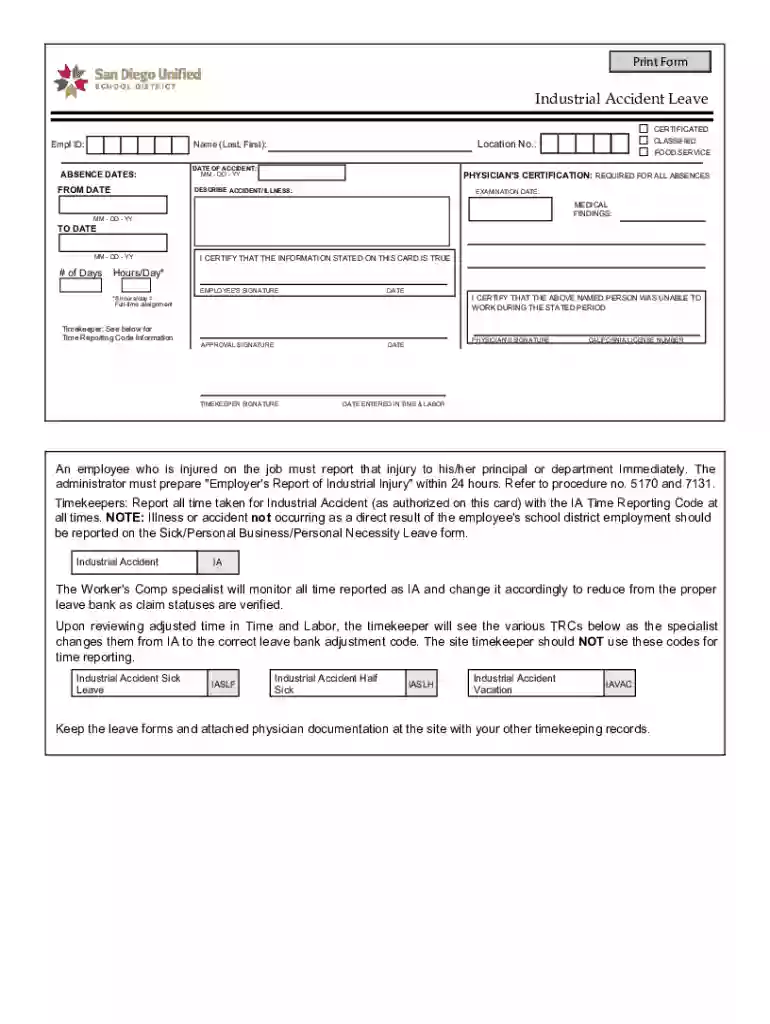
  2. Begin by entering your Employee ID and the absence dates in the designated fields. Ensure that the 'FROM DATE' and 'TO DATE' are accurately filled out to reflect your leave period.
  3. In the 'Name' section, input your last name followed by your first name. This identification is crucial for processing your request.
  4. Document the date of the accident in the specified format (MM-DD-YY) to maintain consistency and clarity.
  5. Provide a detailed description of the accident or illness in the corresponding field. This information is essential for proper documentation.
  6. Complete the physician's certification section, ensuring that all required medical findings and examination dates are included.
  7. Finally, sign and date where indicated, including signatures from your timekeeper and physician as necessary to validate your claim.

Start using our platform today to streamline your form completion process for free!

See more DA Form 4187 Personnel Action Examples - ArmyWriter versions

We've got more versions of the DA Form 4187 Personnel Action Examples - ArmyWriter form. Select the right DA Form 4187 Personnel Action Examples - ArmyWriter version from the list and start editing it straight away!
Versions Form popularity Fillable & printable
2015 4.8 Satisfied (165 Votes)
be ready to get more

Complete this form in 5 minutes or less

Get form

Got questions?

We have answers to the most popular questions from our customers. If you can't find an answer to your question, please contact us.
Contact us
After you complete the required DA 4187 form, digitally sign using your CAC. Send to your Commander for his/her verification, approval, and digital signature. The form should be returned to you and then forwarded to the Ed Center (with both signatures) at usarmy.riley.imcom.mbx.education-service-testing@mail.mil.
To request or record personnel actions for or by Soldiers in accordance with DA PAM 600-8. Identification Card. DATA REQUIRED BY THE PRIVACY ACT OF 1974. HAS BEEN VERIFIED. Special Forces Training/Assignment. COMMANDER/AUTHORIZED REPRESENTATIVE. On-the-Job Training (Enl only) SIGNATURE OF SOLDIER (When required)
Our standard article format is a Word document in 12-point Times New Roman font with 1 inch margins, double-spaced. Keep paragraphs aligned to the left, but put an extra line of space between each. Our articles are usually between 1,000 and 1,600 words.
0:13 1:59 3. You can request more than one personnel action on a single DA form 4178. Check the appropriateMore3. You can request more than one personnel action on a single DA form 4178. Check the appropriate personnel action for which you are requesting.
Open the DA Form 3078 in the PDF editor. Fill in your personal information, including name and rank. Select the clothing items you are requesting. Review all entries for accuracy.

People also ask

1:03 3:19 Homepage. You can check the status of your submitted PAR at any time by accessing the my personnelMoreHomepage. You can check the status of your submitted PAR at any time by accessing the my personnel action request tile. Simply select the PAR. And click on the approval status.

army 4187 stop meal deductions example