




01. Edit your epa form 8700 12 online
Type text, add images, blackout confidential details, add comments, highlights and more.

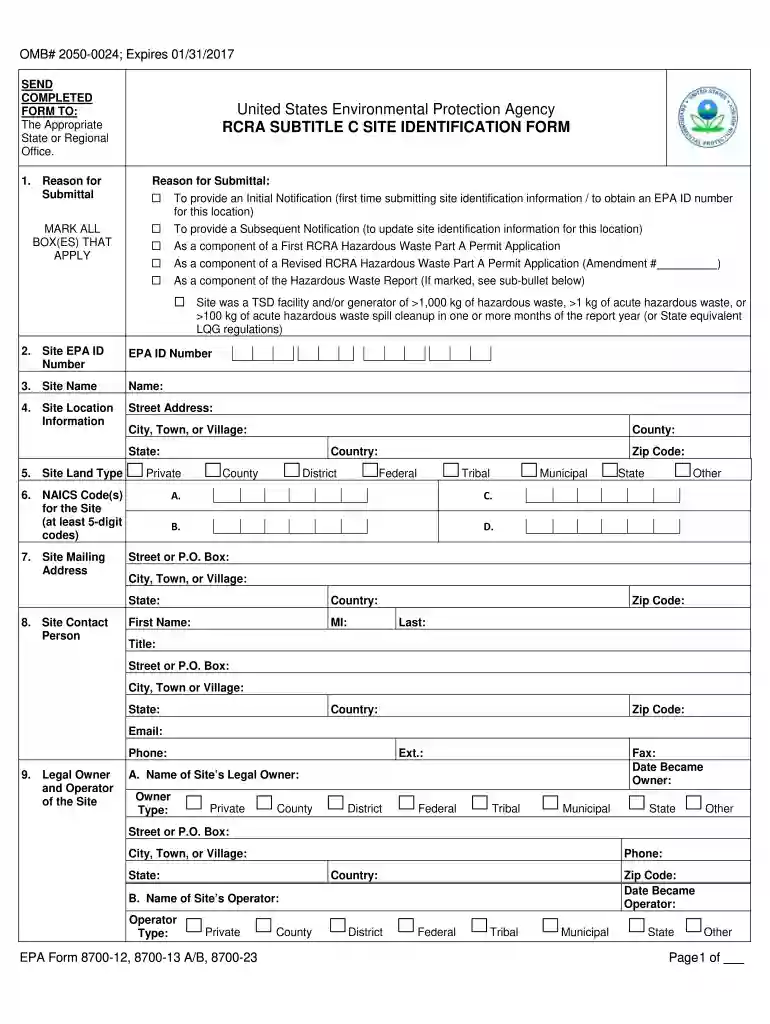
Type text, add images, blackout confidential details, add comments, highlights and more.

Draw your signature, type it, upload its image, or use your mobile device as a signature pad.

Send epa form 8700 12 pdf via email, link, or fax. You can also download it, export it or print it out.

Start using our editor today to streamline your form completion process for free!
We've got more versions of the epa form 8700 12 form. Select the right epa form 8700 12 version from the list and start editing it straight away!
Yes, you can utilize DocHub for signing any business and personal documentation, including your 8700 12. All electronic signatures you generate with our tool are legally binding and court-admissible, as DocHub complies with standards required by ESIGN and UETA. Save your accomplished form with a detailed Audit Trail if necessary.
Having a swift editing platform like DocHub, you do not require anything but a browser and connection to the internet to edit your rcra subtitle c online swiftly. Add your document or find the relevant form in DocHub’s catalog, open our editor with one click, and finish it digitally. To edit your forms anytime, sign up a free profile with DocHub.
At DocHub, your data security is our priority. We follow HIPAA, SOC2, GDPR, and other standards, so you can work on your documents with confidence.
Epa now has an online tool called the rcrainfo industry. Web the notification of regulated waste activity instructions will assist you in obtaining an epaRead more
The papers abstracted in this book were presented at the Symposium on Natural Attenuation of. Chlorinated Organics in Ground Water, held September 11-13,Read more
Sep 22, 2025 EPA designed the instructions for EPA Form 8700-12 to help businesses determine if they are subject to requirements under RCRA for notifying EPARead more


