Lic41 2026

Get Form
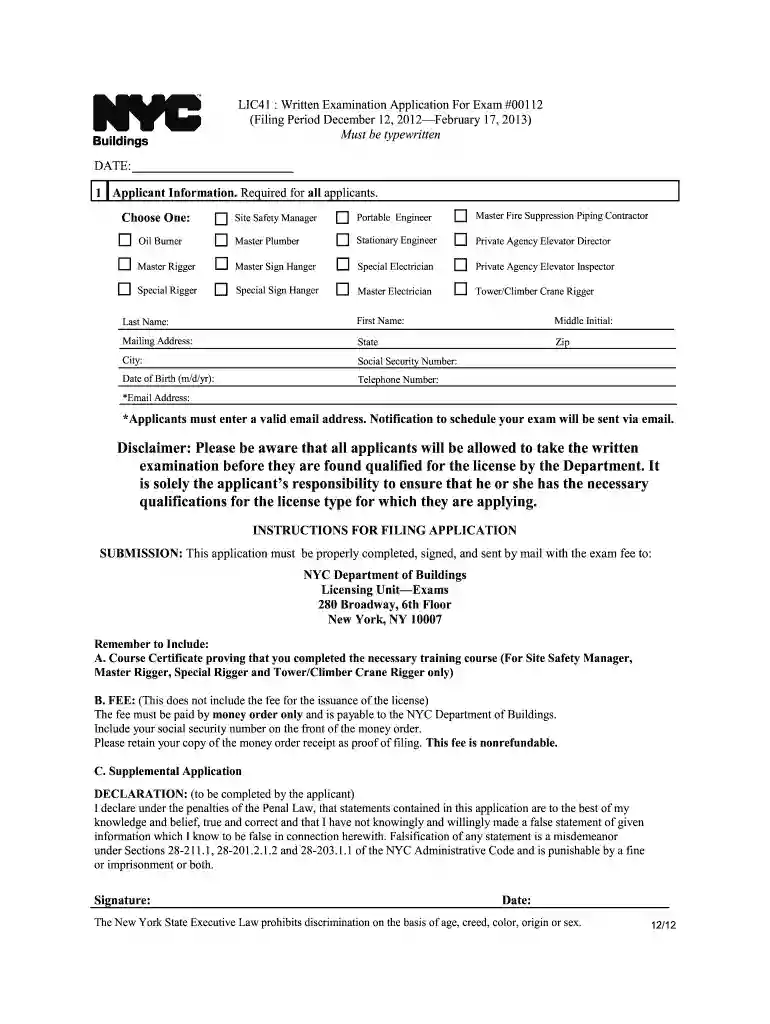
lic41 Preview on Page 1

Here's how it works

01. Edit your form online
Type text, add images, blackout confidential details, add comments, highlights and more.

02. Sign it in a few clicks
Draw your signature, type it, upload its image, or use your mobile device as a signature pad.

03. Share your form with others
Send it via email, link, or fax. You can also download it, export it or print it out.

How to use or fill out lic41 with our platform

Form edit decoration
9.5
Ease of Setup
DocHub User Ratings on G2
9.0
Ease of Use
DocHub User Ratings on G2
  1. Click ‘Get Form’ to open the lic41 application in the editor.
  2. Begin by selecting your desired license type from the options provided, such as Site Safety Manager or Master Electrician.
  3. Fill in your personal information, including Last Name, First Name, Middle Initial, Mailing Address, City, State, and Zip Code.
  4. Enter your Social Security Number and Date of Birth in the specified format (m/d/yr).
  5. Provide a valid Telephone Number and Email Address. Ensure that the email is correct as notifications will be sent there.
  6. Review the declaration section carefully. Confirm that all statements are true before signing and dating the application.
  7. Once completed, save your form and follow submission instructions to mail it along with required fees and documents.

Start filling out your lic41 application for free today using our platform!

See more lic41 versions

We've got more versions of the lic41 form. Select the right lic41 version from the list and start editing it straight away!
Versions Form popularity Fillable & printable
2021 4.8 Satisfied (106 Votes)
2019 4.3 Satisfied (142 Votes)
2016 4.4 Satisfied (286 Votes)
2016 4 Satisfied (38 Votes)
2012 4.9 Satisfied (34 Votes)
be ready to get more

Complete this form in 5 minutes or less

Get form

Got questions?

We have answers to the most popular questions from our customers. If you can't find an answer to your question, please contact us.
Contact us
License Renewal Applications Service Notice - applications to renew a license/registration are required to be submitted online at nyc.gov/dobnow. See the Licensing Renewal Application User Guide for step-by-step directions.
Safety Registration Number renewal applications must be submitted online through DOB NOW at .nyc.gov/dobnow. To be eligible for online renewal submission, applicants must authenticate or create an eFiling account using the eFiling portal located at .nyc.gov/dobefiling.
Filing fee payments should be made prior to plan approval, and users will need the DOB job number to pay a balance. The Department accepts payment by: e-Check; MasterCard credit or debit; Visa credit or debit; Discover Card credit or debit; and American Express credit or debit.
be ready to get more

Complete this form in 5 minutes or less

Get form