




Here's how it works



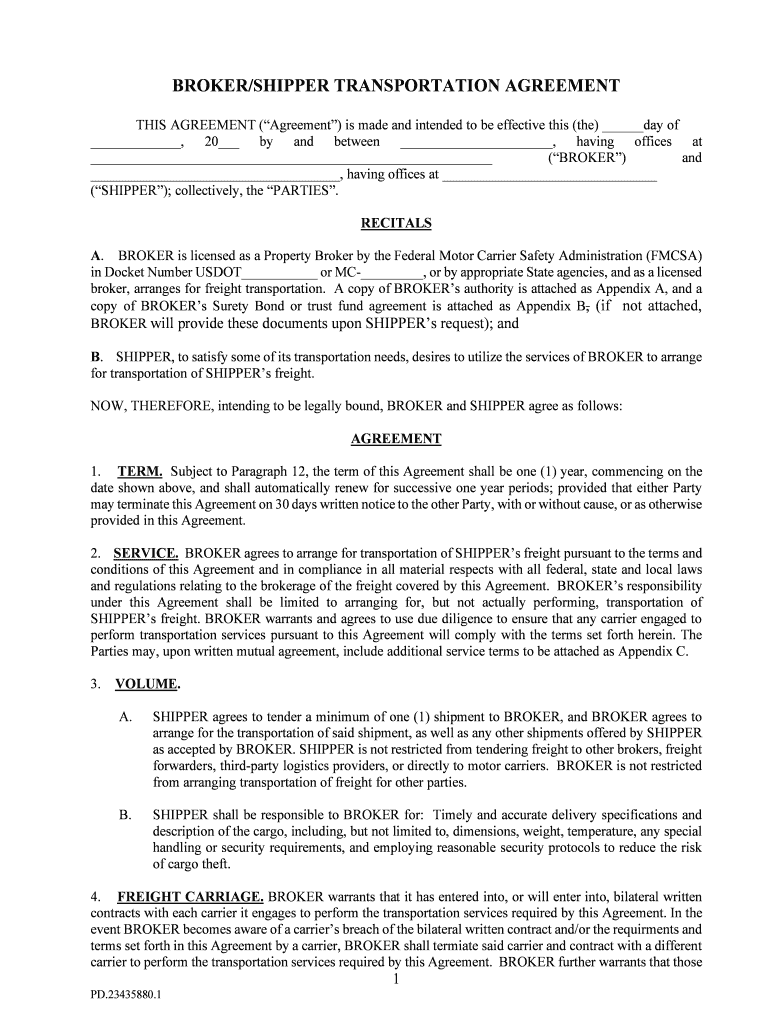
How to use or fill out TIA Form Shipper Broker Agreement 2018 w RISS revisions

- Click ‘Get Form’ to open it in the editor.
- Begin by filling in the effective date at the top of the form. This is crucial as it marks the start of your agreement.
- In the 'BROKER' and 'SHIPPER' sections, enter the names and addresses of both parties involved. Ensure accuracy for legal purposes.
- Review the 'TERM' section carefully. Specify any desired modifications regarding the duration of the agreement.
- Proceed to fill out service details under 'SERVICE'. Clearly outline expectations and responsibilities for both parties.
- Complete the 'VOLUME' section by indicating minimum shipment requirements and any additional terms that may apply.
- Finally, ensure all signatures are obtained at the end of the document to validate your agreement legally.
Start using our platform today to streamline your document editing and signing process for free!
It's free
See more TIA Form Shipper Broker Agreement 2018 w RISS revisions versions
| Versions | Form popularity | Fillable & printable |
|---|---|---|
| 2017 | 4.3 Satisfied (32 Votes) |
Got questions?
Can I sign my tia broker compliance with my mobile phone?
Sure, it is possible with DocHub. This safe and compliant online editor has a phone-based signing option. After you log in to your DocHub account and import your tia broker compliance to our editor, complete all necessary fields and use the Sign tool on the top barf. Click on Create your signature and select Phone from the available options. Here, you scan a QR code with your smartphone and draw your signature on your phone screen, as you usually do when approving hard copies. If you access DocHub right from your mobile device, you can electronically sign your paperwork by drawing your electronic signature, uploading its image, or simply with a typed name.
How do you complete broker shipper agreement on iOS?
You need only an internet connection and a browser to fill out your broker shipper agreement on an iOS phone. Open the DocHub website and authenticate. Then, add your document or choose it from the list in your dashboard. Then use our editing instruments to fill out your form and save all your modifications. You can also send it to a specified recipient straight away.
Security and compliance
At DocHub, your data security is our priority. We follow HIPAA, SOC2, GDPR, and other standards, so you can work on your documents with confidence.
Learn more


