Type text, add images, blackout confidential details, add comments, highlights and more.
02. Sign it in a few clicks
Draw your signature, type it, upload its image, or use your mobile device as a signature pad.
03. Share your form with others
Send it via email, link, or fax. You can also download it, export it or print it out.
How to use or fill out the Declaration of Original Work form online
Ease of Setup
DocHub User Ratings on G2
Ease of Use
DocHub User Ratings on G2
Click ‘Get Form’ to open it in the editor.
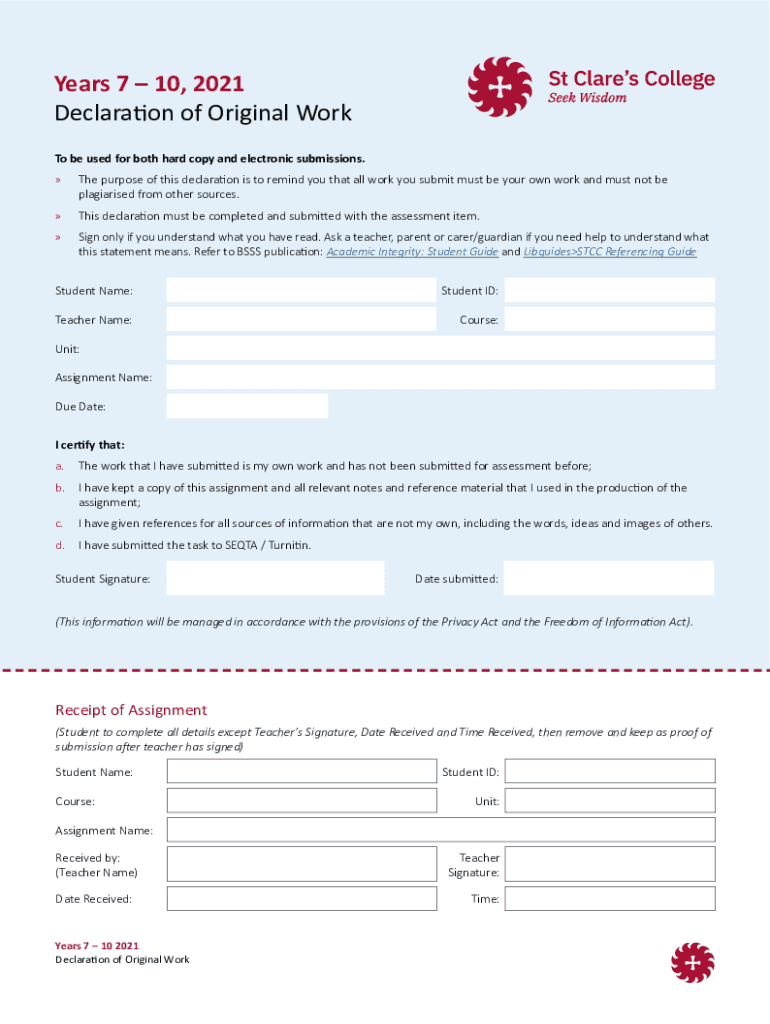
Begin by entering your Student Name and Student ID in the designated fields. This information is crucial for identifying your submission.
Next, fill in your Teacher Name, Course, Unit, Assignment Name, and Due Date. Ensure all details are accurate to avoid any confusion during assessment.
In the certification section, read each statement carefully. Confirm that your work is original and has not been submitted previously by checking the appropriate boxes.
Sign the form digitally in the Student Signature field and enter the Date submitted. This step confirms your understanding of academic integrity.
Complete the Receipt of Assignment section with your details again, leaving space for your teacher’s signature after submission.
Start using our platform today to streamline your document submissions for free!
Fill out Declaration of Original Work online It's free
We've got more versions of the Declaration of Original Work form. Select the right Declaration of Original Work version from the list and start editing it straight away!
Declaration of original work templateDeclaration of original work pdfDeclaration of original work sample pdfDeclaration of original work exampleWork of art Declaration UPSFedEx art declaration formDeclaration statement exampleAcknowledgment of own original work certification statement example
Security and compliance
At DocHub, your data security is our priority. We follow HIPAA, SOC2, GDPR, and other standards, so you can work on your documents with confidence.
This Copyright Licensing Policy governs the wikis use of intellectual property and copyrighted material, as well as a declaration of licensing under aRead more
DECLARATION OF ORIGINAL WORK. I affirm that all work in this document is my original work. Further, I confirm that all writing is my own writing. WorkRead more
Cookie consent notice
This site uses cookies to enhance site navigation and personalize your experience.
By using this site you agree to our use of cookies as described in our Privacy Notice.
You can modify your selections by visiting our Cookie and Advertising Notice.