




01. Edit your form online
Type text, add images, blackout confidential details, add comments, highlights and more.

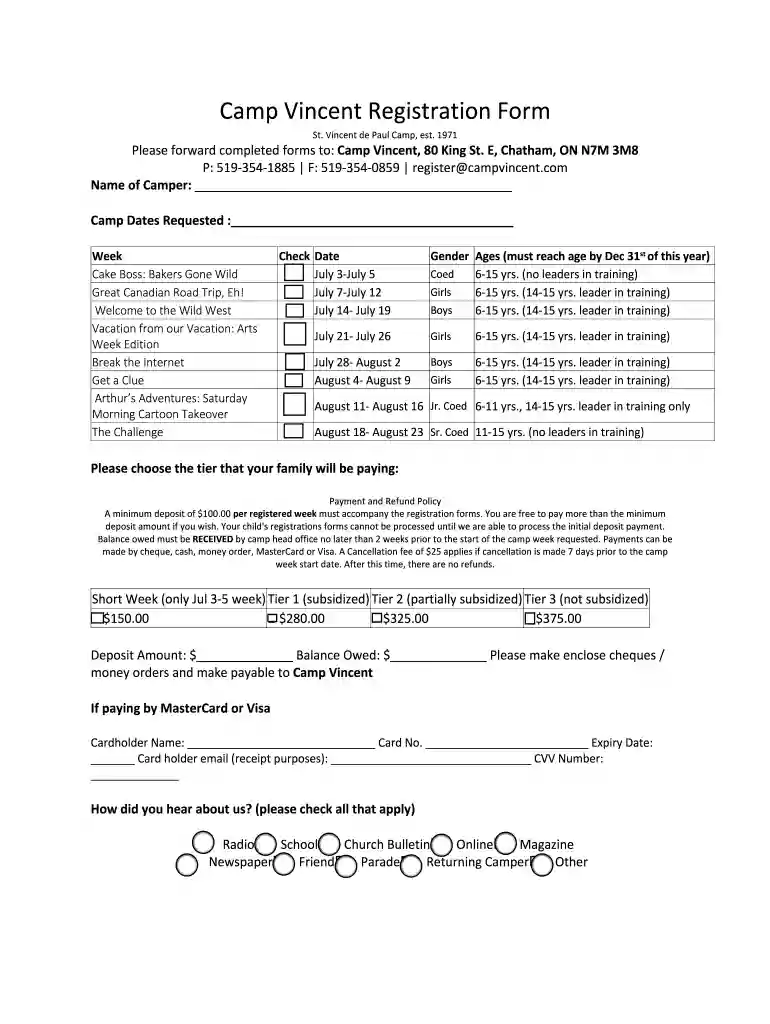
Type text, add images, blackout confidential details, add comments, highlights and more.

Draw your signature, type it, upload its image, or use your mobile device as a signature pad.

Send it via email, link, or fax. You can also download it, export it or print it out.

Start filling out your Camp Vincent Registration Form today for free using our platform!
We've got more versions of the Camp Vincent Registration Form docx form. Select the right Camp Vincent Registration Form docx version from the list and start editing it straight away!
| Versions | Form popularity | Fillable & printable |
|---|---|---|
| 2019 | 4.5 Satisfied (32 Votes) |
Many software applications are available out there for document editing and signing. DocHub is one of the most popular online solutions that comply with all security and compliance standards and ensures your eSigned documentation is legally enforceable. All you need to try it out is to create an account, add your Camp Vincent Registration Form docx, provide the necessary information, and click Sign. Create your eSignature by typing, drawing it, uploading its image to your template, or scanning a unique QR code.
When you edit your Camp Vincent Registration Form docx with DocHub, you only need a stable internet connection and virtually any browser installed on your device. No need to set up any third-party applications or study guides. Just open a tab with DocHub, drag and drop your file, and modify it on the spot.
At DocHub, your data security is our priority. We follow HIPAA, SOC2, GDPR, and other standards, so you can work on your documents with confidence.
School information is required so TTU K-12 can provide a Grade Report upon request following completion of the Course or CBE. If you are Homeschooling, useRead more
1 The couple should be aged 20-30. 2 What sort of a query would they enter? 3 What would be on the HIC? 4 The modality of the input was considered.Read more
Apply for Clemency. The Governor of New York has the power to grant clemency in the form of reprieves, commutations, and pardons.Read more


