




Here's how it works



How to use or fill out Patient Demographics - Third Street Family Health Services

- Click ‘Get Form’ to open it in the editor.
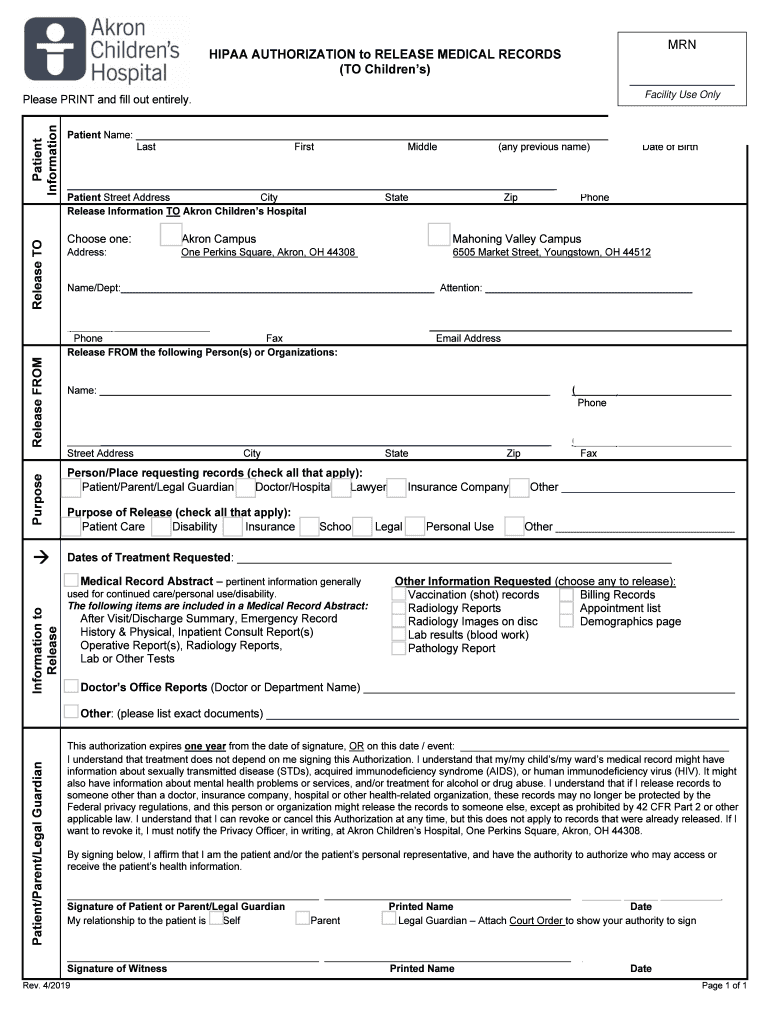
- Begin by entering the patient's full name in the designated fields for Last, First, and Middle names. Ensure accuracy as this information is crucial for identification.
- Fill in the date of birth using the provided format. This helps verify the patient's identity and age.
- Complete the patient’s street address, city, state, and zip code to ensure proper communication and record keeping.
- Select the release destination by checking either Akron Campus or Mahoning Valley Campus, and provide their respective addresses.
- Indicate who is requesting the records by checking all applicable boxes such as Patient/Parent/Legal Guardian or Doctor/Hospital.
- Specify the purpose of release by checking relevant options like Patient Care or Insurance. This clarifies why records are needed.
- Sign and date at the bottom of the form to authorize the release of medical records. Ensure that a witness also signs if required.
Start filling out your Patient Demographics form today using our platform for free!
It's free
See more Patient Demographics - Third Street Family Health Services versions
| Versions | Form popularity | Fillable & printable |
|---|---|---|
| 2019 | 4.8 Satisfied (66 Votes) |
Got questions?
How can I eSign my Patient Demographics - Third Street Family Health Services in Word?
Microsoft Word doesn’t have signing tools to generate legitimate electronic signatures and enforceable forms. Fortunately, DocHub is an online eSignature-compliant editor that supports different file formats, including .doc files. Sign in to your account and add the Word version of your Patient Demographics - Third Street Family Health Services from your device and cloud, or URL - our editor will automatically transform it into an editable PDF. Make all required modifications in your form and click Sign to generate your own legally-binding eSignature. You will find four signing options from which to choose.
Do I need to set up software to modify my Patient Demographics - Third Street Family Health Services?
When you edit your Patient Demographics - Third Street Family Health Services with DocHub, you only require a steady internet connection and virtually any web browser installed on your device. No need to install any third-party software or study guides. Just open a tab with DocHub, drag and drop your file, and edit it immediately.
What is the concept of family health promotion?
What are the objectives of family health services?
What is the main concept of family health?
Security and compliance
At DocHub, your data security is our priority. We follow HIPAA, SOC2, GDPR, and other standards, so you can work on your documents with confidence.
Learn more




