




Here's how it works



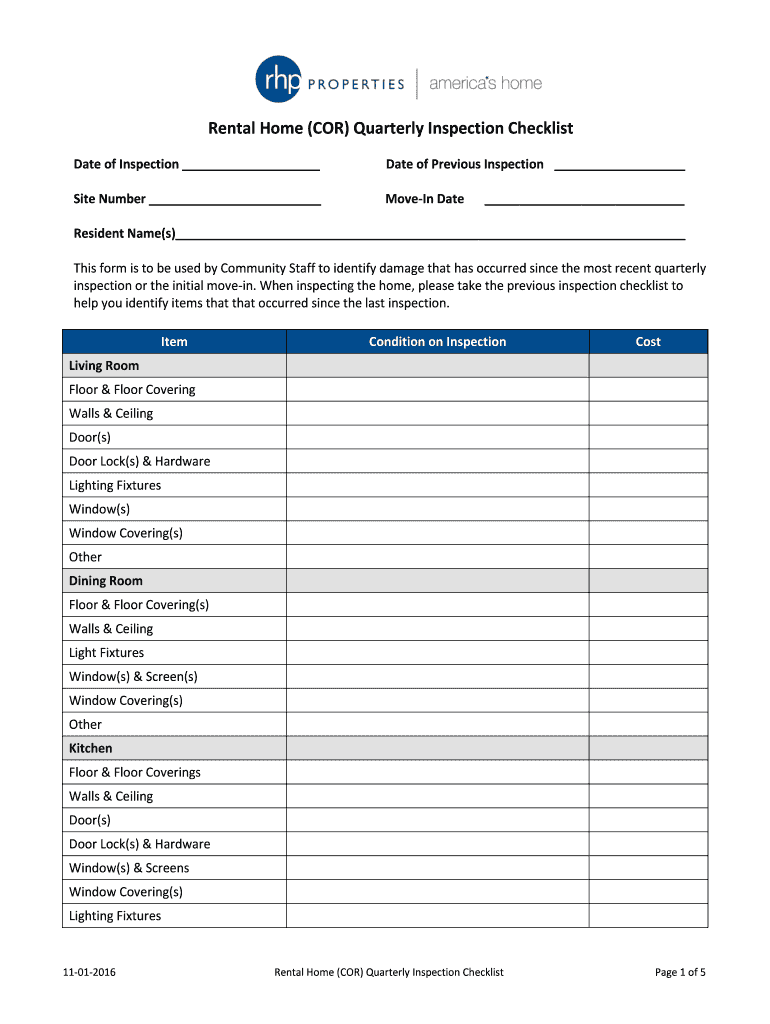
How to use or fill out Rental Home (COR) Quarterly Inspection Checklist

- Click ‘Get Form’ to open it in the editor.
- Begin by entering the 'Date of Inspection' and 'Date of Previous Inspection' at the top of the form. This establishes a timeline for your inspection.
- Fill in the 'Site Number' and 'Move-In Date' fields to provide context for the inspection.
- In the 'Resident Name(s)' section, list all current residents to ensure accountability during inspections.
- Proceed through each room section, such as Living Room, Kitchen, and Bedrooms. For each item listed, assess its condition and note any damages or issues in the 'Condition on Inspection' column.
- If repairs are needed, estimate costs in the 'Cost' column next to each item. This helps in budgeting for necessary maintenance.
- Finally, add any additional comments or notes at the end of the checklist before signing off with your name and date.
Start using our platform today to streamline your inspection process for free!
It's free
See more Rental Home (COR) Quarterly Inspection Checklist versions
| Versions | Form popularity | Fillable & printable |
|---|---|---|
| 2016 | 4.7 Satisfied (49 Votes) |
Got questions?
Can I sign my Rental Home (COR) Quarterly Inspection Checklist on a mobile?
Yes, you’ll find numerous applications for this on the web. Nonetheless, if you need to eSign your Rental Home (COR) Quarterly Inspection Checklist without installing extra software, DocHub is the optimum choice you can make. This powerful editor works on mobile devices just as on desktops. Open our editor in your preferred internet browser, register or sign in to your account, and start managing your forms.
How do you fill out Rental Home (COR) Quarterly Inspection Checklist on iOS?
You need only a web connection and a browser to fill out your Rental Home (COR) Quarterly Inspection Checklist on an iOS phone. Open the DocHub website and authenticate. Then, add your document or select it from the list in your dashboard. Then use our editing instruments to fill out your form and preserve all your modifications. You may also send it to a dedicated recipient straight away.
What is the biggest red flag in a home inspection?
What does a quarterly inspection consist of?
What do they look for during rental inspections?
Security and compliance
At DocHub, your data security is our priority. We follow HIPAA, SOC2, GDPR, and other standards, so you can work on your documents with confidence.
Learn more




