




Here's how it works



How to use or fill out ny application child with our platform

- Click ‘Get Form’ to open the ny application child in the editor.
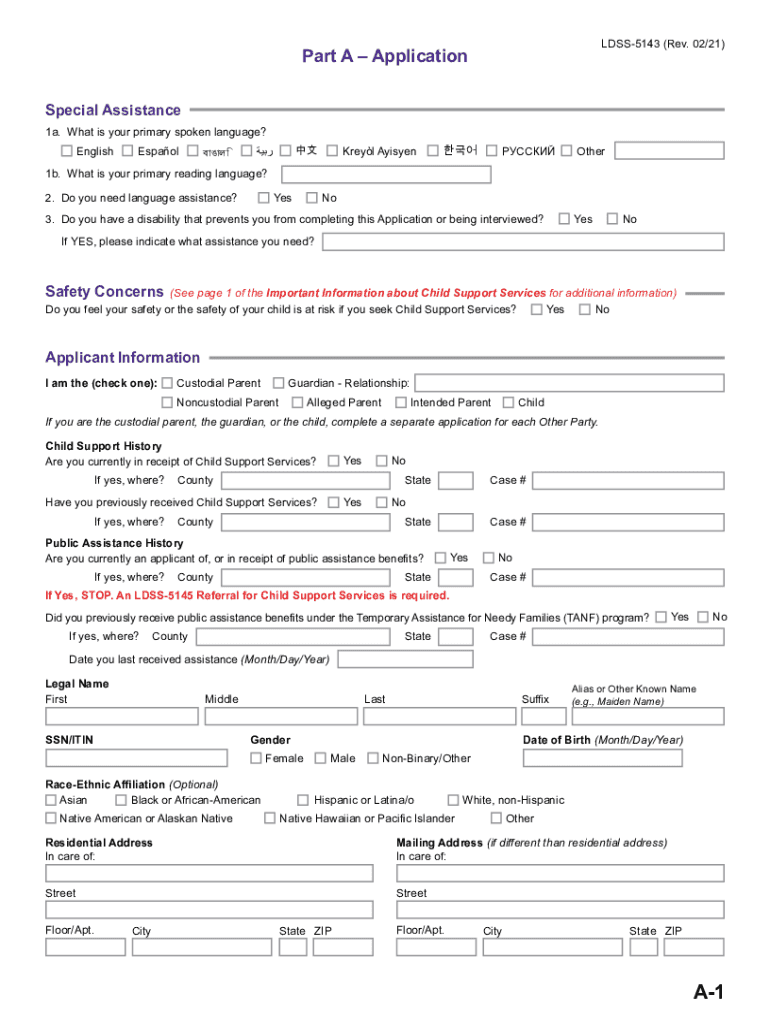
- Begin with Part A – Application. Fill in your primary spoken and reading languages, and indicate if you need language assistance or have a disability that requires support.
- Complete the Applicant Information section by selecting your relationship to the child and providing your contact details, including phone numbers and email address.
- In Part B – Child Information, provide details for each child involved. Include their names, dates of birth, and parentage information as required.
- Review Part C – Supporting Documentation. Ensure you gather all necessary documents like identification, tax returns, and any relevant court orders before submitting your application.
Start filling out your ny application child today for free using our platform!
It's free
Got questions?
Can I sign my ny application child with my mobile phone?
Of course, it is possible with DocHub. This trustworthy and compliant online editor has a phone-based signing option. When you log in to your DocHub account and import your ny application child to our editor, fill out all necessary areas and use the Sign feature on the top barf. Click on Create your signature and choose Phone from the available choices. Here, you scan a QR code using your smartphone and draw your signature on your phone display, as you normally do when approving physical papers. If you access DocHub right from your mobile device, you can eSign your form by drawing your electronic signature, uploading its image, or simply with a typed name.
How do you create an e-signature for the ny application child on iOS?
In addition to a comprehensive toolset for editing PDFs on mobile phones, DocHub allows you to sign your ny application child along the way. Open our editor in your internet browser, make modifications using DocHub’s toolset, and complete your editing by eSigning the completed form.
Do both parents need to be present for child passport in NYC?
How much is the child credit in NY?
What is the income limit for child care assistance in NY?
Security and compliance
At DocHub, your data security is our priority. We follow HIPAA, SOC2, GDPR, and other standards, so you can work on your documents with confidence.
Learn more




