



01. Edit your landlord statement online
Type text, add images, blackout confidential details, add comments, highlights and more.

Type text, add images, blackout confidential details, add comments, highlights and more.

Draw your signature, type it, upload its image, or use your mobile device as a signature pad.

Send landlord statement erie county via email, link, or fax. You can also download it, export it or print it out.
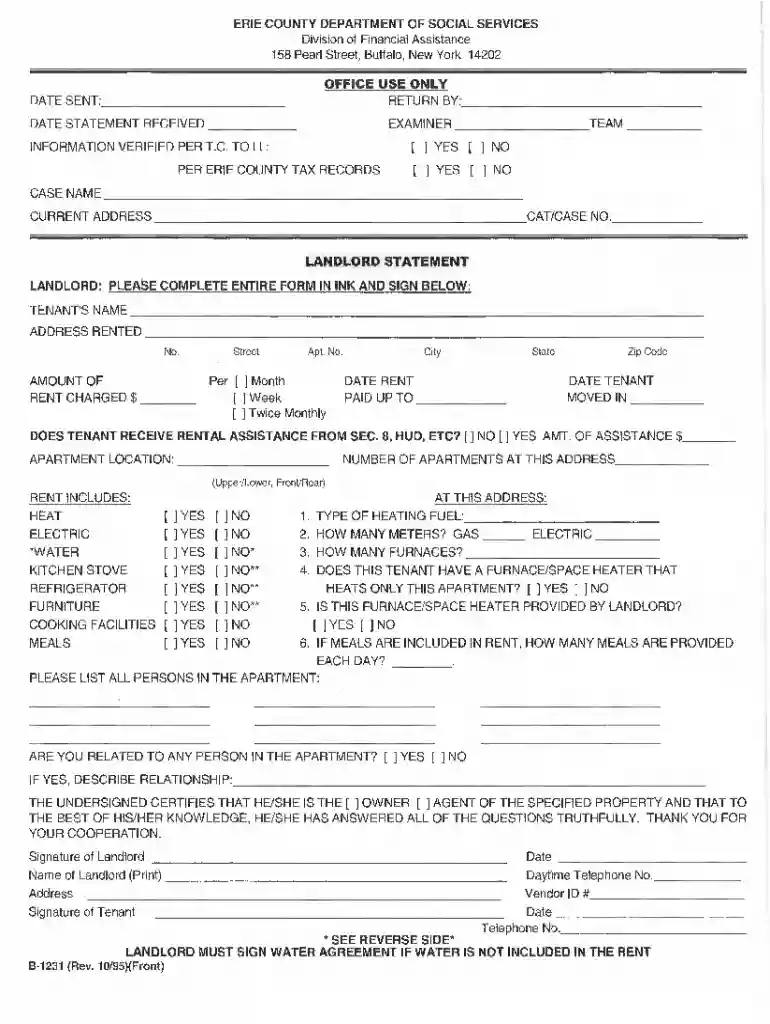
The landlord statement Erie County is a formal document utilized by landlords in Erie County, New York, to certify specific information about rental properties and tenants. This document is critical in various administrative processes, particularly in relation to financial assistance programs, such as those provided by social services. The landlord statement typically includes essential details about the landlord, tenant, rental agreements, and payment arrangements.
This form serves as proof of the housing arrangement and is often required to support aid applications for programs such as SNAP (Supplemental Nutrition Assistance Program). By providing accurate information, landlords help ensure that tenants receive the benefits they are entitled to.
The landlord statement Erie County must be completed accurately to fulfill its intended purpose. It is primarily used to:
Landlords can obtain the landlord statement Erie County through various channels, including:
It’s recommended to check if the form is available in both digital and printable versions for convenience.
Completing the landlord statement requires attention to detail. The following steps provide a roadmap for proper completion:
Familiarizing oneself with related terminology can enhance understanding and compliance with the landlord statement processes. Important terms include:
The landlord statement serves a significant legal purpose. It is often required for:
By understanding the legal implications, landlords can better navigate their responsibilities and the impact of the landlord statement in various contexts.
We've got more versions of the landlord statement form. Select the right landlord statement version from the list and start editing it straight away!
| Versions | Form popularity | Fillable & printable |
|---|---|---|
| 1995 | 4.5 Satisfied (27 Votes) |
Upload your erie county landlord statement to DocHub (once you’ve set up an account for this). If you need to complete fields in it, use appropriate tools from the upper pane. For instance, add Signature Fields, assign each to a particular person, and click on Sign → Request signatures from others. Change your message for your recipients and click Send Request. You can also send your paperwork by fax or as a Signing link instead of using email (you’ll find these options by navigating to the Menu → Send)
When you edit your landlord statement pdf with DocHub, you simply will not need to look for other applications or solutions to sign it. An electronic signature is part of DocHub’s extensive editing toolset, which enables you to apply changes in your form without switching between platforms. Just complete your form, double-check the correctness of your data and place your electronic signature at the end to make it submission-ready within minutes.
At DocHub, your data security is our priority. We follow HIPAA, SOC2, GDPR, and other standards, so you can work on your documents with confidence.
Landlord statement or lease agreement. Deed/mortgage statement or tax statement. Department at (716) 898-5566
Landlords Address: Landlords Signature: Date: Landlords Name: Landlords Telephone Number: Landlords E-mail Address: Owners Name (If different thanRead more


