Type text, add images, blackout confidential details, add comments, highlights and more.

02. Sign it in a few clicks
Draw your signature, type it, upload its image, or use your mobile device as a signature pad.

03. Share your form with others
Send what is tdy via email, link, or fax. You can also download it, export it or print it out.

How to use or fill out cg 4251 with our platform
Ease of Setup
DocHub User Ratings on G2
Ease of Use
DocHub User Ratings on G2
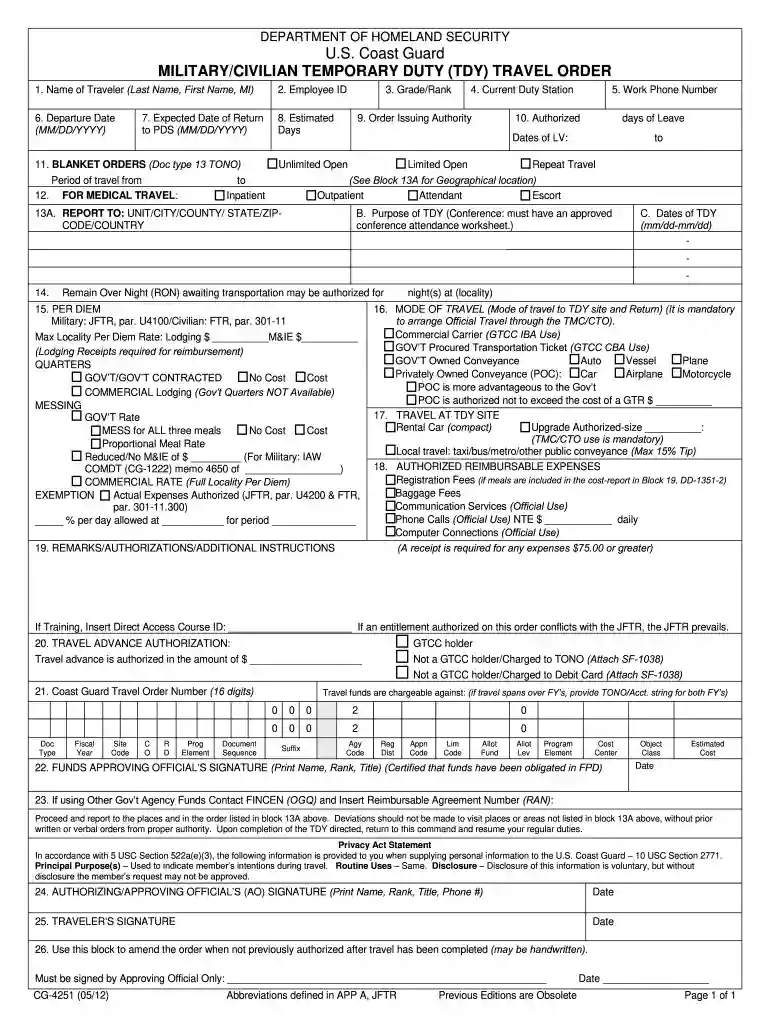
Click ‘Get Form’ to open the cg 4251 in the editor.
Begin by entering the traveler’s name in the first field, followed by their Employee ID. Ensure accuracy as this information is crucial for identification.
Fill in the current duty station and work phone number. This helps in verifying the traveler's details and facilitates communication.
Input the departure date and expected return date using the MM/DD/YYYY format. This section is vital for planning and budgeting purposes.
Complete sections regarding estimated days of travel, purpose of TDY, and any required authorizations. Be thorough to avoid delays in processing.
Review all entries for accuracy before signing. Use our platform's features to save your progress or make edits as needed.
Start filling out your cg 4251 today on our platform for free!
TSL 4251, Applied Linguistics for Second Language Learning, SIP, 3, 15, ESA 2, 1. 13, MAE 4114, Learning Progressions in Elementary Mathematics, 3, 1. 14, REDRead more
Cookie consent notice
This site uses cookies to enhance site navigation and personalize your experience.
By using this site you agree to our use of cookies as described in our Privacy Notice.
You can modify your selections by visiting our Cookie and Advertising Notice.