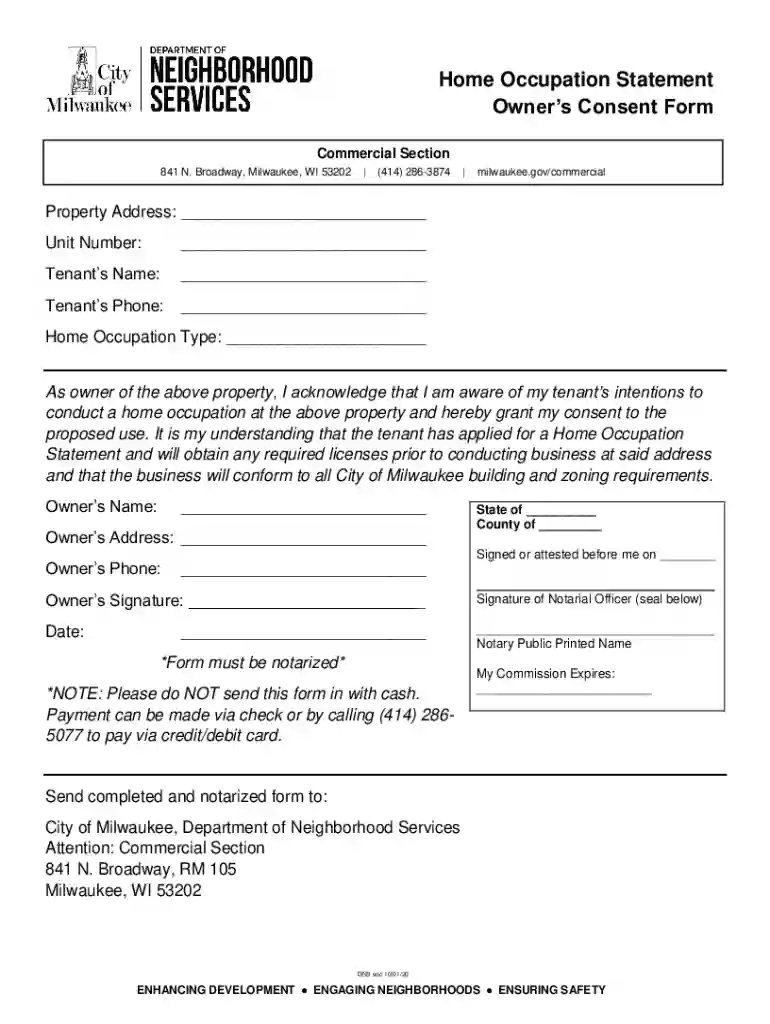
HOME OCCUPATION CERTIFICATE - City of Rapid City Preview on Page 1

HOME OCCUPATION CERTIFICATE - City of Rapid City 2026

Here's how it works

  • 01. Edit your form online

    Type text, add images, blackout confidential details, add comments, highlights and more.

  • 02. Sign it in a few clicks

    Draw your signature, type it, upload its image, or use your mobile device as a signature pad.

  • 03. Share your form with others

    Send it via email, link, or fax. You can also download it, export it or print it out.

How to use or fill out HOME OCCUPATION CERTIFICATE - City of Rapid City with our platform

Form edit decoration
9.5
Ease of Setup
DocHub User Ratings on G2
9.0
Ease of Use
DocHub User Ratings on G2
  1. Click ‘Get Form’ to open the HOME OCCUPATION CERTIFICATE in the editor.
  2. Begin by entering the Property Address and Unit Number in the designated fields. This information is crucial for identifying the location of your home occupation.
  3. Fill in the Tenant’s Name and Phone number. Ensure that this information is accurate, as it will be used for any necessary communications regarding your application.
  4. Specify the Home Occupation Type. Clearly describe the nature of your business to comply with local regulations.
  5. As the property owner, provide your name, address, and phone number. This section confirms your consent for the tenant to operate a home occupation at your property.
  6. Sign and date the form where indicated. Remember that this document must be notarized, so arrange for a notary public to witness your signature.
  7. Once completed, send the notarized form to the appropriate city department as specified in the instructions.

Start using our platform today to easily complete your HOME OCCUPATION CERTIFICATE online for free!

See more HOME OCCUPATION CERTIFICATE - City of Rapid City versions

We've got more versions of the HOME OCCUPATION CERTIFICATE - City of Rapid City form. Select the right HOME OCCUPATION CERTIFICATE - City of Rapid City version from the list and start editing it straight away!

VersionsForm popularityFillable & printable
20204.5 Satisfied (41 Votes)
20204.3 Satisfied (64 Votes)
20184.7 Satisfied (49 Votes)

be ready to get more

Complete this form in 5 minutes or less

Got questions?

We have answers to the most popular questions from our customers. If you can't find an answer to your question, please contact us.

Sure, you’ll find many different applications for this on the web. Nevertheless, if you need to eSign your HOME OCCUPATION CERTIFICATE - City of Rapid City without installing extra software, DocHub is the best choice you can make. This powerful editor works on mobile devices just like on desktops. Open our editor in any internet browser, register or log in to your account, and start processing your paperwork.

As a comprehensive document modifying service, DocHub is accessible on mobile phones. Open DocHub in your choice of mobile internet browser and use our intelligent mobile-friendly toolset to fill out your HOME OCCUPATION CERTIFICATE - City of Rapid City.

Security and compliance

At DocHub, your data security is our priority. We follow HIPAA, SOC2, GDPR, and other standards, so you can work on your documents with confidence.

Related links

Global Business Certificate

A Global Business Certificate from the Calvin University School of Business supplements your business degree and prepares you for a global and culturallyRead more

Learn more
Overview of Zoning and Permits for Commercial Building

This guide is for architects, engineers, or developers planning a new or expanded commercial building in Grand Rapids, MI. When we say new or expanded,Read more

Learn more
If you believe that this page should be taken down, please follow our DMCA take down process here