




Here's how it works



How to use or fill out Fax: 901-578-2805 with our platform

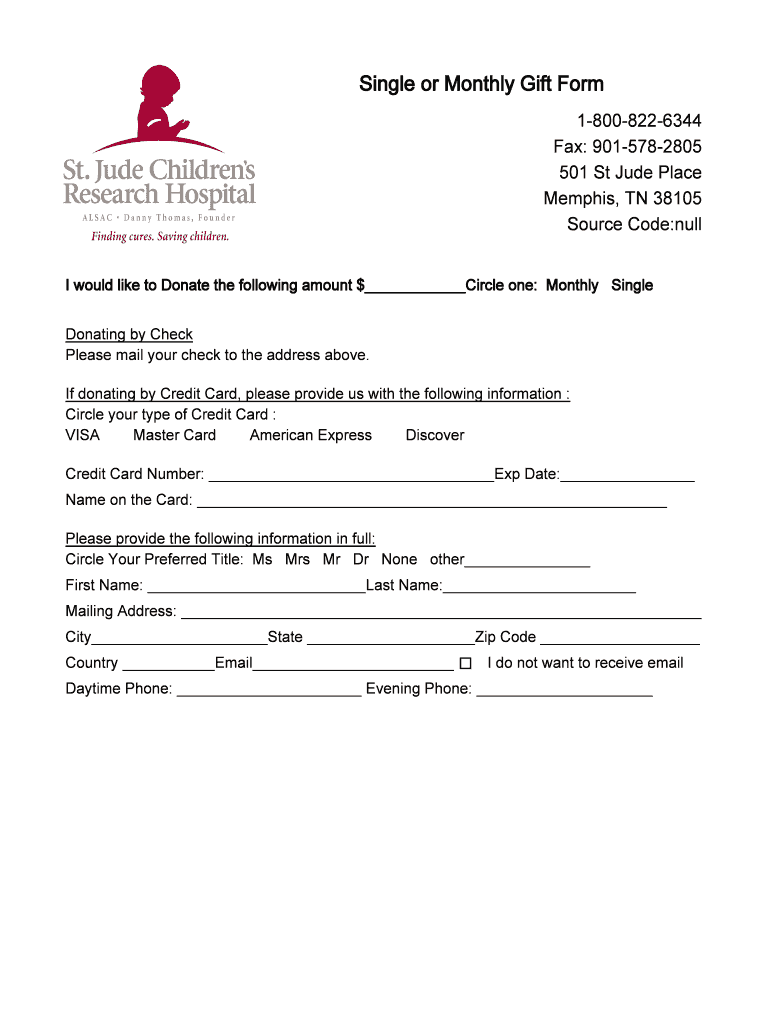
- Click ‘Get Form’ to open the Fax: 901-578-2805 in the editor.
- Begin by selecting your donation type. Circle either 'Monthly' or 'Single' based on your preference.
- If donating by check, note that you should mail it to the address provided: 501 St Jude Place, Memphis, TN 38105.
- For credit card donations, circle your card type (VISA, Master Card, American Express, Discover) and fill in the required details including Credit Card Number and Expiration Date.
- Complete your personal information by circling your preferred title (Ms, Mrs, Mr, Dr) and filling in your first name, last name, mailing address, city, state, zip code, country, and email.
- Indicate if you do not wish to receive emails by checking the appropriate box.
- Lastly, provide both daytime and evening phone numbers for contact purposes.
Start using our platform today to easily complete your donation form online for free!
It's free
Got questions?
How can I sign my Fax: 901-578-2805 on iOS?
With DocHub, you can rapidly sign your Fax: 901-578-2805 or any other document on iOS, even without setting up extra programs. You can access your DocHub account from any web-connected browser and complete and sign your form in any preferred method with just a couple of clicks.
Can I sign my Fax: 901-578-2805 while I edit it?
When you edit your Fax: 901-578-2805 with DocHub, you will not need to look for other applications or services to sign it. An electronic signature is part of DocHub’s extensive editing toolset, which enables you to apply changes in your form without switching between websites. Just complete your form, double-check the correctness of your information and put your electronic signature at the end to make it submission-ready within a few minutes.
Security and compliance
At DocHub, your data security is our priority. We follow HIPAA, SOC2, GDPR, and other standards, so you can work on your documents with confidence.
Learn more




