




Here's how it works



How to use or fill out jv412 with our platform

- Click ‘Get Form’ to open the jv412 document in the editor.
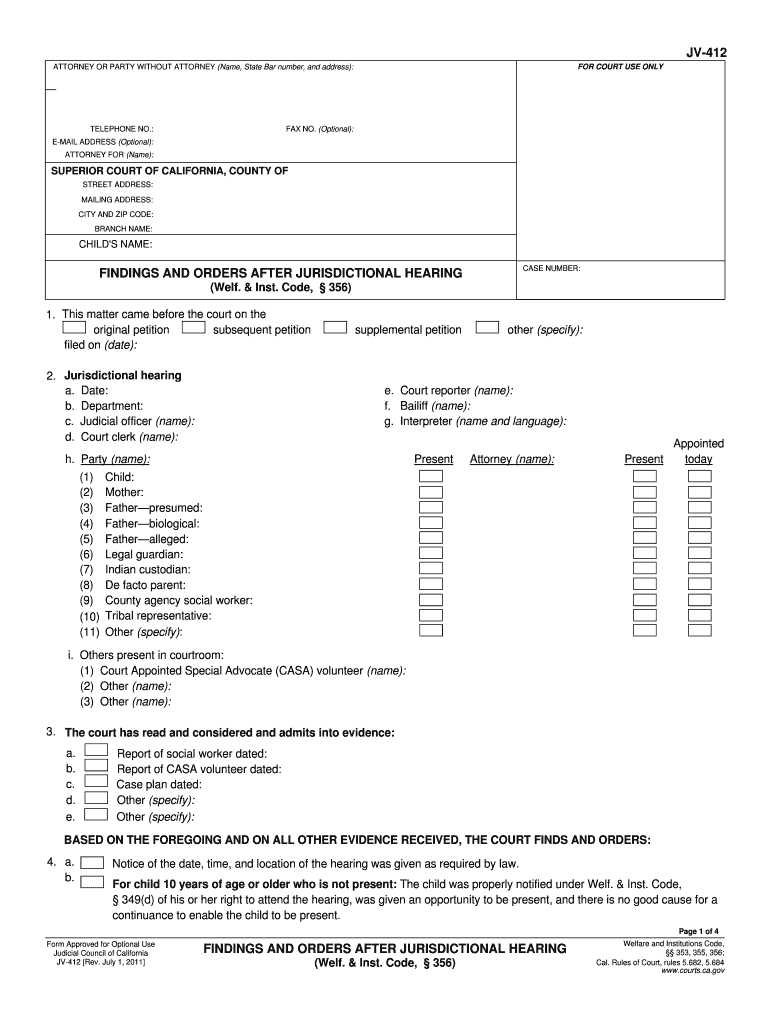
- Begin by entering your contact information in the designated fields, including your name, telephone number, and email address if applicable.
- Fill in the child's name and case number at the top of the form. Ensure accuracy as this information is crucial for court records.
- Proceed to section 2, where you will need to provide details about the jurisdictional hearing, including date, department, and names of involved parties.
- In section 3, list any evidence or reports that have been considered by the court. Be thorough to ensure all relevant documents are included.
- Complete sections regarding parentage and advisements. Make sure to check all applicable boxes and provide necessary details for each party involved.
- Review all entries for accuracy before saving or printing. Use our platform's features to easily modify any sections as needed.
Start filling out your jv412 form online for free today!
It's free
Got questions?
How can I send my jv412 from Google Drive for signing?
If you frequently work with documents kept in your Google Drive, DocHub is a superb option for you to easily and quickly complete, adjust, and sign them. This editor integrates well with Google services, so you can export your jv412 from your Google Drive to the editor without downloading and re-uploading it. Right-click on your document, select Open With → DocHub PDF Sign and Edit. In our editor, add and assign Signature Fields for all parties involved, then click on the Menu button above → Send → decide on how you want to share your form.
Can I print my jv412 and finish it by myself?
If you go for analog ways of completing your jv412, you can easily download your file for printing. Search DocHub’s Forms & Templates catalog to locate the exact document template you need and open it for editing or download it on your device in the format of your choice. It is easy to complete your form electronically and place your handwritten signature on it right after printing or eSign your document with DocHub.
Security and compliance
At DocHub, your data security is our priority. We follow HIPAA, SOC2, GDPR, and other standards, so you can work on your documents with confidence.
Learn more




