




Here's how it works



How to use or fill out German American Friendship Society of PinellasWhere Fun meets

- Click ‘Get Form’ to open it in the editor.
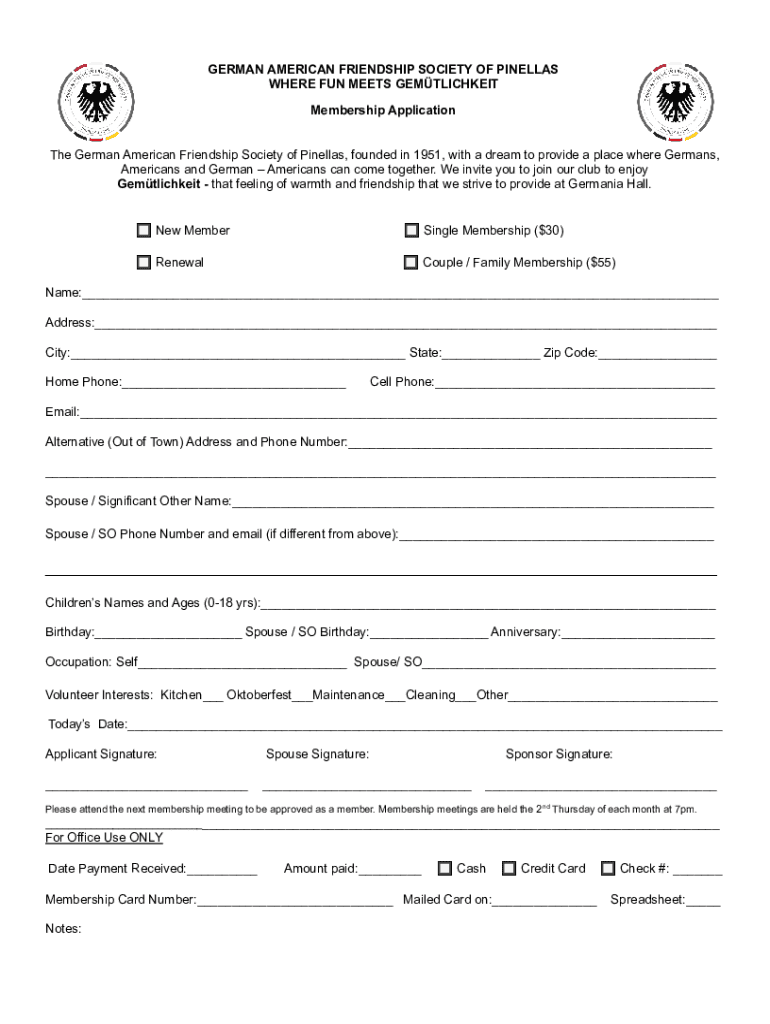
- Begin by selecting your membership type: Single Membership ($30) or Couple/Family Membership ($55).
- Fill in your personal information, including your name, address, city, state, and zip code.
- Provide your home phone and cell phone numbers, along with your email address.
- If applicable, enter an alternative address and phone number for out-of-town members.
- Include the name and contact details of your spouse or significant other if relevant.
- List the names and ages of any children aged 0-18 years.
- Fill in birthdays for yourself and your spouse/significant other, as well as your anniversary date.
- Indicate your occupation and that of your spouse/significant other.
- Select any volunteer interests you may have from the provided options.
- Sign the application along with your spouse's signature if applicable. Don't forget to include today's date!
Start filling out the membership application today using our platform for free!
It's free
See more German American Friendship Society of PinellasWhere Fun meets versions
Got questions?
What is the optimum way to electronically sign my German American Friendship Society of PinellasWhere Fun meets?
A lot of software applications are available on the market for document modifying and signing. DocHub is one of the most widely used online solutions that comply with all data protection and compliance requirements and guarantees your electronically signed paperwork is legally enforceable. All you need to try it out is to register an account, upload your German American Friendship Society of PinellasWhere Fun meets, provide the necessary information, and click Sign. Create your electronic signature by typing, drawing it, uploading its image to your template, or scanning a unique QR code.
Can I sign my German American Friendship Society of PinellasWhere Fun meets while I edit it?
If you edit your German American Friendship Society of PinellasWhere Fun meets with DocHub, you will not need to look for other software or solutions to eSign it. An electronic signature is a component of DocHub’s substantial editing toolset, which allows you to apply changes in your form without switching between websites. Just complete your form, double-check the correctness of the data and put your electronic signature at the end to make it submission-ready in minutes.
Security and compliance
At DocHub, your data security is our priority. We follow HIPAA, SOC2, GDPR, and other standards, so you can work on your documents with confidence.
Learn more




