Guide 0174Application Guide for Inland Refugee Claims 2026

Get Form
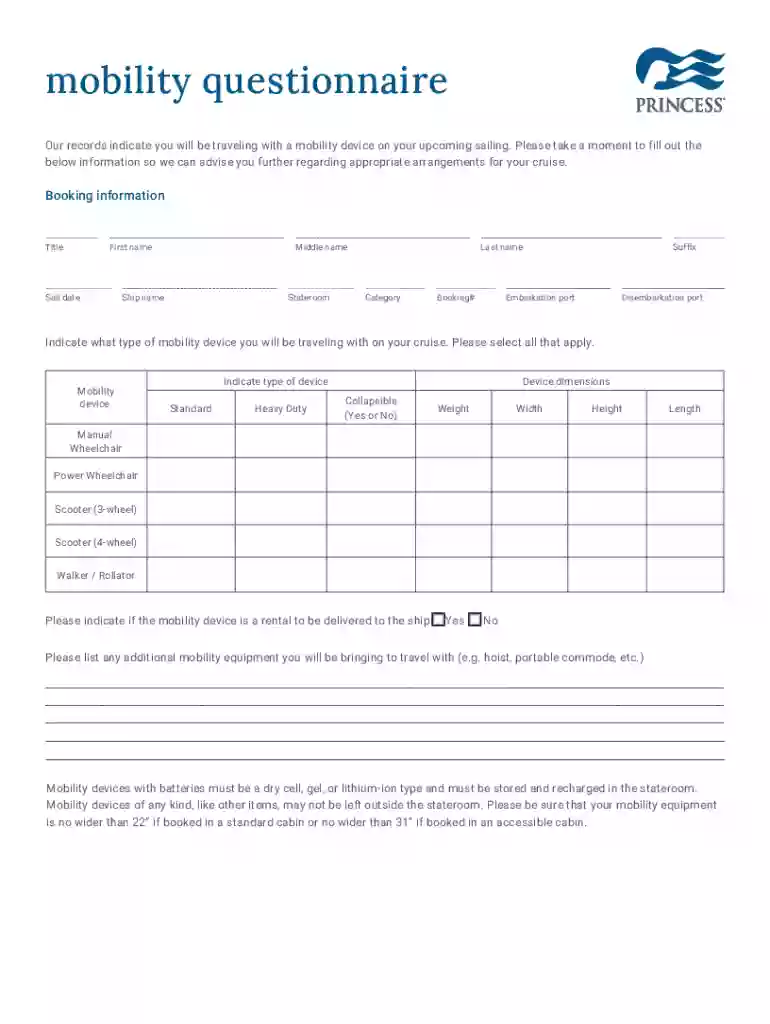
princess mobility questionnaire Preview on Page 1

Here's how it works

01. Edit your princess mobility questionnaire online
Type text, add images, blackout confidential details, add comments, highlights and more.

02. Sign it in a few clicks
Draw your signature, type it, upload its image, or use your mobile device as a signature pad.

03. Share your form with others
Send it via email, link, or fax. You can also download it, export it or print it out.

How to use or fill out Guide 0174 Application Guide for Inland Refugee Claims with our platform

Form edit decoration
9.5
Ease of Setup
DocHub User Ratings on G2
9.0
Ease of Use
DocHub User Ratings on G2
  1. Click ‘Get Form’ to open the Guide 0174 in the editor.
  2. Begin by filling out your booking information, including title, first name, last name, and any suffix or middle name. Ensure all fields are completed accurately.
  3. Next, provide details about your sailing such as sail date, ship name, embarkation and disembarkation ports, stateroom number, and booking number.
  4. Indicate the type of mobility device you will be using during your cruise. Select all applicable options and fill in the dimensions and weight of the device.
  5. Specify if the mobility device is a rental and list any additional mobility equipment you plan to bring along.
  6. Complete the mobility status section by selecting how often you use your device and answering questions regarding assistance needs during transportation.
  7. If applicable, indicate any requirements for accessible hotel rooms pre- or post-cruise. Provide specific features needed if necessary.
  8. Finally, review all entered information for accuracy before submitting the form via email or fax as instructed at the end of the document.

Start using our platform today to easily fill out your Guide 0174 Application Guide for Inland Refugee Claims online for free!

See more Guide 0174Application Guide for Inland Refugee Claims versions

We've got more versions of the Guide 0174Application Guide for Inland Refugee Claims form. Select the right Guide 0174Application Guide for Inland Refugee Claims version from the list and start editing it straight away!
Versions Form popularity Fillable & printable
2022 4.4 Satisfied (41 Votes)
2014 4.6 Satisfied (28 Votes)
be ready to get more

Complete this form in 5 minutes or less

Get form

Got questions?

We have answers to the most popular questions from our customers. If you can't find an answer to your question, please contact us.
Contact us
Refugees resettled to Canada are selected abroad and become permanent residents as soon as they arrive in Canada. Resettled refugees are determined to be refugees by the Canadian government before they arrive in Canada. Refugee claimants receive a decision on whether they are refugees after they arrive in Canada.
If the Immigration and Refugee Board of Canada (IRB) accepts your claim, you get protected person status. This means you can stay in Canada, and you can apply to become a permanent resident of Canada. If the IRB rejects your claim, youll have to leave Canada.
Confirmation of Referral letter. This shows that CBSA has sent your file to the IRB-RPD for processing. The IRB-RPD will give you a hearing date once they review your file.
Until you receive a decision, you must continue to communicate with and send documents to the office listed on your Confirmation of Referral. If you have a date set for your hearing and you do not receive an answer before that date, you must go to the location on your Notice to Appear and be prepared for your hearing.
The refugee experience is typically divided into three stages: premigration, migration, and postmigration. Prior to escaping from their home country, refugees are in the premigration stage.

Security and compliance

At DocHub, your data security is our priority. We follow HIPAA, SOC2, GDPR, and other standards, so you can work on your documents with confidence.

Learn more
ccpa2
pci-dss
gdpr-compliance
hipaa
soc-compliance
be ready to get more

Complete this form in 5 minutes or less

Get form

People also ask

Start a claim online Prepare your documents. You and every member of your family who is claiming asylum need to prepare some documents. Create an IRCC Portal account. You can use one account to start a refugee (asylum) claim for you and all of your family members. Complete your refugee claim application.
This means the member will consider all the evidence after the hearing and will write the decision. If you and the Ministers counsel provided written submissions and no oral hearing was held, the member will make a decision from the written submissions. This usually takes no more than 60 days.
Withdrawing: If you decide not to continue with your refugee protection claim, you must tell the Refugee Protection Division (RPD) in writing that you are withdrawing your claim. If you withdraw your claim, you will not be permitted to make another claim for refugee protection in Canada.