




Here's how it works

01. Edit your form online
Type text, add images, blackout confidential details, add comments, highlights and more.

02. Sign it in a few clicks
Draw your signature, type it, upload its image, or use your mobile device as a signature pad.

03. Share your form with others
Send it via email, link, or fax. You can also download it, export it or print it out.
How to use or fill out Approved Inspection Station Scheme - Changes to AIS approval with our platform

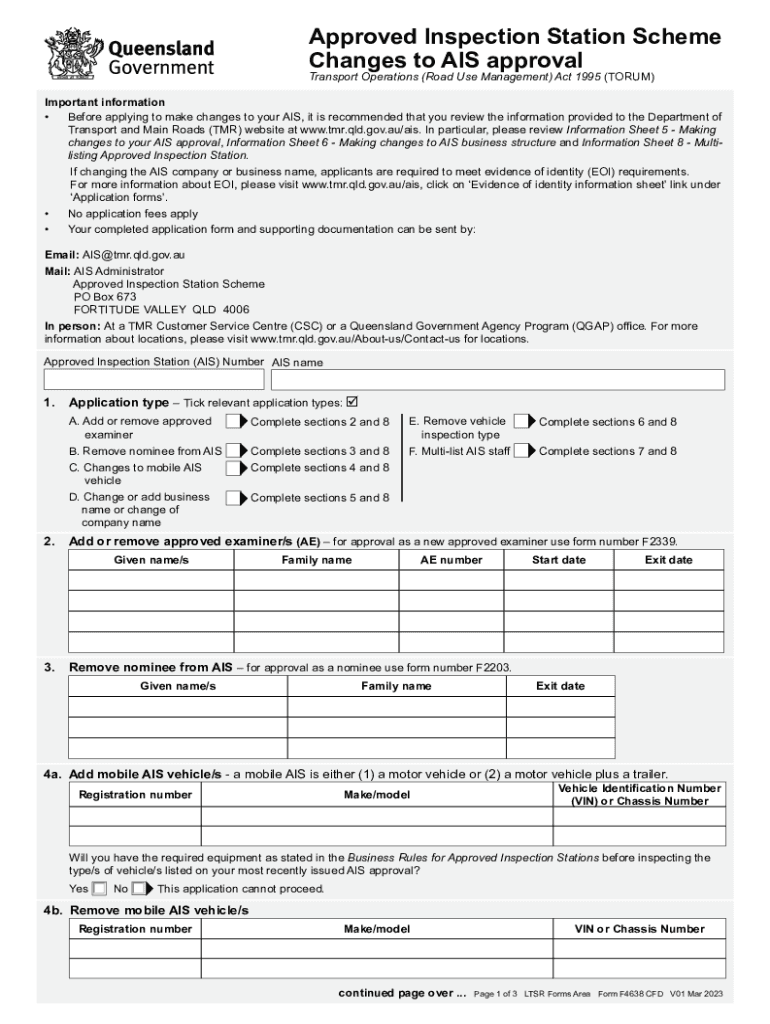
- Click ‘Get Form’ to open the Approved Inspection Station Scheme - Changes to AIS approval in the editor.
- Begin by entering your Approved Inspection Station (AIS) Number and AIS name at the top of the form.
- Select the relevant application type by ticking the appropriate box. Depending on your choice, complete the corresponding sections as indicated.
- For adding or removing approved examiners, fill in their given names, family names, and relevant dates in Section 2.
- If changing business names or company names, ensure you provide a current ASIC extract and TMR Customer Reference Number (CRN) in Sections 5a and 5b.
- Complete Section 6 if you are removing vehicle inspection types by ticking the relevant boxes and providing any necessary details about returned inspection books.
- In Section 7, list any staff members for multi-listing purposes, ensuring they are approved under the same name.
- Finally, review your entries and sign in Section 8 to declare that all information is accurate before submitting your application.
Start using our platform today for free to streamline your document editing and submission process!
Fill out Approved Inspection Station Scheme - Changes to AIS approval online
It's free
It's free
See more Approved Inspection Station Scheme - Changes to AIS approval versions
We've got more versions of the Approved Inspection Station Scheme - Changes to AIS approval form. Select the right Approved Inspection Station Scheme - Changes to AIS approval version from the list and start editing it straight away!
Got questions?
We have answers to the most popular questions from our customers. If you can't find an answer to your question, please contact us.
Contact us
What is the Authorised inspection scheme in NSW?
The Authorised Inspection Scheme (AIS) is a system, administered by TfNSW under which vehicles are inspected in NSW. Inspections are carried out for a number of reasons, the most common being for annual renewal or transfer of registration. TfNSWs role in the scheme is to: appoint AIS stations.
What is the AIS certificate of inspection in QLD?
Vehicle safety inspections are conducted by approved examiners at Approved Inspection Stations (AIS). If the vehicle meets the minimum safety standards, an inspection certificate is issued to the owner/driver of the vehicle.
How to set up an AIS station?
To set up the receiver, connect it to the antenna, keep it powered, and hook it up to the internet. You dont need to worry about the other ports. Plug the coaxial cable into the AIS receivers BNC connector (marked with ANT or Antenna) and twist it until its securely in place.
What is a QLD certificate of inspection?
Certificate of Inspection (COI) vehicles (such as heavy vehicles, licensed tow trucks, buses, taxis, limousines and booked hire vehicles) registered in Queensland may need to have a periodic or programmed inspection to check minimum vehicle safety standards. A COI is issued when the vehicle passes the inspection.
Security and compliance
At DocHub, your data security is our priority. We follow HIPAA, SOC2, GDPR, and other standards, so you can work on your documents with confidence.
Learn more




