Type text, add images, blackout confidential details, add comments, highlights and more.

02. Sign it in a few clicks
Draw your signature, type it, upload its image, or use your mobile device as a signature pad.

03. Share your form with others
Send of 306 va via email, link, or fax. You can also download it, export it or print it out.

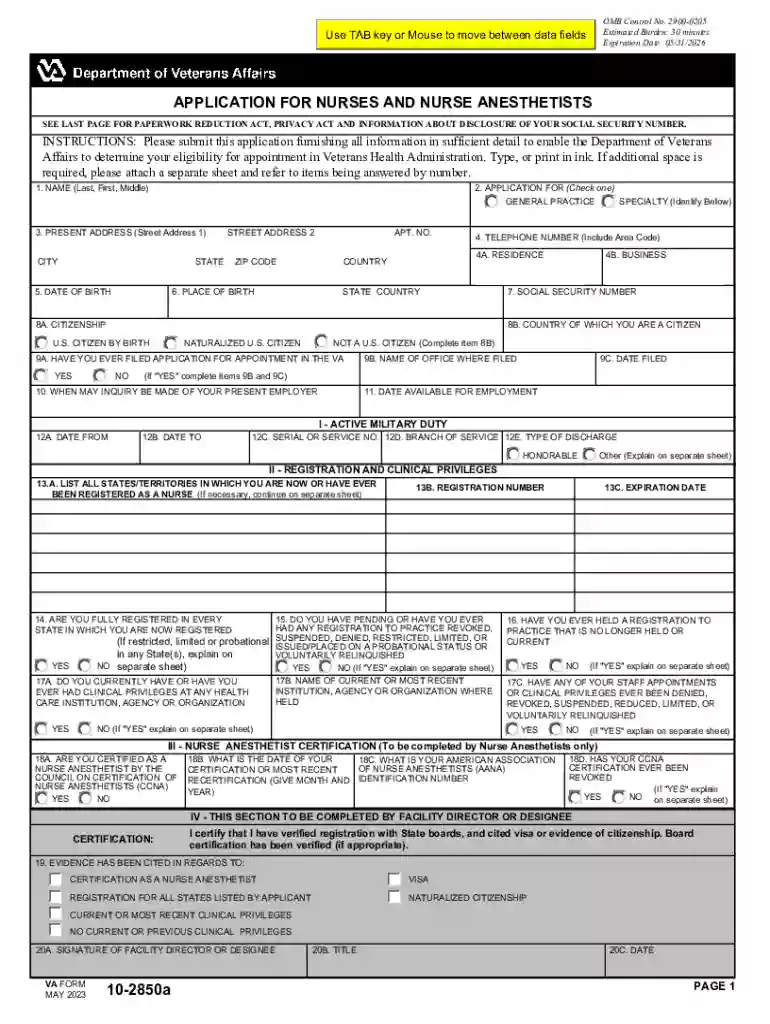
How to use or fill out VA Form 10-2850A: Online Application for NursesPDF with our platform
Ease of Setup
DocHub User Ratings on G2
Ease of Use
DocHub User Ratings on G2
Click ‘Get Form’ to open the VA Form 10-2850A in the editor.
Begin by filling in your name in the first section. Ensure you include your last, first, and middle names as required.
In the 'Application For' section, check either 'General Practice' or 'Specialty' and specify if applicable.
Provide your present address, including street address, city, state, and zip code. Make sure all information is accurate.
Complete the date of birth and place of birth fields. This information is crucial for identification purposes.
Fill in your social security number and citizenship status. If you are not a U.S. citizen, complete the additional country field.
Continue through each section methodically, ensuring that you answer all questions thoroughly. Use our platform's features to add notes or attach additional sheets if necessary.
Review all entries for accuracy before submitting your application to ensure a smooth processing experience.
Start using our platform today to fill out your VA Form 10-2850A easily and for free!
Fill out VA Form 10-2850A: Online Application for NursesPDF online It's free
See more VA Form 10-2850A: Online Application for NursesPDF versions
We've got more versions of the VA Form 10-2850A: Online Application for NursesPDF form. Select the right VA Form 10-2850A: Online Application for NursesPDF version from the list and start editing it straight away!
Cookie consent notice
This site uses cookies to enhance site navigation and personalize your experience.
By using this site you agree to our use of cookies as described in our Privacy Notice.
You can modify your selections by visiting our Cookie and Advertising Notice.