




01. Edit your glock armorer order form online
Type text, add images, blackout confidential details, add comments, highlights and more.

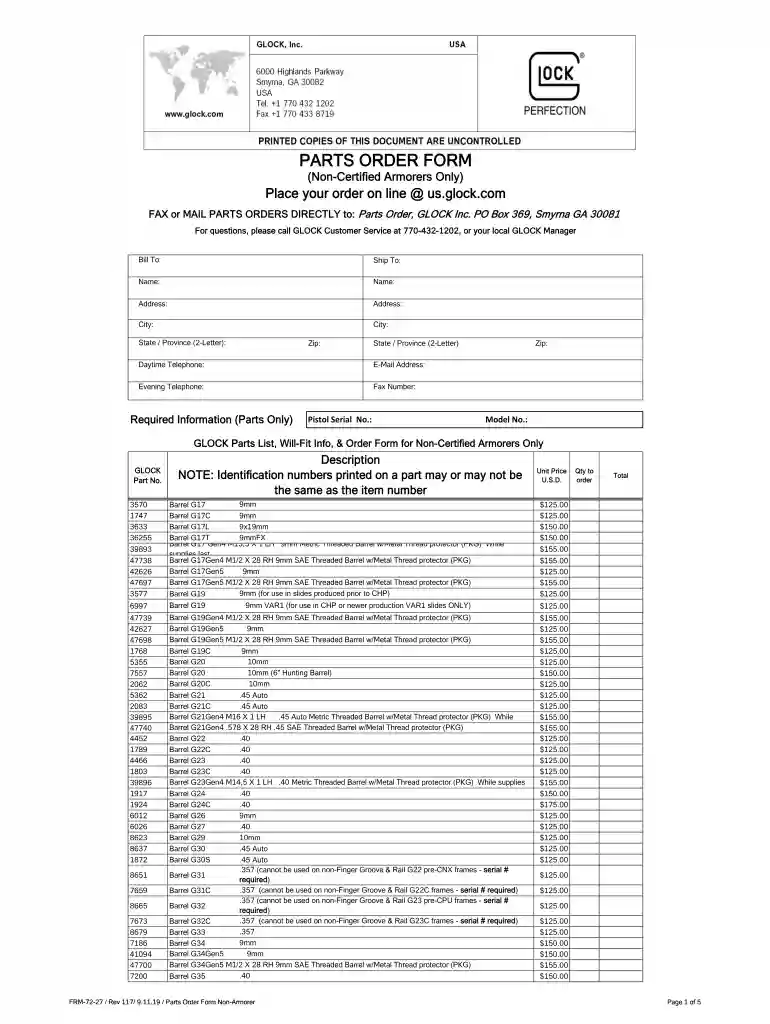
Type text, add images, blackout confidential details, add comments, highlights and more.

Draw your signature, type it, upload its image, or use your mobile device as a signature pad.

Send glock parts order form via email, link, or fax. You can also download it, export it or print it out.

Start using our platform today for free to streamline your glock parts ordering process!
We've got more versions of the glock armorer order form form. Select the right glock armorer order form version from the list and start editing it straight away!
| Versions | Form popularity | Fillable & printable |
|---|---|---|
| 2019 | 4.1 Satisfied (28 Votes) |
Of course, electronically drawing your signature is acceptable, but only if you utilize a tool that complies with industry laws and regulations. Consider DocHub, which ensures eSignature validity under ESIGN and UETA requirements. All you need to approve your glock armorer order form 2024 electronically is an account with DocHub and an internet connection. When you open your file in our editor, click Sign and choose the Draw option.
If you are using Chrome, there are two easy ways to modify your glock certified armorer parts order form online. First, go to the DocHub website, add your document, and modify it utilizing our toolbar. You can also set up our Chrome extension and modify any document by dragging and dropping it in your web browser tab.
At DocHub, your data security is our priority. We follow HIPAA, SOC2, GDPR, and other standards, so you can work on your documents with confidence.
PARTS ORDER FORM. GLOCK, Inc. Daytime Telephone: E-Mail Address: FAX or MAIL PARTS ORDERS DIRECTLY to: Parts Order, GLOCK Inc. PO Box 369, Smyrna GA 30081.Read more
KCTIPS Form 53 Rev. 3/23/18. Course Title: Glock Armorers Course. Date(s):. July 23, 2019. Time(s):. 8:00AM 5:00PM. Location: Polk State College - CenterRead more


