



01. Edit your washington pdc financial online
Type text, add images, blackout confidential details, add comments, highlights and more.

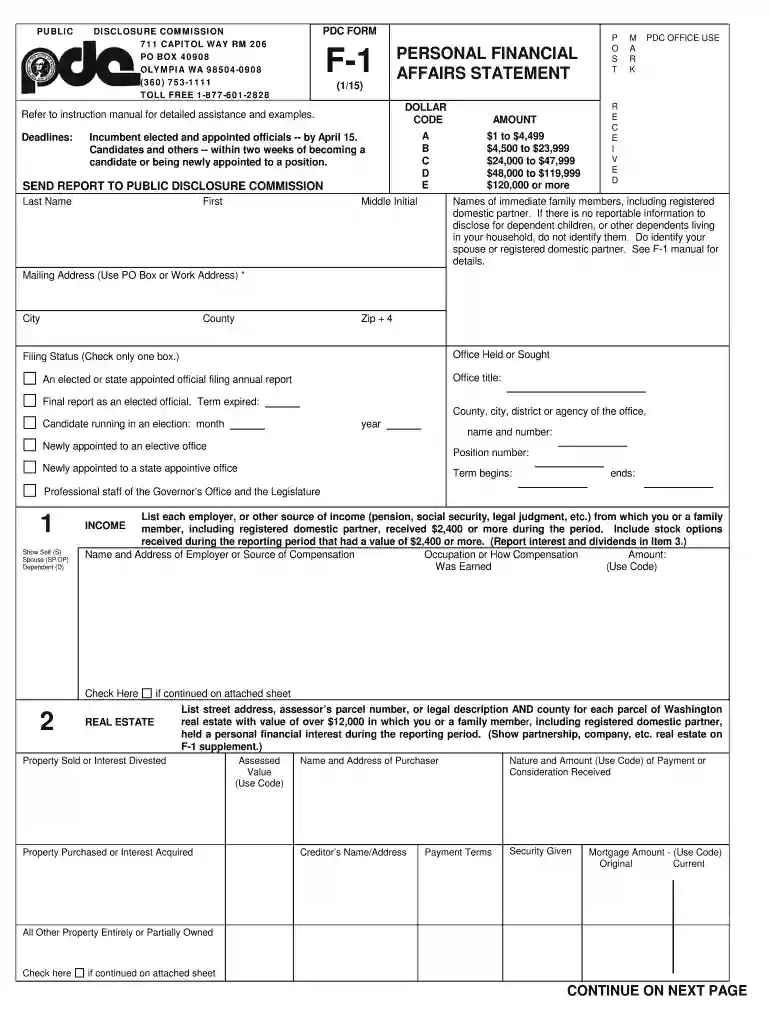
Type text, add images, blackout confidential details, add comments, highlights and more.

Draw your signature, type it, upload its image, or use your mobile device as a signature pad.

Send wa pdc f 1 via email, link, or fax. You can also download it, export it or print it out.

Start using our platform today to easily complete your Personal Financial Affairs Statement for free!
We've got more versions of the washington pdc financial form. Select the right washington pdc financial version from the list and start editing it straight away!
| Versions | Form popularity | Fillable & printable |
|---|---|---|
| 2015 | 4.8 Satisfied (37 Votes) |
Signing documents on a mobile device is fast, simple, and doesn’t require software installation if you have an account with DocHub. Log in from any browser, complete your blank fields with your information, and click on Sign → Create your signature. You can draw your electronic signature just as you usually do on paper, add its image to your BPersonal Financialb Affairs bStatementb - Public Disclosure Commission - pdc wa, or type in your name and stylize its look. Whatever option you choose, your documentation will be valid.
You can find the latest and most relevant version of the BPersonal Financialb Affairs bStatementb - Public Disclosure Commission - pdc wa in our DocHub forms collection. Browse it by categories or use the search field to find the exact template that suits your case. You may open this form for editing after you find it.
At DocHub, your data security is our priority. We follow HIPAA, SOC2, GDPR, and other standards, so you can work on your documents with confidence.
Candidates, elected officials, and certain state-level appointees must disclose details of their personal finances. Elected and appointed officials submitRead more
What is Lobbying? The Washington State Public Disclosure Commission (PDC) defines lobbying as attempting to influence the passage or defeat of any legislationRead more


