
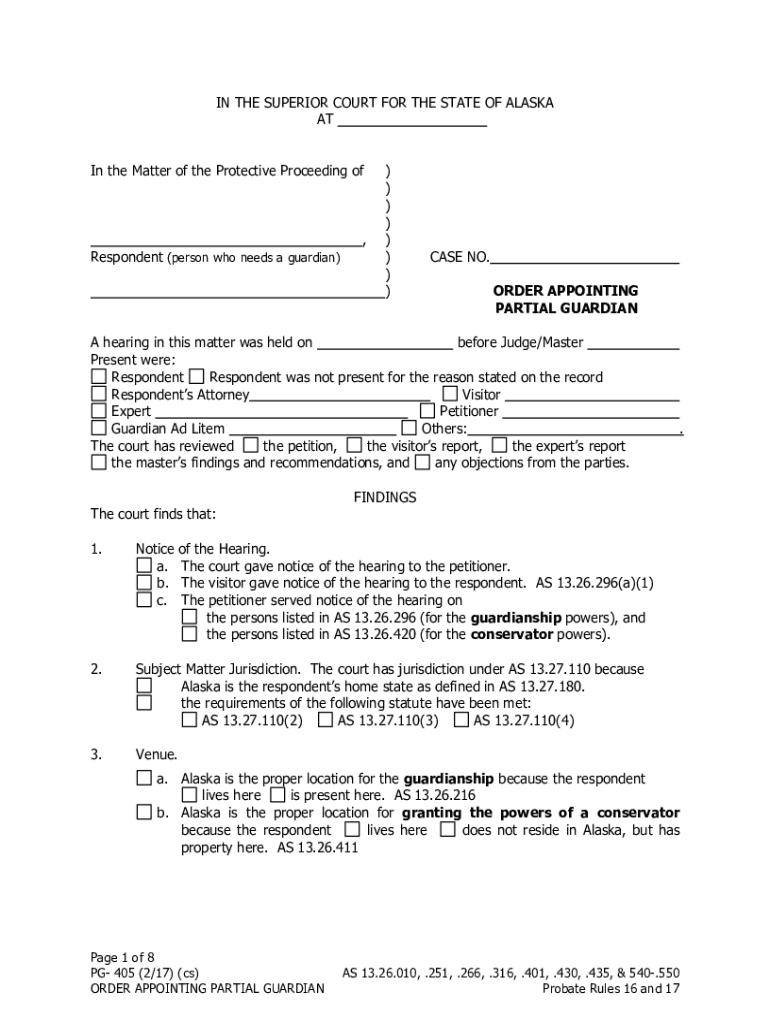







Definition & Meaning
The term "form online" refers to digital forms accessible via the internet. These forms allow users to submit various types of information through electronic means rather than using paper forms. Online forms encompass a wide array of documents, such as applications, surveys, and registration forms, helping streamline data collection and processing. The convenience of online forms lies in their capacity to automate data handling, saving time and minimizing errors associated with manual entry. As technology evolves, online forms have increasingly become integral to personal, business, and governmental processes.
Types of Online Forms
- Application Forms: For college admissions, job applications, or service requests.
- Survey Forms: Used to gather feedback or conduct market research.
- Registration Forms: For events, courses, or new services.
- Order Forms: Employed by businesses for selling products or services.
Benefits of Online Forms
- Efficiency: Faster data processing compared to paper forms.
- Accuracy: Reduces human error during data entry.
- Accessibility: Can be accessed and submitted from any device with internet connectivity.
Steps to Complete the Form Online
Completing an online form involves several straightforward steps that ensure data is entered and submitted correctly. Follow this general sequence to efficiently fill out any online form:
- Access the Form: Open the web page or platform hosting the form, ensuring it is secure and authorized by the entity requiring the information.
- Read Instructions: Carefully review any guidance or notes provided to understand the form’s requirements.
- Enter Information: Fill in required fields, such as personal or business details. Look for mandatory fields often marked with an asterisk (*) and ensure they are complete before submission.
- Review for Accuracy: Double-check all entered information to ensure it is correct and complete to prevent errors or rejections.
- Submit the Form: Click the submit button, ensuring a confirmation message or email is received to validate successful submission.
Tips for Accurate Completion
- Use Correct Formats: Follow specified formats for dates (MM/DD/YYYY), numbers, and text entries.
- Save Progress: If the form allows, save progress frequently to avoid data loss due to session timeout.
- Use Auto-Fill: Utilize browser auto-fill capabilities for repeated fields to save time.
Legal Use of the Form Online
Using online forms for legal purposes requires adherence to specific standards to ensure their validity and integrity. In legal contexts, it's crucial that forms meet certain criteria to be recognized under applicable laws.
Compliance Standards
- ESIGN Act: Ensures the legitimacy of electronic signatures on forms.
- Data Protection Laws: Adherence to regulations like GDPR or HIPAA when handling sensitive personal data.
Advantages in Legal Contexts
- Efficiency in Documentation: Speeds up the process for legal agreements, contracts, and registrations.
- Audit Trails: Provides verifiable digital records that can be accessed if disputes arise.
Who Typically Uses the Form Online
Online forms are employed by a wide range of users across various sectors. From individuals lodging personal applications to businesses and organizations managing data collection processes, online forms are versatile tools.


Individual Users
- Job Seekers: Filling out employment applications or updating resumes.
- Students: Registering for courses or applying for scholarships.
Business and Organizational Use
- Human Resources: Managing recruitment and employee information.
- Marketing Teams: Conducting customer satisfaction surveys and feedback collection.
- Educational Institutions: Handling student enrollments and course registrations.
Important Terms Related to Form Online
Understanding key terminology associated with online forms aids in navigating and utilizing them effectively. These terms highlight essential aspects of the digital form ecosystem.
Key Terminologies
- Form Field: Designated spaces for entering specific data, such as text boxes or checkboxes.
- Submission Confirmation: A response indicating successful receipt of the form.
- Form Validation: Process ensuring all required information is correctly entered before submission.
- Data Encryption: Secures the form data transmission, preventing unauthorized access.
How to Obtain the Form Online
Accessing forms online is a straightforward process made easy by the internet's vast resources. Here's how to locate and download or fill an online form:
Steps to Access
- Identify the Source: Begin by determining the organization or website providing the form.
- Navigate Online: Use search engines or directly access the entity's website to find the specific form.
- Download or Access: Follow links to download the form as a PDF or use web-based forms to fill in and submit directly online.
Common Platforms for Access
- Government Portals: For forms like tax returns or voter registration.
- Educational Websites: University or college sites for admissions or enrollment forms.
- Business Websites: Company-specific forms for ordering or customer feedback.
Who Issues the Form
Identifying who issues a specific online form is crucial to ensure legitimacy and relevance to the required purpose. Forms can be issued by various entities depending on their nature and use.
Issuing Bodies
- Government Agencies: Tax forms, voter registration, and census forms.
- Educational Institutions: College applications, student evaluations, and course registrations.
- Corporate Entities: Customer feedback, order forms, and internal HR documents.
Understanding who issues a form aids in ensuring that it meets the relevant compliance and authenticity standards necessary for its acceptance and processing.




