



01. Edit your form online
Type text, add images, blackout confidential details, add comments, highlights and more.

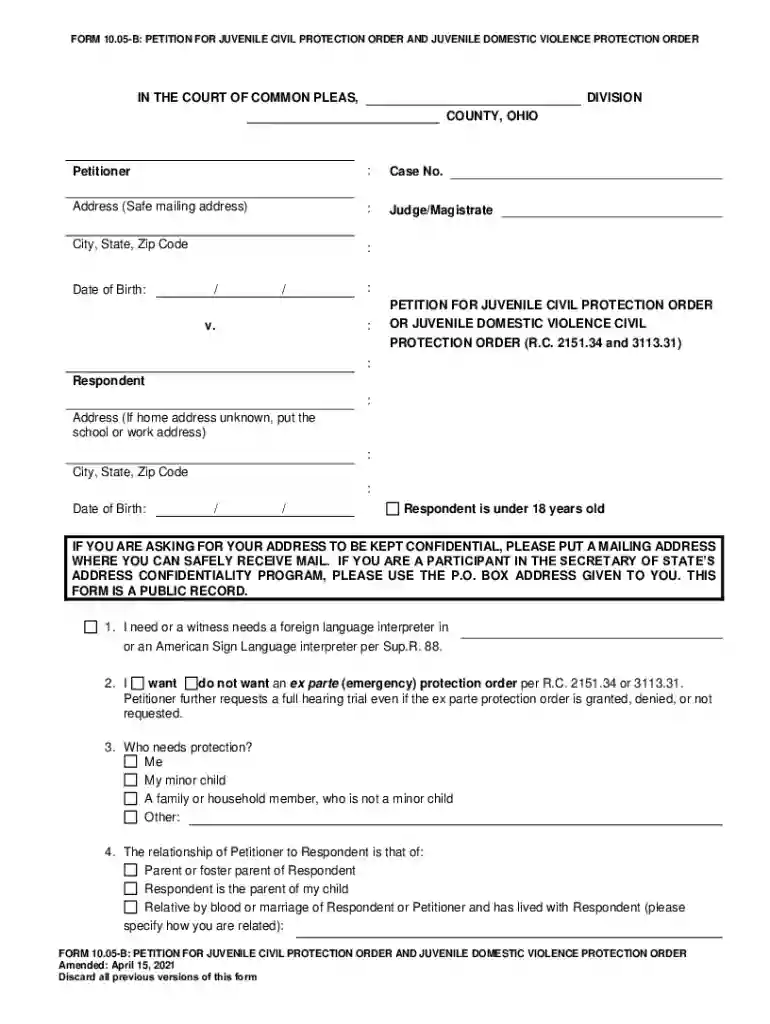
Type text, add images, blackout confidential details, add comments, highlights and more.

Draw your signature, type it, upload its image, or use your mobile device as a signature pad.

Send it via email, link, or fax. You can also download it, export it or print it out.
Forms are indispensable tools for collecting and processing information across various domains, including legal, educational, and business sectors. When you need to complete a form online, understanding its significance and features can enhance your efficiency and accuracy.
When using the form online, most platforms provide a straightforward and user-friendly interface. Begin by accessing the form through the provided link, often available via email or an online portal. Once the form is opened, navigate through the sections and input your information as required. Modern forms include intuitive fields such as text boxes, drop-down menus, and checkboxes, allowing for seamless data entry. Always ensure to review the instructions accompanying each section to avoid errors.
Completing an online form involves several key steps:
Forms can have diverse elements that suit specific information gathering:
Forms are often legally binding documents. For example, completing a lease agreement or a tax-related form online involves legally compliant procedures ensuring authenticity and adherence to regulations like the ESIGN Act. It is crucial to understand the legal implications and authenticate personal inputs to avoid potential disputes or legal issues.
Failing to comply with the guidelines or submission deadlines of an online form can lead to penalties. For instance, not submitting tax forms on time can result in fines or legal penalties. Always be aware of the specific requirements and timelines relevant to your form to avoid unnecessary consequences.
Most online forms are designed to be compatible with popular software solutions like Adobe Acrobat, which allows for easy PDF viewing and editing. For more specialized or tax-related forms, software like TurboTax or QuickBooks can be integral in ensuring accurate completion and submission, especially for complex calculations and data entries.
Examples include:
Digital forms offer several advantages over paper forms. They provide instant submission, reduce paperwork, and enhance data accuracy through real-time validation. Moreover, they support environmentally friendly practices by minimizing the need for physical resources. Paper forms, however, can still be used in settings where digital access is limited or for archival purposes.
State-specific rules may apply to certain forms such as tax submissions or business registrations. Each state might have unique requirements concerning documentation, submission formats, or deadlines. It’s essential to consult the relevant state guidelines to ensure compliance and avoid any discrepancies in the process.
We've got more versions of the Petition for Juvenile Civil Protection Order form. Select the right Petition for Juvenile Civil Protection Order version from the list and start editing it straight away!
At DocHub, your data security is our priority. We follow HIPAA, SOC2, GDPR, and other standards, so you can work on your documents with confidence.
In this national webinar, faculty will discuss the importance of protection orders and the remedies that most effectively protect immigrant victims and theirRead more
The juvenile civil protection order forms are available in DocHub PDF and Microsoft Word. How to Complete a Petition for a Juvenile Civil Protection Order
/PETITIONER(S) JUVENILE [ ] Requests for subpoenas for witnesses should be filed at least ten days prior to trial or hearing.


