







Understanding the TNB Account Closure Form
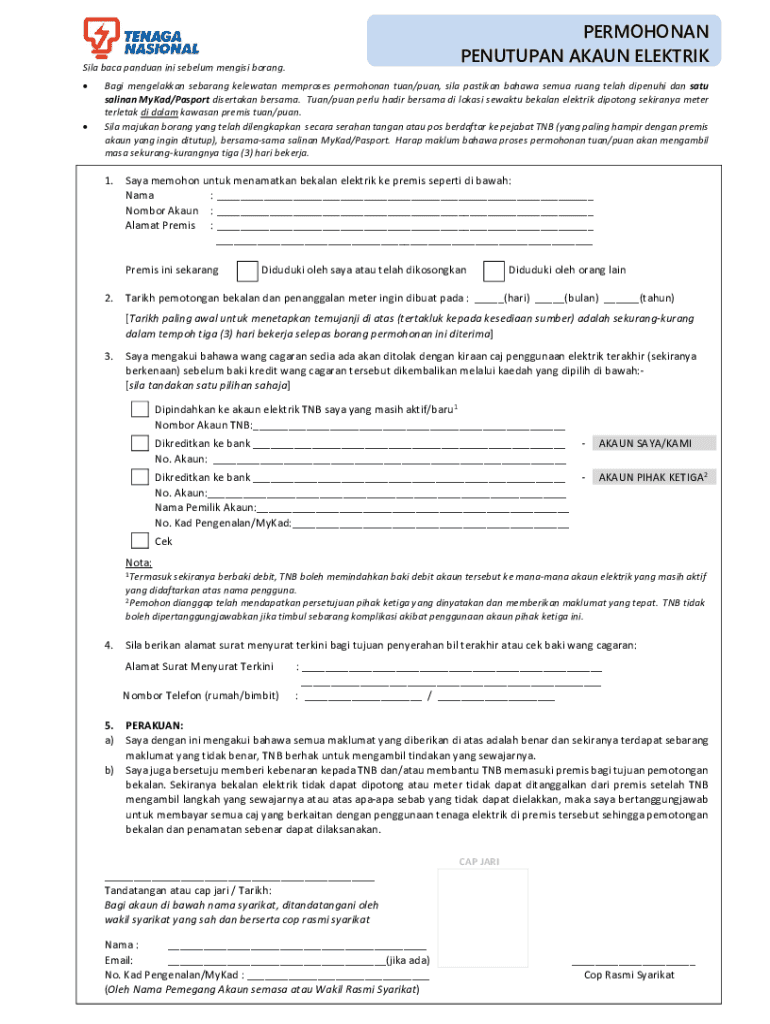
The TNB Account Closure Form, officially known as "Tnb Tutup Akaun - Fill Online, Printable, Fillable, Blank," serves as an application to terminate an electricity account with Tenaga Nasional Berhad (TNB). This document is essential for individuals or businesses seeking to discontinue their electric service. The form outlines necessary procedures, which include verifying the applicant's identity, choosing a disconnection date, and detailing how any remaining security deposit will be returned to the customer.
Steps to Complete the TNB Account Closure Form
-
Obtain the Form: Access the TNB account closure form through authorized channels. You can download a printable version from the TNB website or fill it out online using platforms like DocHub for added convenience.
-
Fill in Personal Details: Input your full name, account number, and contact information. Ensure that the details match those on your TNB account to avoid delays in processing.
-
Specify Disconnection Date: Choose the date on which you wish to have the electric service terminated. This allows TNB to plan for a smooth disconnection process.
-
Provide Identification: Attach a copy of a valid identification document, such as a passport or national ID, to authenticate your application.
-
Security Deposit Refund: Mention your preferred method for receiving any refundable security deposit. This could be through a bank transfer or a check mailed to your address.
-
Confirmation and Consent: Confirm that all the information provided is accurate and complete. Additionally, grant TNB consent to access your premises for any necessary disconnection procedures.
Legal Use of the TNB Account Closure Form
This form is legally binding and must be used correctly to avoid disputes with Tenaga Nasional Berhad. The submission of this form indicates your agreement to TNB's terms and conditions regarding service disconnection.
Who Typically Uses the TNB Account Closure Form
- Homeowners: Individuals moving to a new residence needing to close their current electricity accounts.
- Rental Tenants: Those vacating rental properties who must settle utility accounts before leaving.
- Businesses: Companies relocating or closing offices that require electricity account termination.


Key Elements of the TNB Account Closure Form
- Account Holder Information: Accurate personal details are crucial for verification.
- Disconnection Date: A clear indication of when the service should be discontinued.
- Authorization: A signature or digital consent to validate the request.
Required Documents for Submission
- Identification Proof: A clear photocopy of a government-issued ID.
- Account Details: Previous electricity bills or related documents to ensure accurate account identification.
Digital vs. Paper Version
The TNB account closure form is available in both digital and paper formats. While the paper version requires physical submission, the digital form can be completed online, offering advantages such as faster processing time and ease of editing.
Form Submission Methods
- Online Submission: Use DocHub or TNB’s online portal to submit the form electronically.
- In-Person Delivery: Visit a TNB office for physical submission and immediate assistance if needed.
Software Compatibility
Platforms like DocHub enable seamless completion and submission of the form through compatibility with common file formats such as PDF, DOC, and more. This flexibility facilitates integration with popular software tools like QuickBooks for businesses managing multiple accounts.
Each of these sections provides comprehensive details to assist users in understanding and completing the TNB account closure process effectively, ensuring a smooth and legally compliant disconnection from services.




