
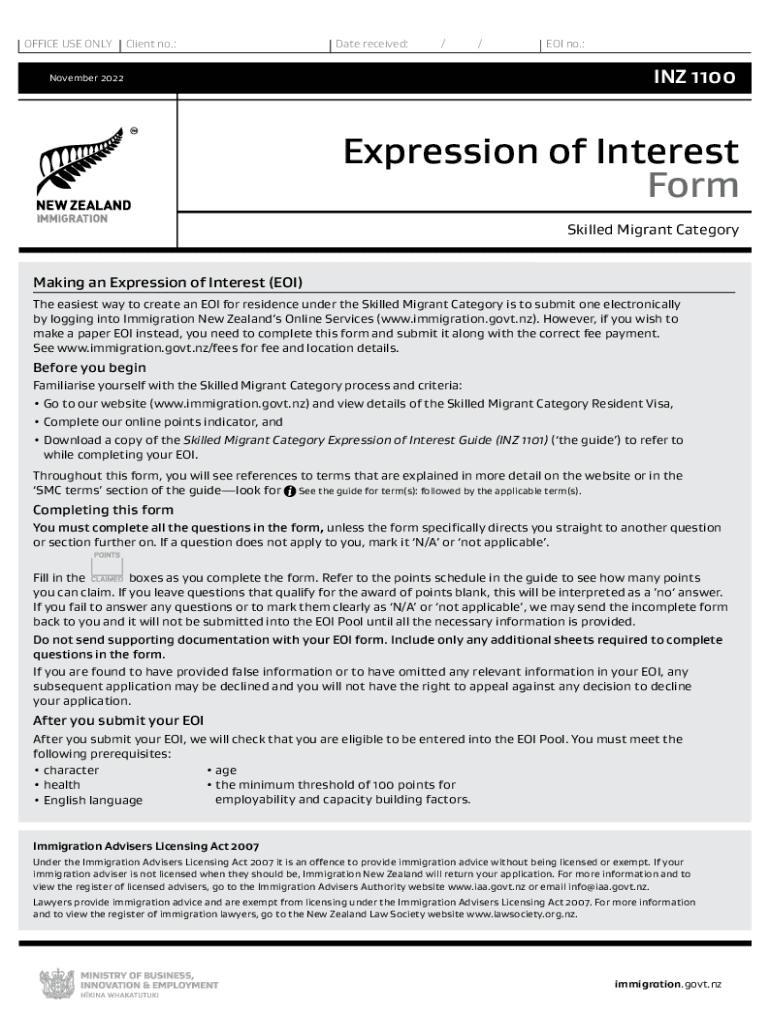




Here's how it works



How to use or fill out NZ's Expression of Interest (EOI) form for the Skilled

- Click ‘Get Form’ to open it in the editor.
- Begin with Section A, where you will provide your identity details. Fill in your name as shown in your passport, date of birth, and other personal identifiers.
- Move to Section B to confirm your character. Answer questions regarding any past criminal convictions or deportations honestly.
- In Section C, disclose your health status. Be prepared to explain any medical conditions that may affect your application.
- Proceed to Section D to demonstrate your English language proficiency. Select the appropriate option based on tests taken or qualifications held.
- Sections E and F require information about your skilled employment and recognized qualifications. Ensure you provide accurate job descriptions and educational details.
- Complete Sections G through O for additional family members and their details if applicable, ensuring all information is accurate and complete.
- Finally, review all sections for completeness before submitting the form electronically through our platform.
Start filling out your NZ EOI form today using our platform for a seamless experience!
It's free
See more NZ's Expression of Interest (EOI) form for the Skilled versions
Got questions?
Can I draw my electronic signature to sign my NZ's Expression of Interest (EOI) form for the Skilled?
Yes, electronically drawing your signature is appropriate, but only if you utilize a tool that complies with industry laws and regulations. Try DocHub, which ensures eSignature validity under ESIGN and UETA requirements. All you need to eSign your NZ's Expression of Interest (EOI) form for the Skilled is an account with DocHub and an internet connection. After you open your document in our editor, click Sign and select the Draw option.
How do you edit NZ's Expression of Interest (EOI) form for the Skilled online?
With DocHub, you have several convenient methods to edit your NZ's Expression of Interest (EOI) form for the Skilled online. You can drag and drop the form and modify it straight at the DocHub site or use our browser extension to fill out your form immediately. Additionally, you can modify your PDF on your phone, as DocHub is compatible with all the accessible mobile platforms.
How long does New Zealand ETA application take?
What is EOI for New Zealand Skilled Migrant?
How long is current EOI processing?
Security and compliance
At DocHub, your data security is our priority. We follow HIPAA, SOC2, GDPR, and other standards, so you can work on your documents with confidence.
Learn more




