Type text, add images, blackout confidential details, add comments, highlights and more.

02. Sign it in a few clicks
Draw your signature, type it, upload its image, or use your mobile device as a signature pad.

03. Share your form with others
Send it via email, link, or fax. You can also download it, export it or print it out.

How to use or fill out form online with our platform
Ease of Setup
DocHub User Ratings on G2
Ease of Use
DocHub User Ratings on G2
Click ‘Get Form’ to open it in the editor.
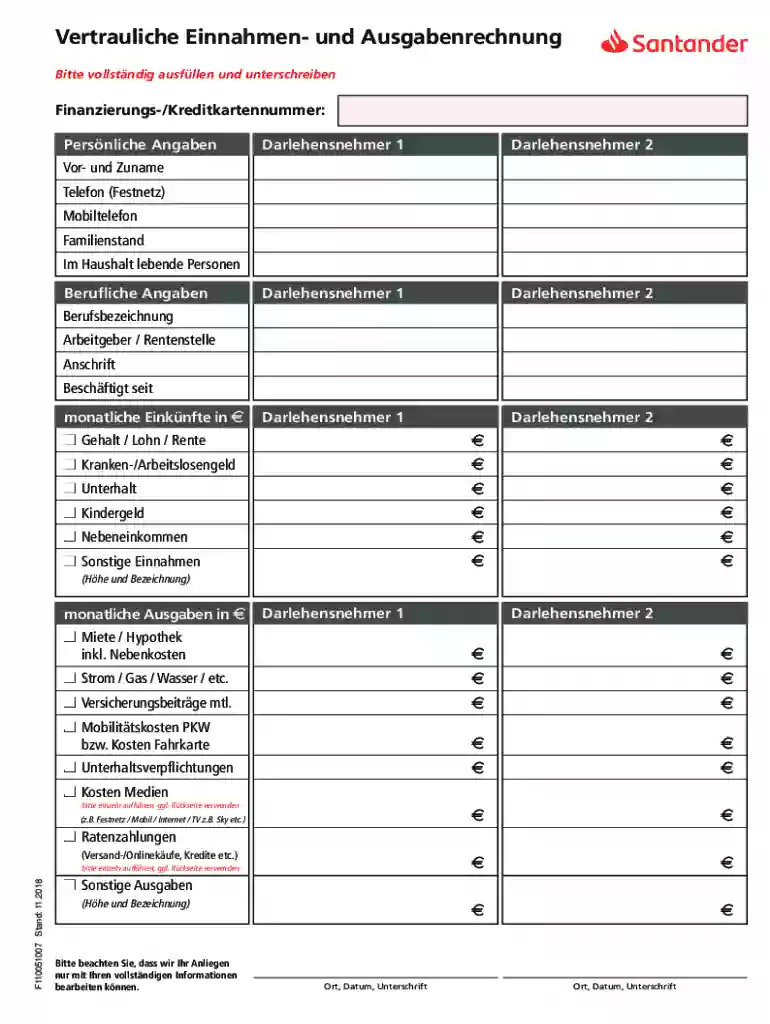
Begin by entering your personal information in the designated fields for Darlehensnehmer 1 and Darlehensnehmer 2, including full name, phone numbers, marital status, and number of household members.
Next, provide professional details such as job title, employer's name, address, and employment start date.
Fill in your monthly income sources. Specify amounts for salary, unemployment benefits, child support, and any additional income streams.
Proceed to the monthly expenses section. List all relevant costs like rent/mortgage, utilities, insurance premiums, transportation costs, and any other expenditures.
Ensure all information is complete and accurate before signing. Use the signature field to finalize your document.
Start filling out your form online for free today!
Fill out Vertrauliche Einnahmen- und Ausgabenrechnung online It's free
See more Vertrauliche Einnahmen- und Ausgabenrechnung versions
We've got more versions of the Vertrauliche Einnahmen- und Ausgabenrechnung form. Select the right Vertrauliche Einnahmen- und Ausgabenrechnung version from the list and start editing it straight away!
Anlage I, Teil 1: Einnahmen-/Ausgabenrechnung vom 01.01.17 bis 31.12.17. Anlage I, Teil 2: Vermgensbersicht. Erika und Dr. Wolfgang Eichelberger-Stiftung.Read more
Cookie consent notice
This site uses cookies to enhance site navigation and personalize your experience.
By using this site you agree to our use of cookies as described in our Privacy Notice.
You can modify your selections by visiting our Cookie and Advertising Notice.