




01. Edit your form online
Type text, add images, blackout confidential details, add comments, highlights and more.

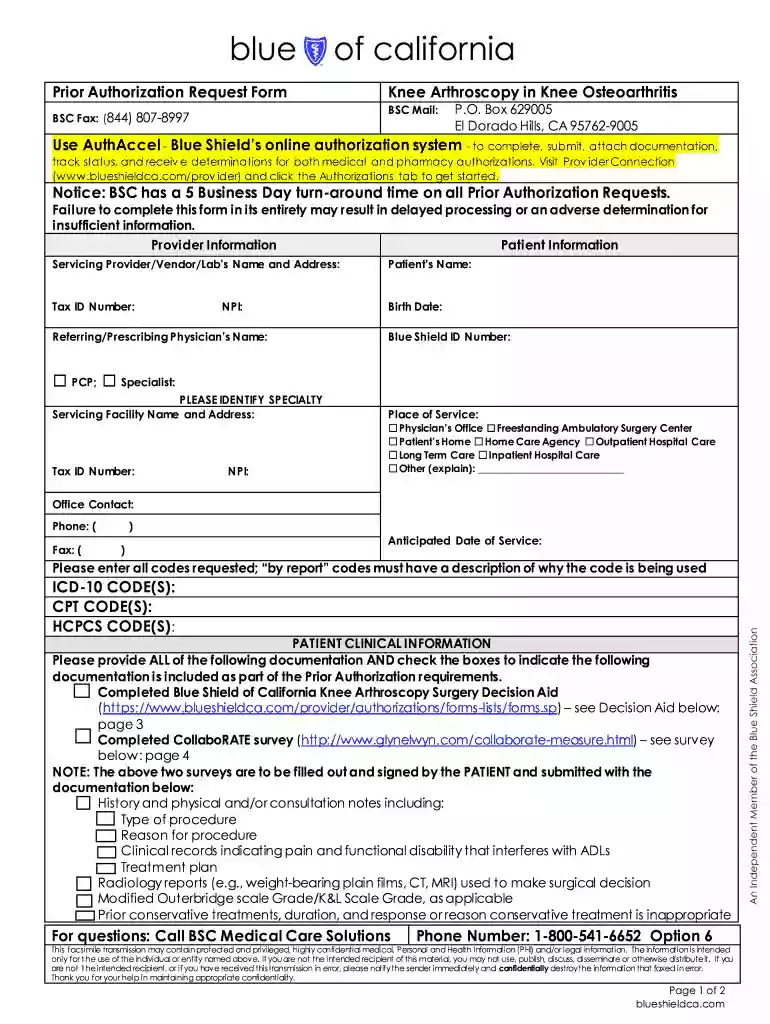
Type text, add images, blackout confidential details, add comments, highlights and more.

Draw your signature, type it, upload its image, or use your mobile device as a signature pad.

Send it via email, link, or fax. You can also download it, export it or print it out.

Start using our platform today to streamline your ca knee arthroscopy form completion!
We've got more versions of the ca knee arthroscopy form. Select the right ca knee arthroscopy version from the list and start editing it straight away!
| Versions | Form popularity | Fillable & printable |
|---|---|---|
| 2017 | 4.8 Satisfied (170 Votes) |
Yes, and it’s really straightforward! DocHub is a web-based PDF editor with advanced document management capabilities that allow you quickly modify your forms, fill out empty fields and insert new ones for other people to fill out, and create eSignatures in several ways. Upload your ca knee arthroscopy, give information as required, and choose how you want to eSign your template - by typing your name, drawing your signature, uploading its image, or utilizing a QR code.
If you edit your ca knee arthroscopy with DocHub, you only need a steady web connection and virtually any web browser installed on your device. No need to set up any third-party software or research guides. Just open a tab with DocHub, drag and drop your file, and modify it immediately.
At DocHub, your data security is our priority. We follow HIPAA, SOC2, GDPR, and other standards, so you can work on your documents with confidence.
Apr 20, 2020 During arthroscopy, an orthopedist inserts a hollow-tubed instrument with a camera and light on the end into an anesthetized knee. AfterRead more
by V Rathod 2024 Cited by 13 This review explores the integration of precision medicine into knee arthroscopy, focusing on tailored approaches and emerging technologies.Read more
The Stryker Crossfire 2 system is indicated for use in orthopedic and arthroscopic procedures for the following joints: knee, shoulder, ankle, elbow, wrist, andRead more


