
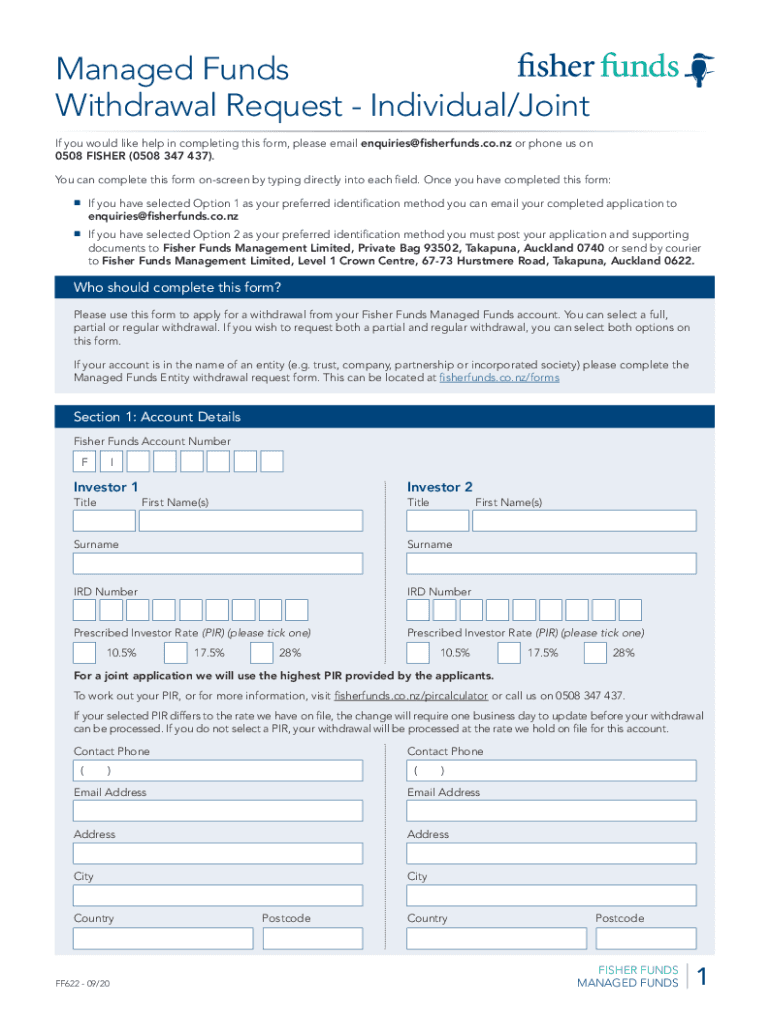







Definition & Purpose of the Fillable Managed Funds Withdrawal Request
The "Fillable Managed Funds Withdrawal Request - Individual Joint (Accident)" is a formal document utilized by individuals or joint account holders seeking to withdraw funds from their managed investment accounts. This form is particularly relevant for those dealing with unexpected incidents or accidents that necessitate immediate access to their investment funds. It enables users to request full, partial, or regular withdrawals while ensuring compliance with financial regulations and internal policies of managing entities like Fisher Funds.
Key Features
- Provides structured sections for account details and withdrawal types.
- Ensures accurate data capture through use of fillable fields.
- Facilitates the collection of necessary identification documents.
Practical Example
Consider a scenario where someone experiences an unforeseen medical emergency requiring extended funds. The individual can fill out this form to facilitate a quick reallocation of their managed investment funds towards medical expenses.
How to Use the Fillable Managed Funds Withdrawal Request
Step-by-Step Instructions
- Access the Form: Obtain the form from a secure online source or financial institution.
- Fill in Personal Details: Enter your full name, account number, and contact information in the designated fields.
- Select Withdrawal Type: Choose between full, partial, or regular withdrawals based on your financial needs and investment strategy.
- Identify Documentation Requirements: Prepare necessary documents, such as identification or proof of need related to an accident.
- Sign and Submit: Apply an electronic signature through a platform like DocHub, ensuring legal compliance, and submit the form via the prescribed method.
Examples of Use
For instance, if jointly managing accounts, specify roles in the consent section to indicate who has decision-making authority on withdrawals.
Steps to Obtain the Form
Where to Find
- Online: Many financial service providers offer downloadable versions on their websites.
- In-Person: Visit a local bank branch or financial advisor.
- Postal Request: Request a physical copy by contacting customer service of the managing institution.
Examples
A retiree might prefer an in-person consultation to gain comprehensive guidance on filling out the form correctly.
Why Fill Out This Form
Benefits
- Access liquidity during emergencies without disrupting overall investment strategy.
- Efficient form processing due to structured, clear formats and specific field requirements.
- Legally compliant document submission ensures secure processing and fund allocation.
Practical Insights
An example includes using the form for educational expenses after an accident has disrupted employment, providing financial flexibility during recovery.
Important Terms Related to the Form
Definitions
- Managed Funds: Investment pools, managed by financial experts, that investors contribute to for growth.
- Withdrawal Request: Formal application to access funds within an investment account.
Nuances
Understanding terms like "regular withdrawal" can clarify long-term financial planning versus one-time needs.
Required Documents
Necessary Documentation
- Identity Verification: Passport, driver's license, or other government-issued ID.
- Account Confirmation: Recent statements reflecting current account status.
- Specific Need: Medical bills or accident reports if the withdrawal is tied to an incident.
Tips for Preparation
Digitizing these documents can streamline the submission process, especially when using electronic submission methods.
Digital vs. Paper Version
Differences
- Digital Version: Allows for quick electronic signature and submission, ideal for immediate needs.
- Paper Version: Suitable for individuals with limited digital access or preference for traditional submission methods.
Software Compatibility
Platforms like DocHub enhance the digital experience by supporting fillable PDFs integrated with secure signing functionalities.
Practical Consideration
Users must weigh the convenience of digital forms against the reliability of physical records in certain scenarios.
Software Compatibility and Integration
Supported Platforms
- DocHub Integration: Offers seamless collaboration and signing capabilities, particularly useful for joint accounts.
- Google Workspace: Direct integration enables streamlined import and export of documents from Google Drive.
Example Use Case
A business entity using QuickBooks to manage finances could leverage DocHub for form completion without disrupting workflow.




