



01. Edit your spray tanning release form online
Type text, add images, blackout confidential details, add comments, highlights and more.

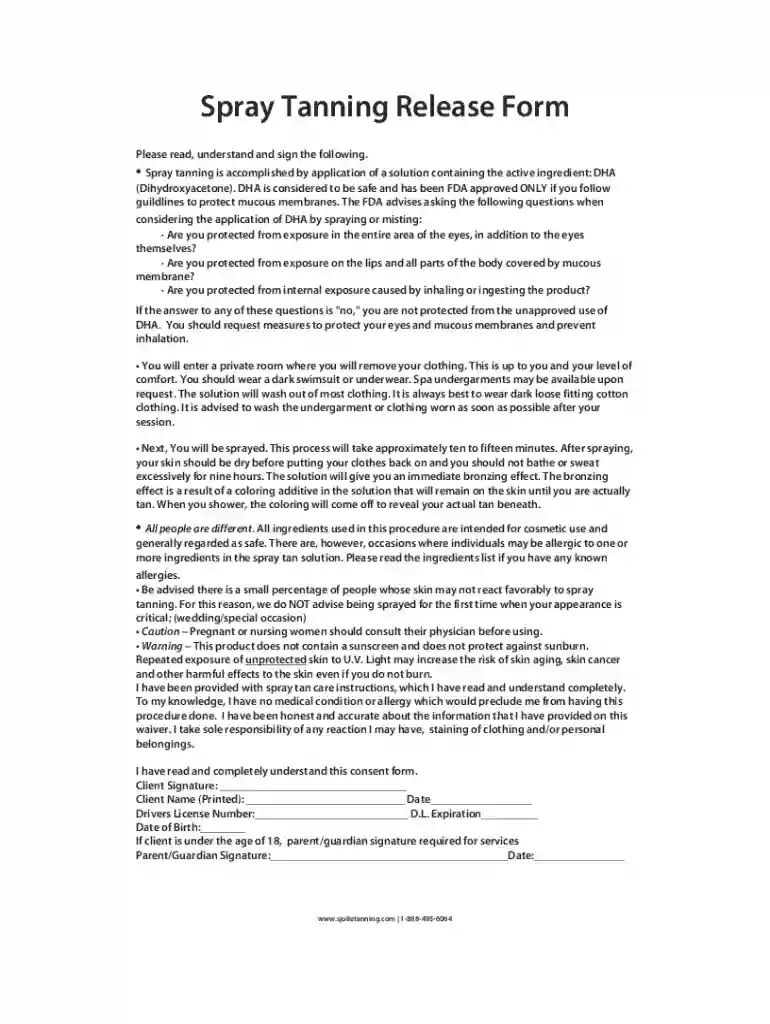
Type text, add images, blackout confidential details, add comments, highlights and more.

Draw your signature, type it, upload its image, or use your mobile device as a signature pad.

Send tanning release form via email, link, or fax. You can also download it, export it or print it out.
Online forms are digital versions of documents designed to facilitate the collection and submission of information over the internet. These forms are widely used across various industries, allowing individuals and businesses to gather data efficiently. Online forms are particularly useful for processes such as applications, surveys, feedback collections, and registrations. They eliminate the need for physical paperwork, reducing both paper usage and manual data entry errors.
Online forms can be customized to fit specific needs, incorporating fields for text input, multiple-choice questions, drop-down menus, and more. This flexibility enables users to tailor the form to capture the exact information required. Additionally, online forms often include validation rules to ensure that data inputs are accurate and complete before submission, improving the quality of collected data.
To use online forms effectively, start by clearly defining the purpose of the form. Determine what information you need to collect and ensure that the form fields are structured to gather that data efficiently. Make use of conditional logic to show or hide fields based on previous answers, keeping the form user-friendly and concise.
Online forms should be intuitive and easy to navigate. Use clear labels and instructions for each field, and group related questions together. Test the form before deployment to ensure that it works as intended across different devices and browsers. This cross-platform compatibility is crucial to reach the widest audience possible.
After deployment, track the form's performance using analytics to identify drop-off points or areas that may need improvement. This data-driven approach can inform future adjustments to enhance the user experience and increase completion rates.
Completing an online form involves several straightforward steps:
Access the Form: Navigate to the URL or platform where the form is hosted. Ensure you have a stable internet connection to avoid disruptions.
Read Instructions: Carefully read any instructions or notes provided at the beginning of the form. This step ensures you understand the requirements and any specific submission guidelines.
Fill Out Fields: Complete each field with accurate information. Use any provided guidance, such as tooltips or placeholders, to understand the expected input.
Upload Documents: If the form requires supporting documents, prepare these files in the specified format and upload them as instructed.
Review Entries: Double-check all entries for accuracy and completeness. Pay attention to critical fields that may affect the processing of your submission.
Submit the Form: Once satisfied with your entries, click the submit button. Wait for confirmation that your form has been received successfully.
In case of errors during submission, follow any prompts to correct the entries and resubmit.
Filing forms online offers numerous benefits over traditional paper forms. One significant advantage is the convenience of submission from anywhere with internet access. This feature saves time and resources by eliminating the need to mail or physically deliver completed forms.
Online forms are more efficient, with built-in features like auto-completion and input validation reducing manual errors. They also allow for instant data processing and storage, which is particularly beneficial for organizations that manage large volumes of information.
In addition to efficiency, online forms enhance data security. Features such as SSL encryption and password protection safeguard sensitive information transmitted over the internet. These security measures ensure compliance with privacy regulations, making online forms a trusted method for data collection.
An effective online form comprises several key elements. These include:
These elements work together to create a seamless user experience that facilitates efficient data capture while minimizing errors.
Using online forms involves several legal considerations, especially regarding data privacy and protection. In the U.S., online forms must comply with regulations such as the Electronic Signatures in Global and National Commerce Act (ESIGN Act) for electronic signatures and the Children's Online Privacy Protection Act (COPPA) when collecting information from minors.
Forms must include clear privacy policies outlining how collected data will be used, stored, and shared. Additionally, obtaining user consent before collecting personal information ensures compliance with privacy laws and builds trust with form participants.
For official or sensitive documents, incorporating features like electronic signatures ensures that the online process meets legal standards for document authentication and enforceability.
Digital forms offer several advantages over paper versions. The most notable benefit is their accessibility, allowing users to complete and submit forms from anywhere with an internet connection. This convenience eliminates the geographical barriers associated with paper forms, which require physical handling and mailing.
Digital forms also offer efficiency in processing, as data can be automatically stored and analyzed without manual entry. They are environmentally friendly, reducing paper waste and the carbon footprint associated with paper production and transport.
Moreover, digital forms provide enhanced security features. Unlike paper forms, which can be lost or damaged, digital forms are protected by encryption and can be backed up in multiple locations. These security measures help prevent unauthorized access and ensure data integrity over time.
Online forms can often be integrated with various software platforms, enhancing their functionality and ease of use. Many online form builders offer compatibility with tools such as TurboTax and QuickBooks, which streamline data transfer for tax and financial record-keeping purposes.
This compatibility minimizes the need for redundant data entry, as information entered into an online form can be automatically populated into other systems. Furthermore, integrations with email marketing tools, CRM systems, and cloud storage services enable organizations to manage contacts, automate workflows, and securely store form submissions.
While online forms facilitate widespread accessibility, it is crucial to ensure that they function correctly across different browsers and devices. Testing forms on platforms like Google Chrome, Firefox, Safari, and mobile browsers ensures a consistent experience for all users.
In the U.S., specific online forms may be subject to varying rules and requirements based on state laws and regulations. For instance, tax forms or legal documents might require specific sections or data based on regional legislation.
Understanding these state-specific variations is critical for compliance. Organizations must ensure that their forms contain the necessary fields and disclosures to align with applicable laws. For users, it's advisable to verify that they use the correct version of a form that corresponds to their state to avoid processing delays or rejections.
For highly regulated fields, such as healthcare or law, additional guidelines may apply. Consulting with a legal expert or compliance officer is recommended to ensure forms meet all jurisdictional requirements.
We've got more versions of the spray tanning release form form. Select the right spray tanning release form version from the list and start editing it straight away!
At DocHub, your data security is our priority. We follow HIPAA, SOC2, GDPR, and other standards, so you can work on your documents with confidence.


