



01. Edit your fmla request form online
Type text, add images, blackout confidential details, add comments, highlights and more.

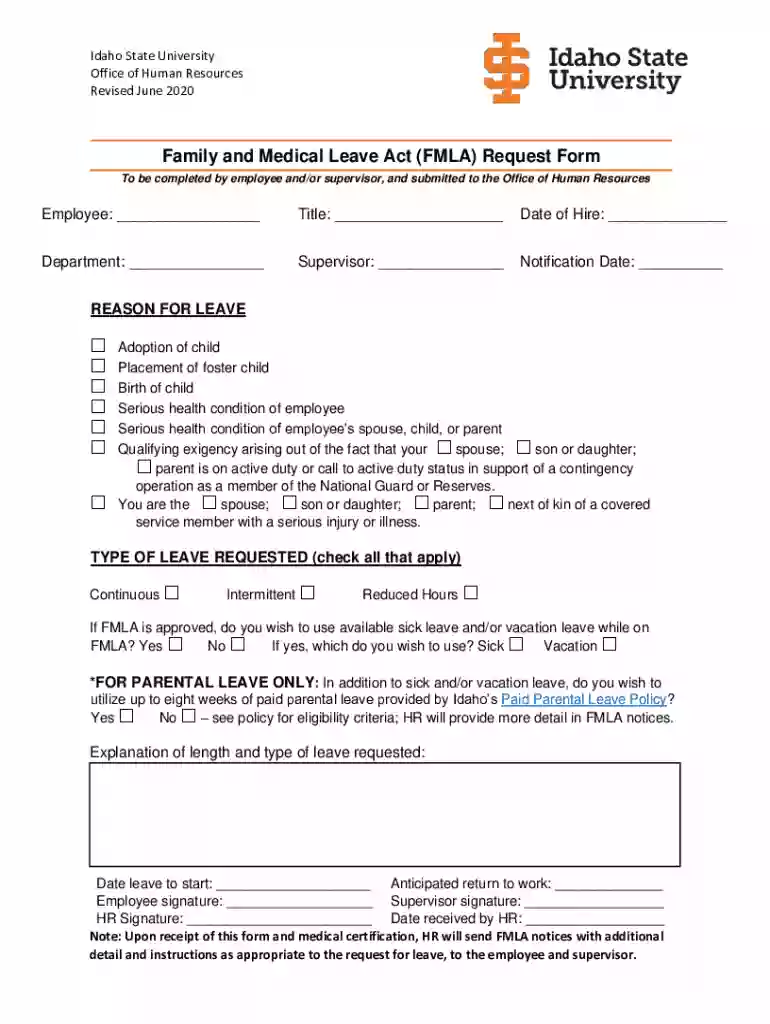
Type text, add images, blackout confidential details, add comments, highlights and more.

Draw your signature, type it, upload its image, or use your mobile device as a signature pad.

Send efmla request form via email, link, or fax. You can also download it, export it or print it out.
The term "form online" refers to the process of creating, completing, and submitting digital forms over the internet, a convenient alternative to traditional paper forms. This method leverages various tools and platforms that enable users to fill out forms electronically, reducing the need for printing and manual data entry. In essence, using forms online simplifies administrative tasks by integrating technology into documentation processes.
To use an online form, start by accessing a platform like DocHub that facilitates digital form creation and submission. Begin by selecting or uploading the form you need to complete. Use the platform's tools to fill in required fields, inserting text, selecting options, or attaching files as needed. Once every section is filled, review the form to ensure accuracy before submitting it electronically. The system usually provides options to save, print, or directly share the completed form with relevant parties.
Access the Online Platform: Navigate to a trusted website like DocHub to find or upload the form you need.
Select or Upload the Form: Choose a template from the available options or upload your specific form document.
Fill Required Fields: Use text boxes, checkboxes, and other input tools to complete each section of the form.
Review and Edit: Double-check entered information for accuracy and make necessary changes before finalizing the form.
Submit or Share: Choose to submit the form directly through the platform, print a copy, or share it electronically with others.
Utilizing forms online offers multiple advantages such as efficiency, accessibility, and environmental benefits. It minimizes the time required for form completion and submission, allowing individuals or organizations to manage documentation tasks quickly. Additionally, online forms are accessible from any location with internet connectivity, ensuring that users can submit forms without geographical constraints. This digital approach also reduces paper consumption, aligning with sustainable practices.
Online forms typically include several key elements:
Under laws like the ESIGN Act in the United States, forms completed and signed online hold the same legal significance as their paper counterparts. This legality ensures that electronic signatures and submissions are recognized by businesses and the judicial system, making online forms suitable for contracts, agreements, and other legally binding documents.
When filling out an online form, additional documents may be required to verify and support the information being submitted. Commonly needed documents include:
A diverse group of users benefits from online forms:
Always tailor the use and creation of online forms to the specific needs and legal requirements of their intended use case.

We've got more versions of the fmla request form form. Select the right fmla request form version from the list and start editing it straight away!
At DocHub, your data security is our priority. We follow HIPAA, SOC2, GDPR, and other standards, so you can work on your documents with confidence.
The Department has developed optional-use forms which can be used by employers. These forms are electronically fillable PDFs and can be saved electronically.
Your first steps: Within 30 days before your leave is to begin or as soon as practical, please fill out the linked FMLA Request Form which will be sent to yourRead more


