




Here's how it works



How to use or fill out qathet Regional District receives tourism funding request with our platform

- Click ‘Get Form’ to open it in the editor.
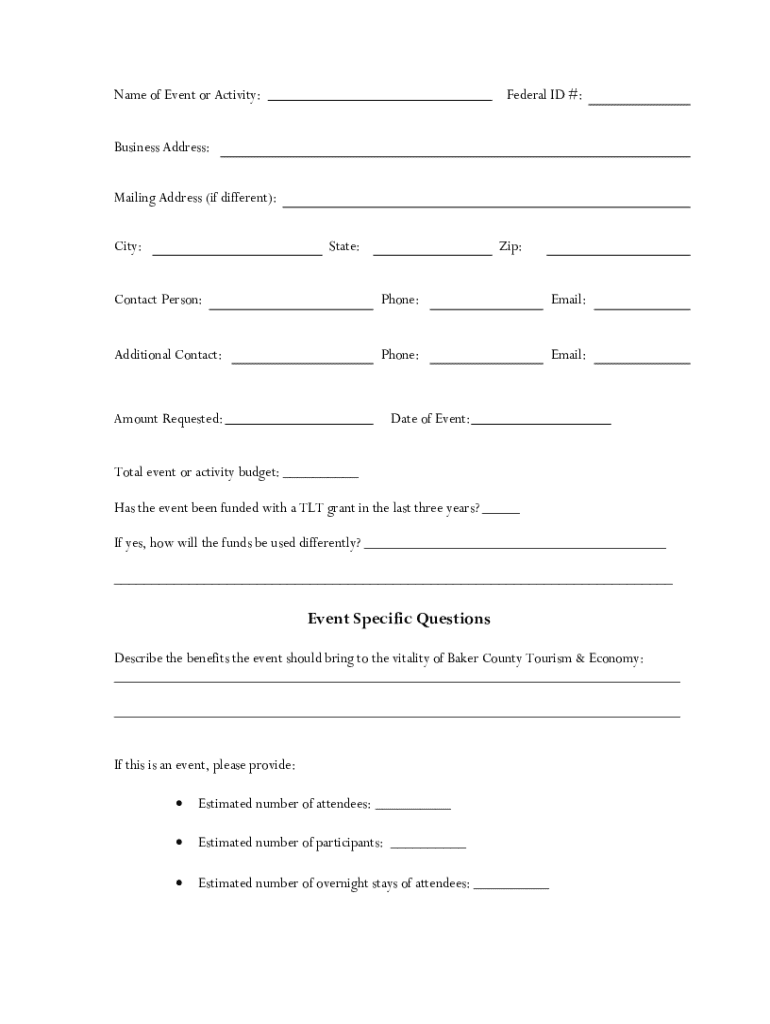
- Begin by entering the 'Name of Event or Activity' at the top of the form. This is crucial for identifying your application.
- Fill in your 'Federal ID #' and 'Business Address'. If your mailing address differs, provide that information as well.
- Complete the contact details, including 'Contact Person', 'Phone', and 'Email'. Ensure these are accurate for communication purposes.
- Specify the 'Amount Requested' and the 'Date of Event'. This helps in assessing your funding needs and scheduling.
- In the section for event-specific questions, describe how your event will benefit Baker County's tourism and economy. Be detailed to strengthen your application.
- Provide a detailed budget breakdown, listing all income sources and expenses. This transparency is vital for grant approval.
- Finally, review all entries for accuracy before submitting your completed application to ensure eligibility for funding.
Start using our platform today to streamline your application process for free!
It's free
See more qathet Regional District receives tourism funding request versions
Got questions?
Can I type my eSignature on my qathet Regional District receives tourism funding request?
Sure, a typed name is recognized as a legitimate electronic signature when you add it to your document using a compliant solution like DocHub. Simply import your qathet Regional District receives tourism funding request to our editor, click Sign in the top tool pane → Create your signature → Type your name in the proper tab, and choose how it will appear on your document.
How to complete qathet Regional District receives tourism funding request on the internet for free in 2024?
With a swift editing platform like DocHub, you do not need anything but a web browser and internet connection to modify your qathet Regional District receives tourism funding request on the internet swiftly. Add your file or get the relevant form in DocHub’s catalog, open our editor with one click, and complete it electronically. To revise your forms at any time, sign up a free profile with DocHub.
Security and compliance
At DocHub, your data security is our priority. We follow HIPAA, SOC2, GDPR, and other standards, so you can work on your documents with confidence.
Learn more




