




Here's how it works



How to use or fill out dora real estate forms with our platform

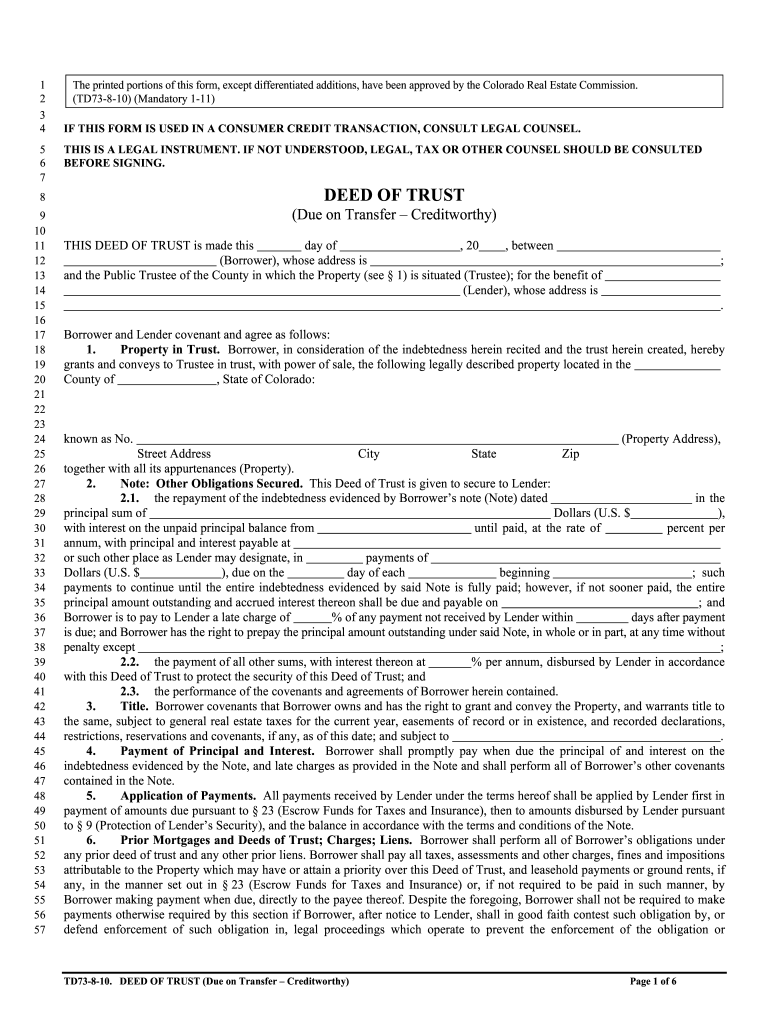
- Click ‘Get Form’ to open the dora real estate form in the editor.
- Begin by entering the date at the top of the form. This is crucial for legal documentation.
- Fill in the Borrower's name and address in the designated fields. Ensure accuracy as this information is vital for identification.
- Next, provide details about the Property, including its address and any relevant legal descriptions. This section secures the trust against a specific property.
- Complete the financial sections, including loan amounts, interest rates, and payment schedules. Be precise to avoid future discrepancies.
- Review all entered information for accuracy before proceeding to sign. Utilize our platform's features to add signatures where required.
Start filling out your dora real estate forms online for free today!
It's free
See more dora real estate forms versions
| Versions | Form popularity | Fillable & printable |
|---|---|---|
| 2011 | 4.8 Satisfied (291 Votes) |
Got questions?
What is the simplest way to electronically sign my dora real estate forms?
Many software applications are available on the market for document modifying and signing. DocHub is one of the most in-demand online solutions that comply with all security and compliance requirements and guarantees your electronically signed paperwork is legally enforceable. All you need to try it out is to create an account, upload your dora real estate forms, provide the requested details, and click Sign. Create your eSignature by typing, drawing it, uploading its picture to your template, or scanning a unique QR code.
Do I need to install software to modify my colorado real estate forms?
If you edit your colorado real estate forms with DocHub, you merely require a stable internet connection and virtually any web browser installed on your device. No need to set up any third-party applications or study guides. Simply open a tab with DocHub, drag and drop your file, and modify it immediately.
What makes a contract valid in real estate?
Is buyer representation agreement required in Ontario?
What is Colorado exclusive right contract?
Security and compliance
At DocHub, your data security is our priority. We follow HIPAA, SOC2, GDPR, and other standards, so you can work on your documents with confidence.
Learn more


